

ashokkumarpk
Participant
March 7, 2025
Question

bullet and numbered list in adobe world ready gets scrambled

  • March 7, 2025
  • 1 reply
  • 246 views

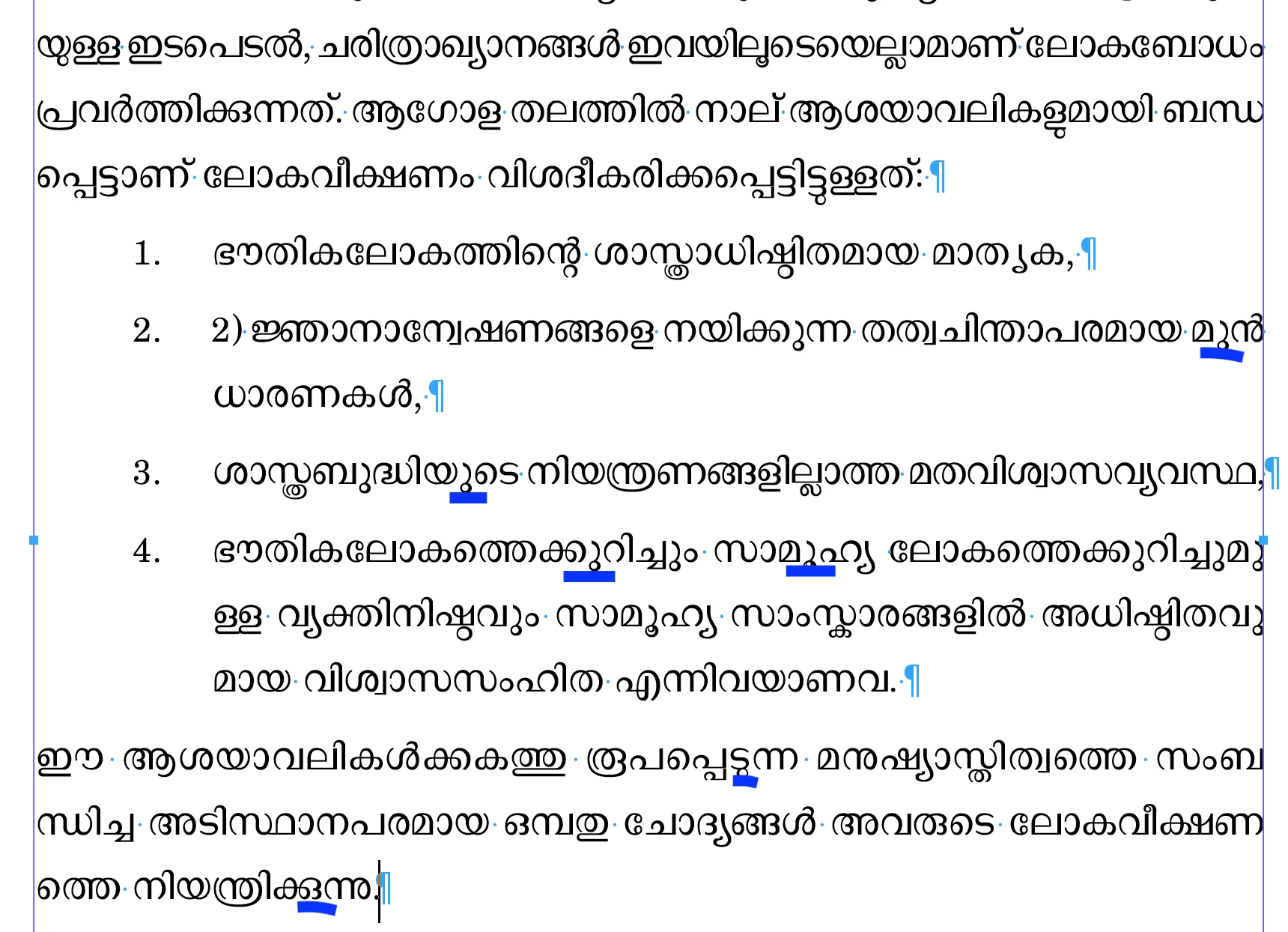
I am using Mac M1 Chip Mac OS Sequoia 15.3.1, Adobe Indesign 19.4. Recently while working in World Ready Composer Language Malayalam the shaping rule does not get applied in the bullet and numbered list. I ad applied the Harfbuzz script but in vein.  Could you offer a solution at the earliest.
1 reply

Joel Cherney
Community Expert
Community Expert
March 7, 2025

I don't spot that drop in the sample you attached. Unfortunately, your s doesn't match your sample INDD, so it's harder for those of us who don't read Malayalam to figure out exactly what errors might be present. 


There is now a preference setting for turning the legacy glyph shaping engine on and off, so you shouldn't need to use a script to change shaping engines. It's in the Advanced Type section under the Default composer dropdown. 


That being said, I've looked at your file in both 19.5 and 20.1, with the legacy shaping engine turned off and turned on, and I can't cause the drop that you demonstrate in your screenshot. I've encountered plenty of differences in character and word spacing between engines, but I've not spotted the drops you marked in your screenshot. So I don't believe that whatever is causing that drop has to do with the version of InDesign, or the glyph shaping engine, but I can't prove this claim true or false with your sample INDD file. 

ashokkumarpk
Participant
March 8, 2025

Thank you very much for your prompt and scholarly reply, I am attaching one sample from the indd file I had sent with markings