

landscape_snarkitect
Known Participant
May 17, 2022 10:44 PM UTC
Question

Bullet Point Formatting Issue

Hi,


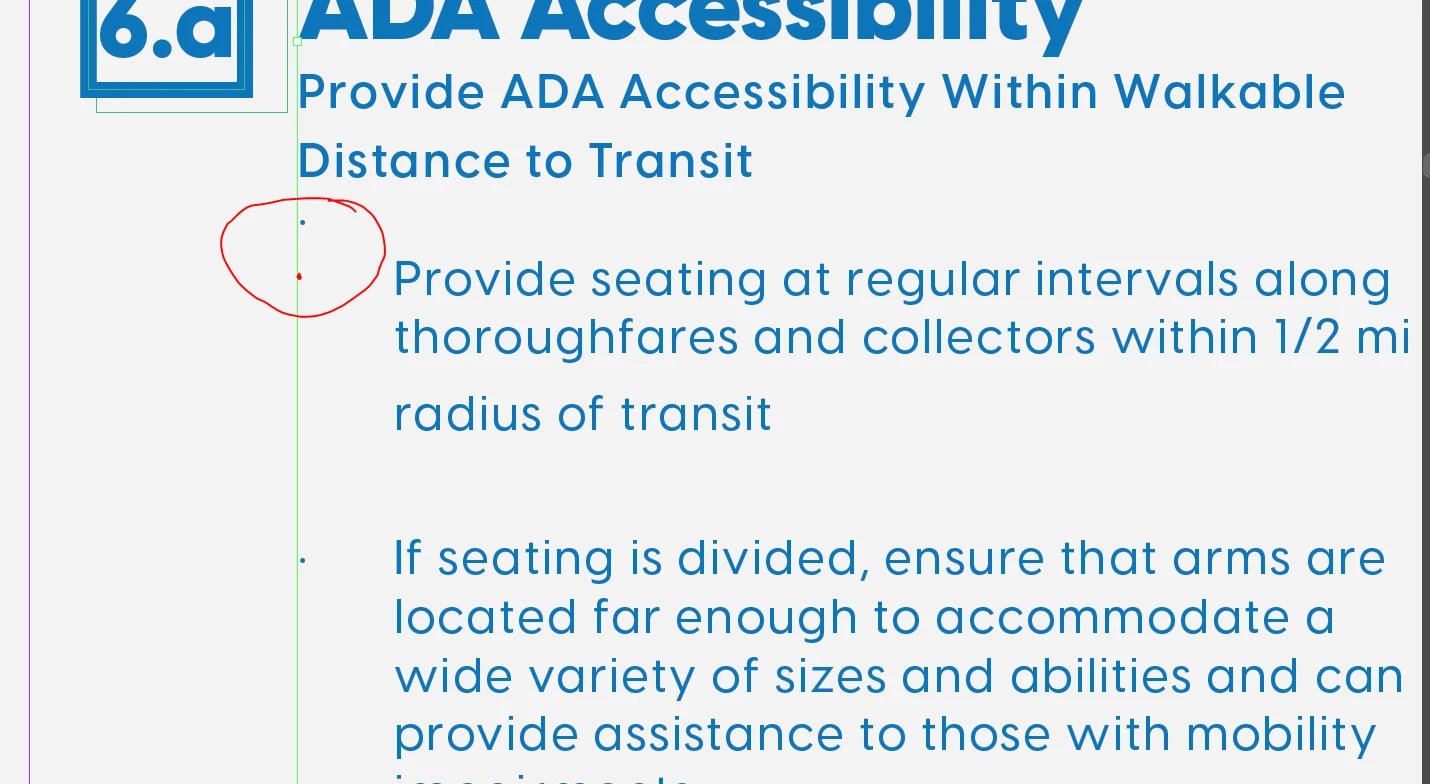
I am writing bullet points under a heading. For most of the document, it has not been a problem, but there are several instances where it is bulleting the line above the paragraph of text rather than in-line. The red marked dot is where the bullet should be.


If I select the line above the paragraph where the dot is erroneously placed, it removes the indent and bullet from the full paragraph. Any idea why this is happening or how to fix this in a clean and consistant way?
This topic is closed to new replies. Start a new post to keep the conversation going.

10 replies

John Mensinger
Community Expert
Community Expert
May 18, 2022 4:46 PM UTC

Thats one of several reason why using empty paragraphs to create space is not best practice. Use Space Before / Space After instead.

Translate
landscape_snarkitect
Known Participant
May 18, 2022 4:56 PM UTC

If I use Space Before / Space After, then it causes the last line of the sub heading to have a larger space between lines of text than the others. Then, the same problem occurs when I bullet the text.

Translate
landscape_snarkitect
Known Participant
May 18, 2022 4:57 PM UTC

It actually treats it like it is still apart of the subheading and will bullet all of it even if I only select the "provide seating" line

Translate
Scott Falkner
Community Expert
Community Expert
May 18, 2022 6:24 AM UTC

Can you provide that screen shot again with hidden characters showing? There might be a line break after the bullet.

Translate
landscape_snarkitect
Known Participant
May 18, 2022 4:28 PM UTC

See below for existing condition:


Then, if I delete the paragraph symbol on the end of "Transit," then this happens: 

If Iselect the "Provide seating" paragraph and press the bullet setting again, it returns to the condition above.

Translate
Peter Spier
Community Expert
Community Expert
May 18, 2022 4:38 PM UTC

Scott is correct. That is a soft return (forced line break after the bullet. Tiy need to tweak your space before/space after settings in some combination on the two paragraph styles so you don't need to force the sapce between them.

Translate
Joel Cherney
Community Expert
Community Expert
May 17, 2022 11:40 PM UTC

I'm not sure what you're asking, here. It sounds like you're saying that, if you select the words "Distance to Transit" with the Text tool, then the indent and bullet are spontaneously removed from "Provide seating at regular intervals..."  Did I get it right? I'd be surprised if that was what was actually going on, although I have found a few intermittent weird screen-update issues that are new to InDesign 17.  (I just wrote it off to buying a low-end, used video card, and reassured myself that I could always force a screen redraw by changing the zoom level.)


I don't think that's what you're actually asking, though. Can you flesh out your description a bit? Or maybe give us a screenshot with hidden characters visible? (That's Type -> Show Hidden Characters)

Translate