
Known Participant
August 5, 2019
Answered

Bullet white space

  • August 5, 2019
  • 2 replies
  • 992 views

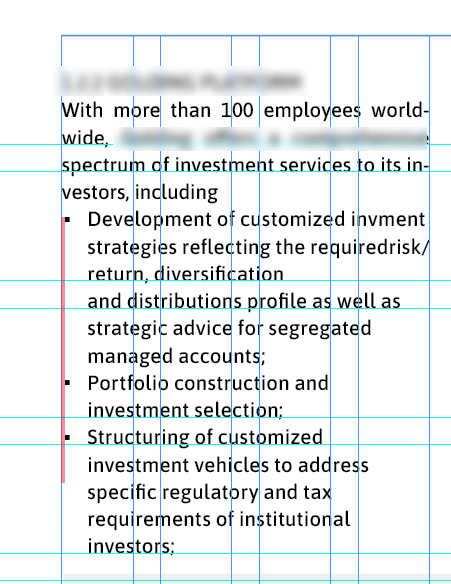
Hello is there a way to make the bullets align exactly with the left margin? at the moment there is a tiny bit of white space shown in red. The type is set in ASAP and the bullets are Arial as they have to be square bullets, its in a paragraph style that pulls in the bullet as a character style
 

This topic has been closed for replies.
Correct answer Laubender

Hi John,

there is a way if the right typeface with the right glyph is used as bullet.

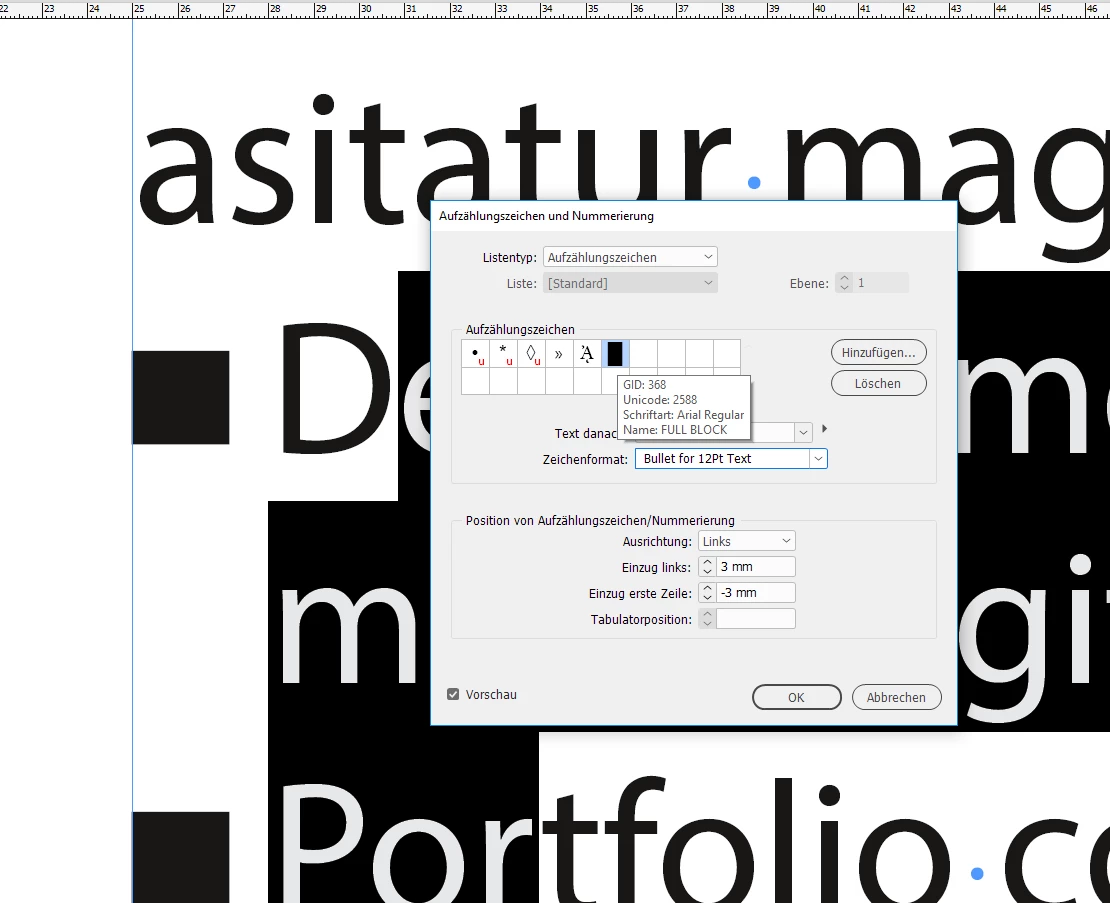
E.g. Arial, glyph from Unicode 2588, FULL BLOCK.

Plus a character style applied to tame it.

From my German InDesign:

Applied character style to the bullet:

Regards,
Uwe

2 replies

Known Participant
August 5, 2019

Thanks but that doesn't quite work, I'm hoping to find a way to have exact control over how close the bullets are to the margin

John Mensinger
Community Expert
Community Expert
August 5, 2019

You can't. Assuming the text inset is 0, the bullet character's side bearing is already against the text frame. InDesign doesn't allow a negative text inset.

The only other option is to fake it by 'hanging' the bullets slightly; indenting non-bullet text to align and nudging the frame left to get (the visible part of) the bullets against the page margin.

LaubenderCommunity ExpertCorrect answer
Community Expert
August 5, 2019

Hi John,

there is a way if the right typeface with the right glyph is used as bullet.

E.g. Arial, glyph from Unicode 2588, FULL BLOCK.

Plus a character style applied to tame it.

From my German InDesign:

Applied character style to the bullet:

Regards,
Uwe

Jeff Witchel, ACI
Community Expert
Community Expert
August 5, 2019

You could select the text frame and in the Story panel (Window > Type & Tables > Story), turn on Optical Margin Alignment. This aligns type to the margins optically by taking into account the relative shapes and sizes of the characters.