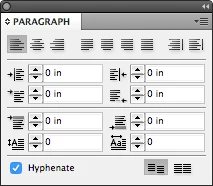
Here's a screen shot from the oldest version I have (CS5.5).
Do you have third-party software that is causing this?
It does help to see the screen shot for CS5.5, Migintosh, thank you,
DHood,
The newer versions use a workspace called "Essentials with three panels. If you switch to "Essentials Classic", you will get panels similar to older versions of InDesign. I start with the workspace called "Advanced" and modify it.
The panel you are showing is the Properties panel and the name should be at the top.
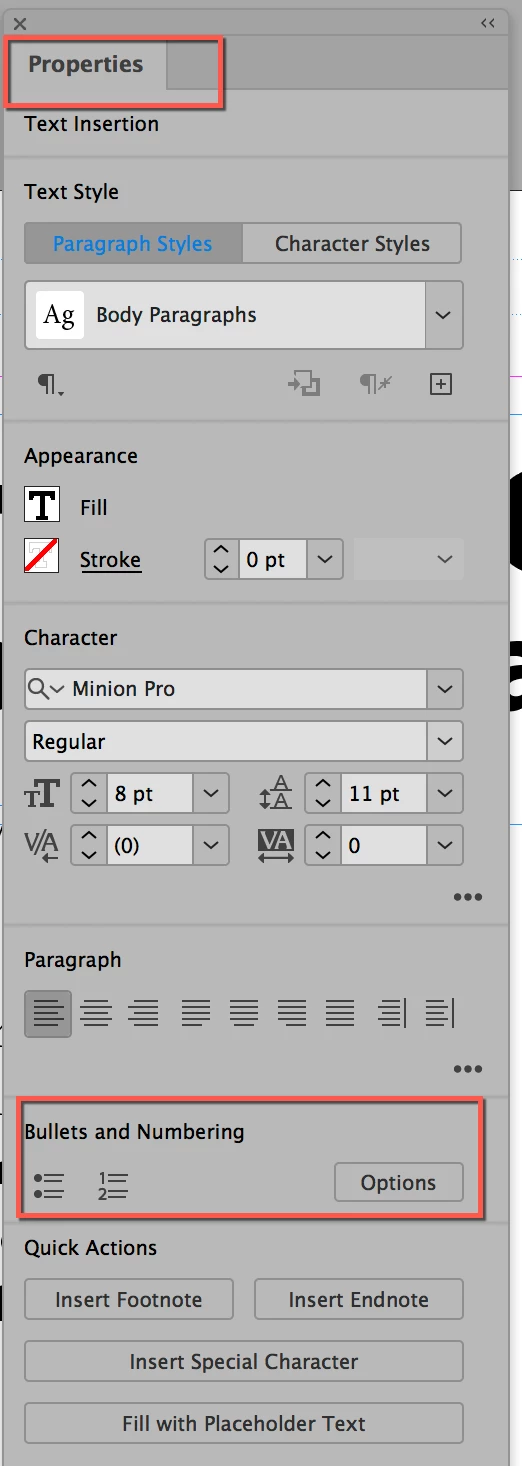
If you go to Window menu > Workspace > Advanced, it will include the Control panel. There are two icons on the left. The "A" is the Character panel, and the pilcrow (red box) is the Paragraph panel. All panels can be opened from the Window menu. I also drew a red box around the bullets and numbers. I would do it this way.

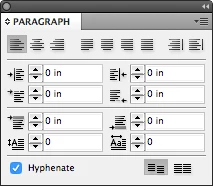
This is Migintosh's screen shot from CS5. It does not have Bullets and Numbering. The buttons in the lower right are for the baseline shift. You will find B&N if you click the menu in the upper right.
While I agree that styles are the way to go, I use overrides, then update my style, so I use the Control panel. And styles are not what you are asking about. You are asking how to do Bullets and Numbers.
You can use the Advanced Workspace or turn on the Control panel from the Window menu, then use the Paragraph section of the panel.
But they are not in the Paragraph panel of CS5.5 as buttons, nor in the versions I looked in. If you can find another screen shot that displays them, I'll look again.
I hope this helps. And thanks for speaking up when someone marked the wrong reply as being correct. You get to decide.
~ Jane


 AdChoices