Participating Frequently
May 28, 2024
Answered

Button cuts my symbol

  • May 28, 2024
  • 3 replies
  • 1242 views

Hi!

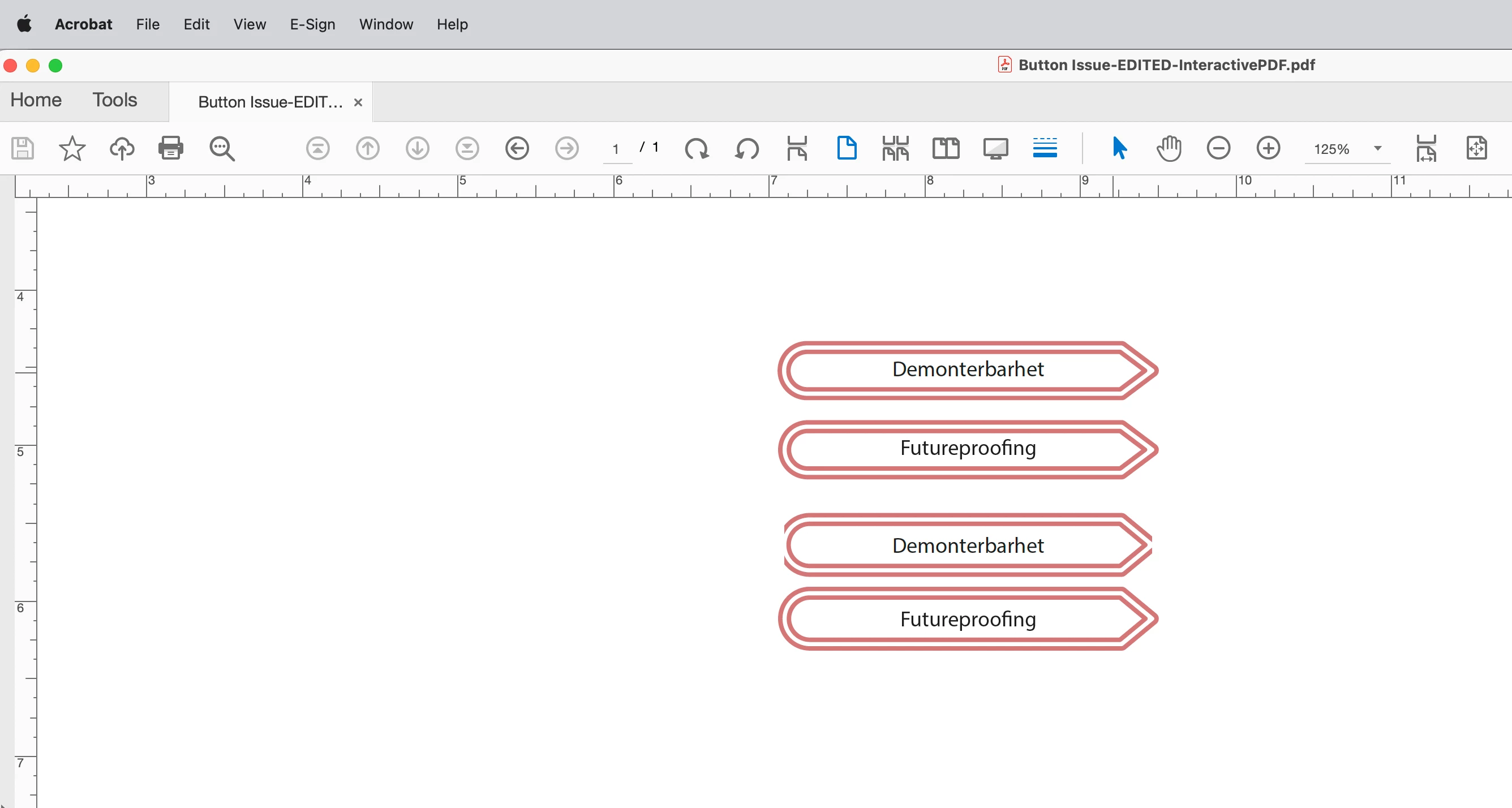
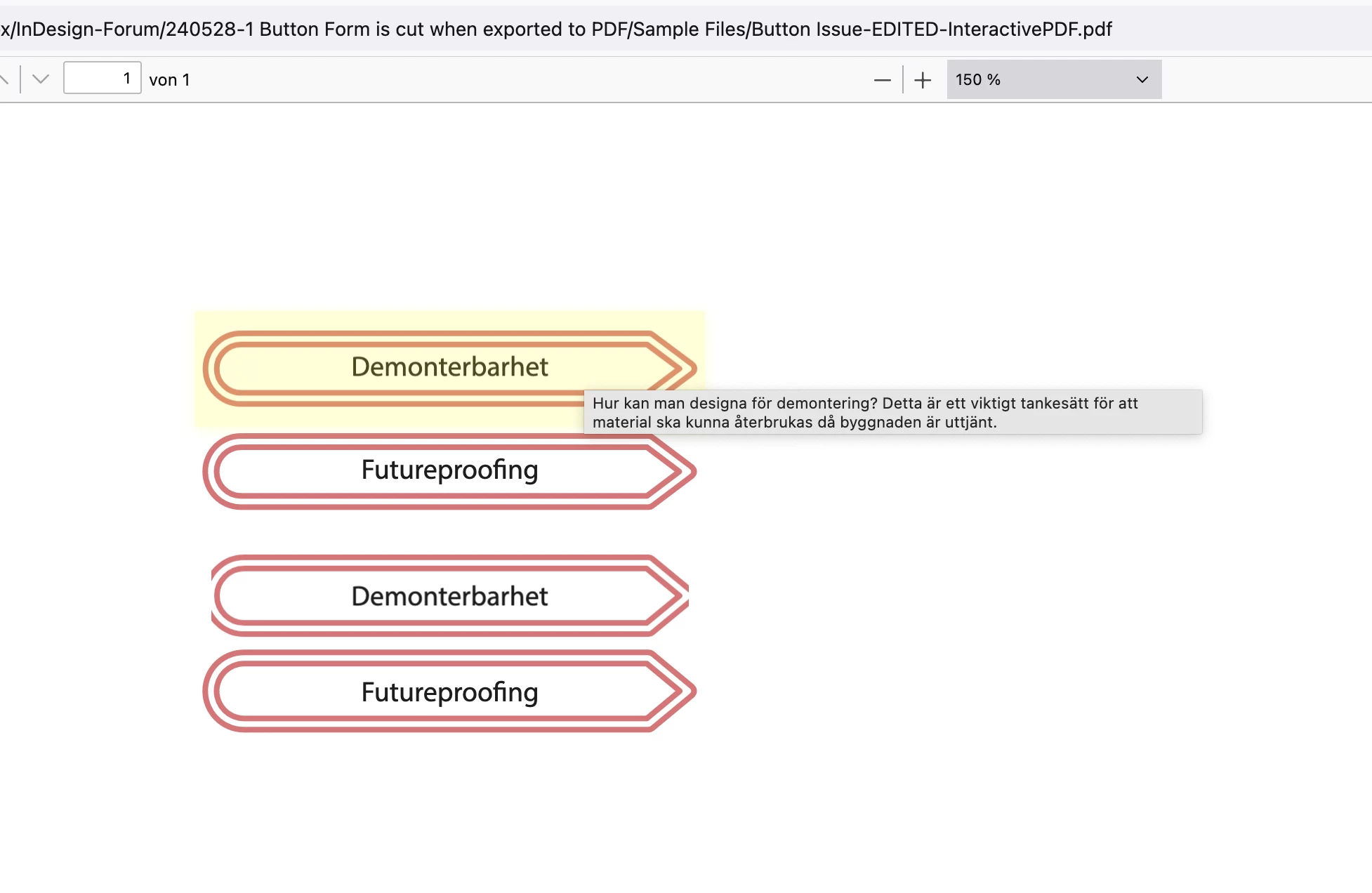
I've created different Paragraph styles which controls color and frame. However, when made into a Button, it cuts the frame upon export to interactive PDF (see attached image of a text exported as a button and one exported without being a button).

Anyone know how to fix this?

Thank you

/Kaj

This topic has been closed for replies.
Correct answer Laubender

Hi @KajN ,

thank you for the sample documents.

Hm…

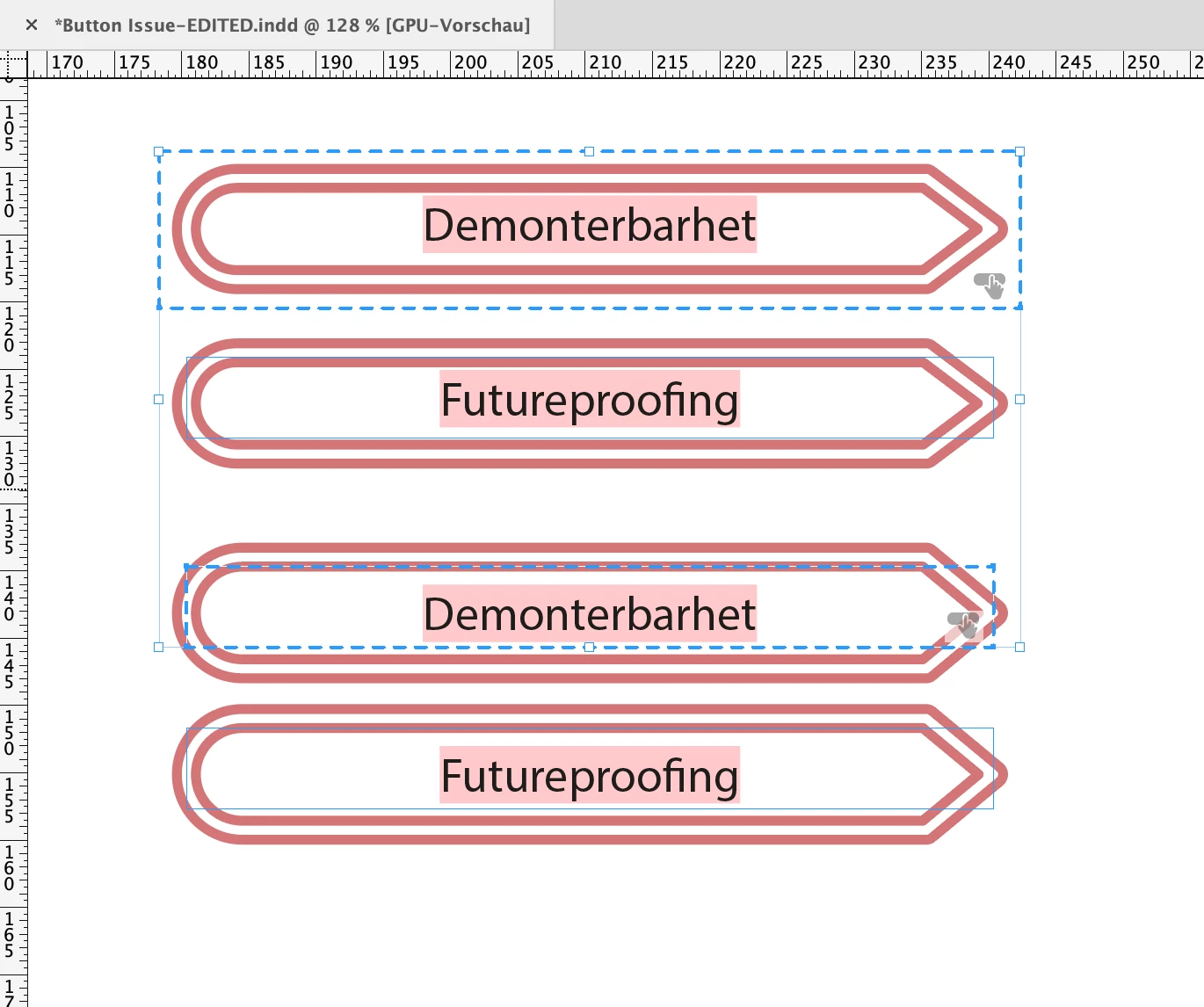
Just like I thought: you can resolve the issue when you expand the text frame of the button.

InDesign:
Interactive PDF opened with Acrobat Pro:
Interactive PDF opened with Firefox browser:
 

Regards,
Uwe Laubender
( Adobe Community Expert )

3 replies

Community Expert
May 29, 2024

Hi @KajN ,

forgot to add some screeshots from my German inDesign 2024 that show how I expanded the text frame's borders:


New inset values:


New width and height ( height is automatic, see next screenshot ) :


Auto height:


Regards,
Uwe Laubender
( Adobe Community Expert )

KajNAuthor
Participating Frequently
May 29, 2024

Thank you so much!


I could change the text frame options in the paragraph style so I didn't need to do it manually, but I could not have done it without your help!

Community Expert
May 29, 2024

@KajN said: "… How to I expand the text frame without changing the appearance of the frame?"


Click inside the text of the button state and hit Escape on your keyboard. Now the text frame of the text is selected. Then go to to the text frame options and set some insets top, bottom, left and right. Add the values from the insets to the dimensions of the textframe.


No need to convert the button back to a text frame…


Regards,
Uwe Laubender
( Adobe Community Expert )

Community Expert
May 28, 2024

Hi @KajN ,

could you attach a sample InDesign document containing both versions of the button.

Also the exported PDF.  I'd like to see into the issue. For attaching the files use the forum editor.

What is the PDF viewing app? The one in a browser? Is the appearance right when you open the PDF with Adobe Reader?


Thanks,
Uwe Laubender
( Adobe Community Expert )


KajNAuthor
Participating Frequently
May 28, 2024

Hi Uwe!


Thanks for your quick response. I've attached a simplified indd-file and exported it as a PDF as well. I tried it now with different PDF readers (I first only tried Adobe Acrobat), and the issue was the same.


Thank you!

/Kaj

LaubenderCommunity ExpertCorrect answer
Community Expert
May 28, 2024

Hi @KajN ,

thank you for the sample documents.

Hm…

Just like I thought: you can resolve the issue when you expand the text frame of the button.

InDesign:

Interactive PDF opened with Acrobat Pro:

Interactive PDF opened with Firefox browser:


Regards,
Uwe Laubender
( Adobe Community Expert )