
Buttons bounding box: black dotted outline/borders visible - Indesign interactive PDF in Acrobat
Hi everyone,
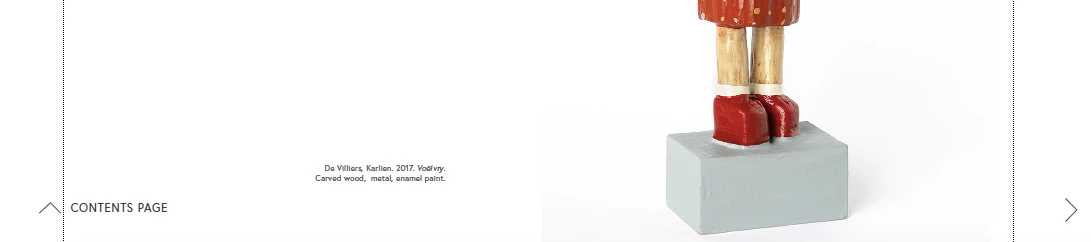
I am experiencing this issue: when exporting my Indesign document as interactive PDF, the buttons and interactive elements works perfectly in Preview (Mac), but when the pdf is opened in Acrobat I get visible black dotted outlines/bounding box borders (i.e. the 'borders' of the buttons as set up in original Indesign file) in the interactive PDF. It is really annoying and I have tried many different iterations/settings in Indesign to troubleshoot, but every time it's the same - perfect (no borders, interactivity works 100%) in Preview on Mac, but when I open the file in Acrobat, the Buttons bounding box borders show up as dotted black outlines.
I need these borders to not be visible when random reader/viewers open the PDF on their computers (as I have no idea what pdf viewer they may have installed, or whether they have Mac (Preview) or Windows/Acrobat etc) - so I need the PDF to view correctly, without the dotted outline "bounding box" borders when opened on the majority of viewers' computers.
I am using Adobe Indesign 2022, and Adobe Acrobat Pro DC 2022 version.
Any help would be much appreciated!
Screenshot:


 AdChoices