
Answered
Calendar script doesn't work in CC 2018
My calendar script no longer works in CC2018. Is there a script that works with CC2018?

My calendar script no longer works in CC2018. Is there a script that works with CC2018?
The only folder you should have inside the Scripts Panel folder is Samples
If you want to keep your Scripts folder organized, you can add any number of your own subfolders—you could have two user folders without breaking anything. If a script loads other scripts the paths do have to remain absolute.
If I pull calandarWizard from its folder and run from Extendscript toolkit I can see the error Richard gets as it looks for the missing source-files folder.
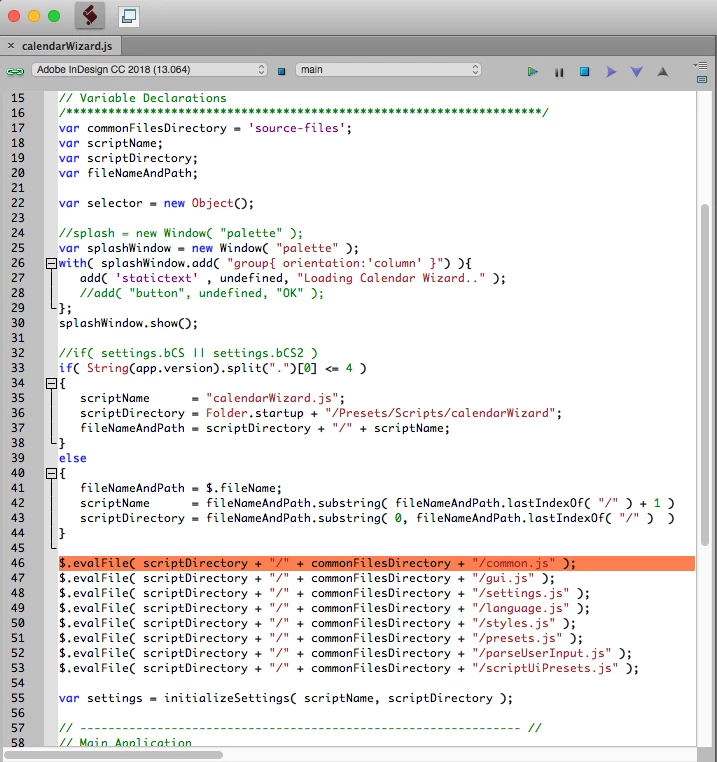
I loaded the full folder calendar in Apps>ID>Script Panel>Samples and it still doesn't show the calendar folder. I right clicked the calendar script that show in indesign and the path takes me to richard>Preferences>Adobe Indesign>Version 13.0>en_US>Scripts. I deleted what was in the apps folder and dropped the Wizard folder in again and now I see it. Weird.
Already have an account? Login
No account yet? Create an account
Enter your E-mail address. We'll send you an e-mail with instructions to reset your password.


 AdChoices