Question
Call the Javascript in the SDK
Hi,
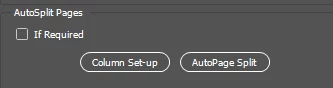
I need to call the javascript file in the Adobe InDesign SDK. I have used the below code call the script but I cannot able to call the script while clicking the button in the plugin panel.
if (view->GetWidgetID() == kColumnSetUpButtonWidgetID)
		{
			ScriptData script;
			IDFile f(PMString("D:\\Adobe InDesign 2020\\Adobe InDesign 2020\\Plug-Ins\\TradingBell\\HND\Scripts\\demo_script.jsx"));
			script.SetFile(f);
			ScriptData result;
			PMString errorString;


			InterfacePtr<IScriptManager> scriptManager(Utils<IScriptUtils>()->QueryScriptManager(kJavaScriptMgrBoss));
			InterfacePtr<IScriptRunner> scriptRunner(scriptManager, UseDefaultIID());
		//	Utils<IScriptUtils>()->DispatchScriptRunner(scriptRunner, script, arg, result, errorString, kTrue);
			PMString retval;
			result.GetPMString(retval);
			CAlert::InformationAlert(retval);

		}
 AdChoices