Hi, Uwe!
(And sorry for the late answer from my side).
I tried to find paragraph borders option, but it seems it doesn't work in CS6 (so, I need CC 2018). But well, it's not a big problem.
You say that
Paragraph border is provided for every paragraph. If you want one regular vertical border you have to adjust just the inset of the text to do nested callouts. Several paragraph styles can share the same settings for paragraph border. |
To be honest, it's hard to understand without actual image. So, here it is:
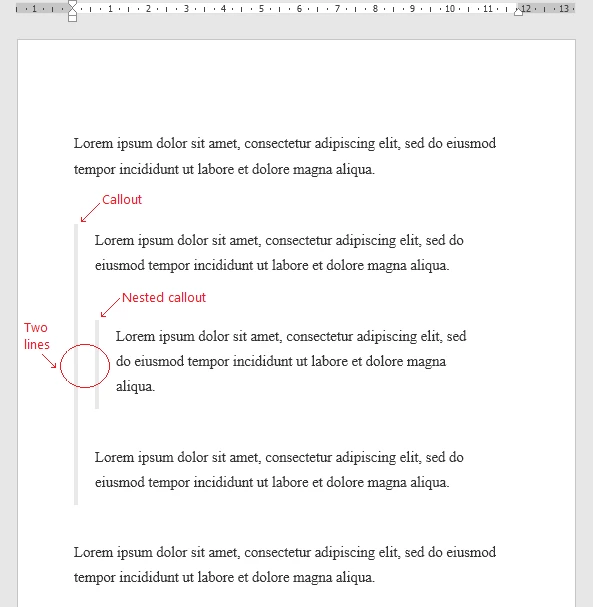
Is it possible?
Next, you say:
And make sure that all table rows are visible in one text column or text frame. |
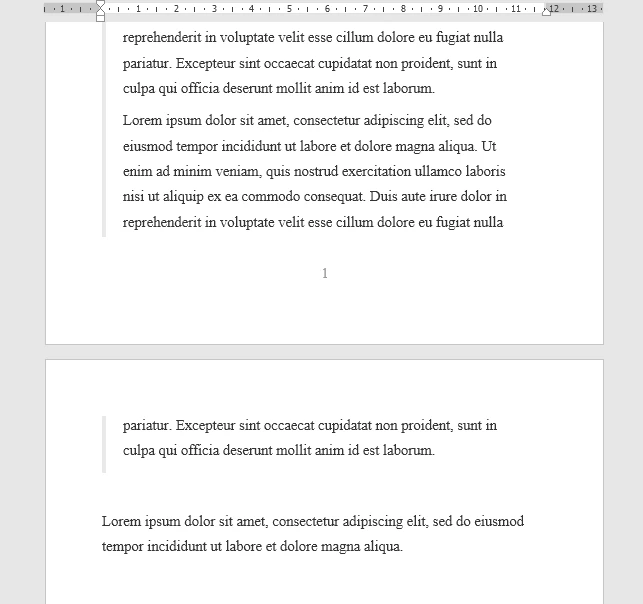
Does it mean, that table can't be truly continued on the next page?
Cheers, John.
Hi John,
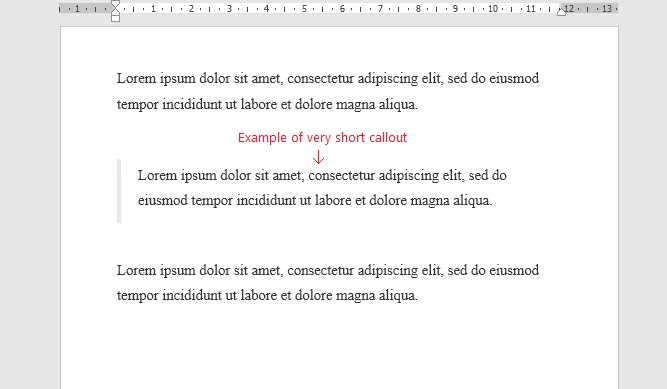
If you are using inDesign's CC 2018 paragraph border feature indeed tables that cross text frames or text columns of a multi-column text frame will break the deal. The border feature is not visible for the paragraph that is holding the table. My last screenshot is showing exactly this.
For the inset you would be able to cheat.
The outer inset could be done with paragraph border, the inner one could be done with paragraph shading.
To make that clear: That's a combination of CC 2018 features.
Regards,
Uwe


 AdChoices