
marksmullen
Participant
July 23, 2020
Answered

Can I toggle through master pages with a keyboard shortcut?

  • July 23, 2020
  • 1 reply
  • 1071 views

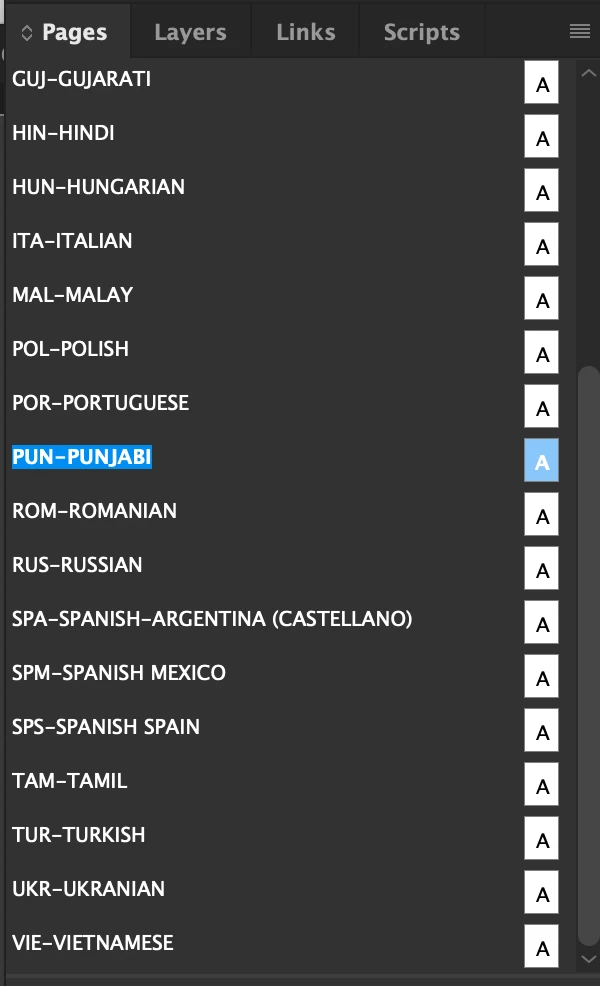
I want to toggle through these master pages with a keyboard shortcut, if possible. 

I am updating them one by one, pasting some text unique to each language on the master pages. It would be great to have a keyboard shortcut to toggle down to the next master page in the list.


My InDesign is the current version.
 

This topic has been closed for replies.
Correct answer Barb Binder

Yes, just use the previous page/next page shortcuts.

  • Windows: Alt+Page Up key/Page Down key
  • Mac with full keyboard: Opt+Page Up key/ Page Down key
  • MacBook without a numeric keypad: Fn+Opt+Up Arrow key/Down Arrow Key


~Barb 


Edit: you can drop the Alt/Opt if you like. I prefer to navigate and center the spread at the same time—adding Alt/Opt centers each spread as it moves in to view.

1 reply

Barb Binder
Community Expert
Barb BinderCommunity ExpertCorrect answer
Community Expert
July 23, 2020

Yes, just use the previous page/next page shortcuts.

  • Windows: Alt+Page Up key/Page Down key
  • Mac with full keyboard: Opt+Page Up key/ Page Down key
  • MacBook without a numeric keypad: Fn+Opt+Up Arrow key/Down Arrow Key


~Barb 


Edit: you can drop the Alt/Opt if you like. I prefer to navigate and center the spread at the same time—adding Alt/Opt centers each spread as it moves in to view.

~Barb at Rocky Mountain Training
Inspiring
November 15, 2024

I used to use this regularily - it now seesm to have stopped working? Windows 11. Latest version of indesign

Abhishek Rao
Community Manager
Community Manager
November 18, 2024

Hi @darrellpones,


Thank you for reaching out! If the keyboard shortcut for toggling through master pages has stopped working, I recommend resetting InDesign preferences as a first step. This often resolves unexpected behavior.  

You can follow the instructions here to reset preferences: [Reset InDesign Preferences](https://adobe.ly/3Z8qDaS).  

Once reset, try using the shortcut again:
- Windows: 'Alt + Page Up/Page Down'
- If you're centering spreads: 'Alt + Shift + Page Up/Page Down'.  

Let me know if the issue persists!  


Best,

Abhishek Rao
