
Participant
March 12, 2021
Answered

can not ativate font and missing f in creative cloud

  • March 12, 2021
  • 3 replies
  • 703 views

I can't activate any font on my laptop and my adobe cloud look different from other people's so I do not know how to solve this problem. 

This topic has been closed for replies.
Correct answer Laubender

Hi Meiliang5ECC,

is your Creative Cloud Desktop App updated to the latest version?


That aside. Can you log-in via browser to the following address:

https://fonts.adobe.com/my_fonts


Here an example from my account using Firefox on Windows 10:
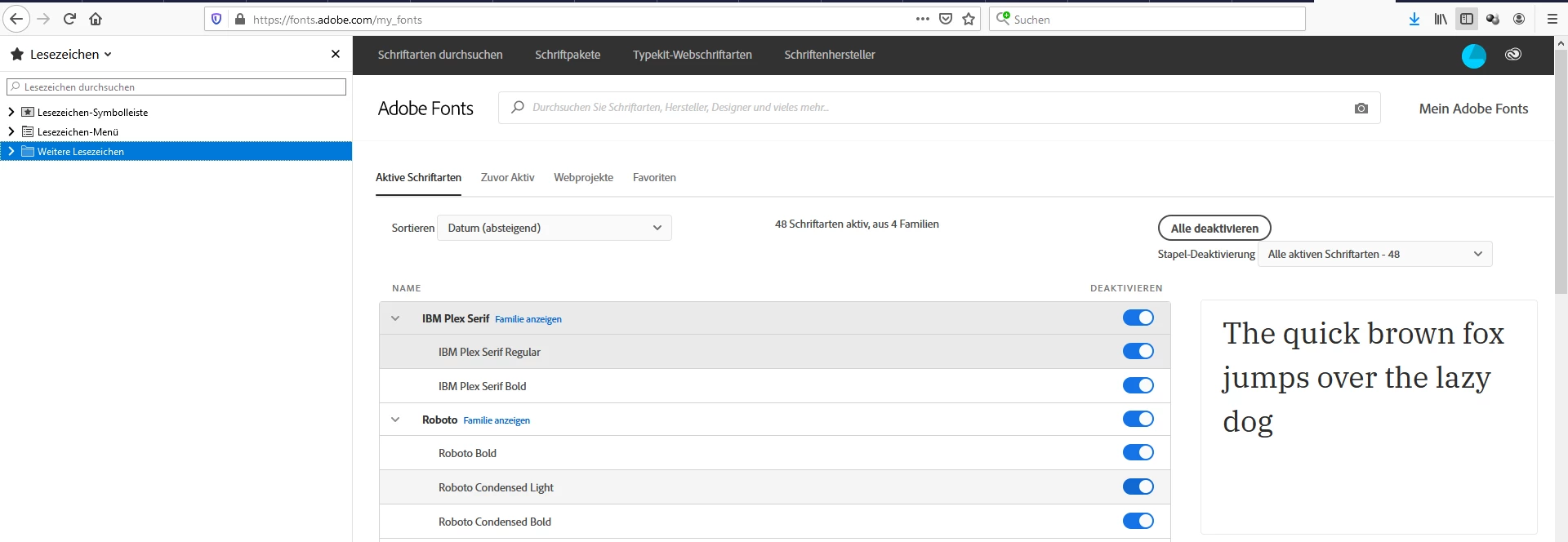
 

When logged in it should give you the chance to activate/deactivate fonts with the Adobe Fonts service independently if Adobe Fonts is available in your current CC Desktop App or not. Activated fonts from there should show up immediately with InDesign's Character panel.


If you cannot log-in to this web page:
What kind of subscription to Creative Cloud do you have?


Regards,
Uwe Laubender

( ACP )

3 replies

LaubenderCommunity ExpertCorrect answer
Community Expert
March 15, 2021

Hi Meiliang5ECC,

is your Creative Cloud Desktop App updated to the latest version?


That aside. Can you log-in via browser to the following address:

https://fonts.adobe.com/my_fonts


Here an example from my account using Firefox on Windows 10:


When logged in it should give you the chance to activate/deactivate fonts with the Adobe Fonts service independently if Adobe Fonts is available in your current CC Desktop App or not. Activated fonts from there should show up immediately with InDesign's Character panel.


If you cannot log-in to this web page:
What kind of subscription to Creative Cloud do you have?


Regards,
Uwe Laubender

( ACP )

Participant
March 13, 2021

uploaded a wrong picture 

my bad

my creative cloud looks like this 


Community Expert
March 12, 2021

What does the L'oreal logo have to do with it?


Fonts not activating.

Log out of creative cloud on your desktop.

Log out of the apps you have open. (Help>Sign Out) for say example InDesign. Quit the Application.

Go on to the Adobe Fonts website. Log out of there too.


Log back into Creative Cloud.

Log back into Adobe Fonts website.


Open your app.


Try again.

Participant
March 13, 2021

oops, I uploaded the wrong picture

I tried this but it doesn't work. 

My creative cloud looks really different from other people's.  

Anyway, thank you so much for helping me!


Community Expert
March 13, 2021

That looks fine. 


What do you mean it didn't work. What have you tried. Please explain step by step