
Answered
Can set a background color for a cell that is visible in the layout but not in the printout?
Can set a background color for a cell that is visible in the layout but not in the printout?
I want to mark span-rows


Can set a background color for a cell that is visible in the layout but not in the printout?
I want to mark span-rows
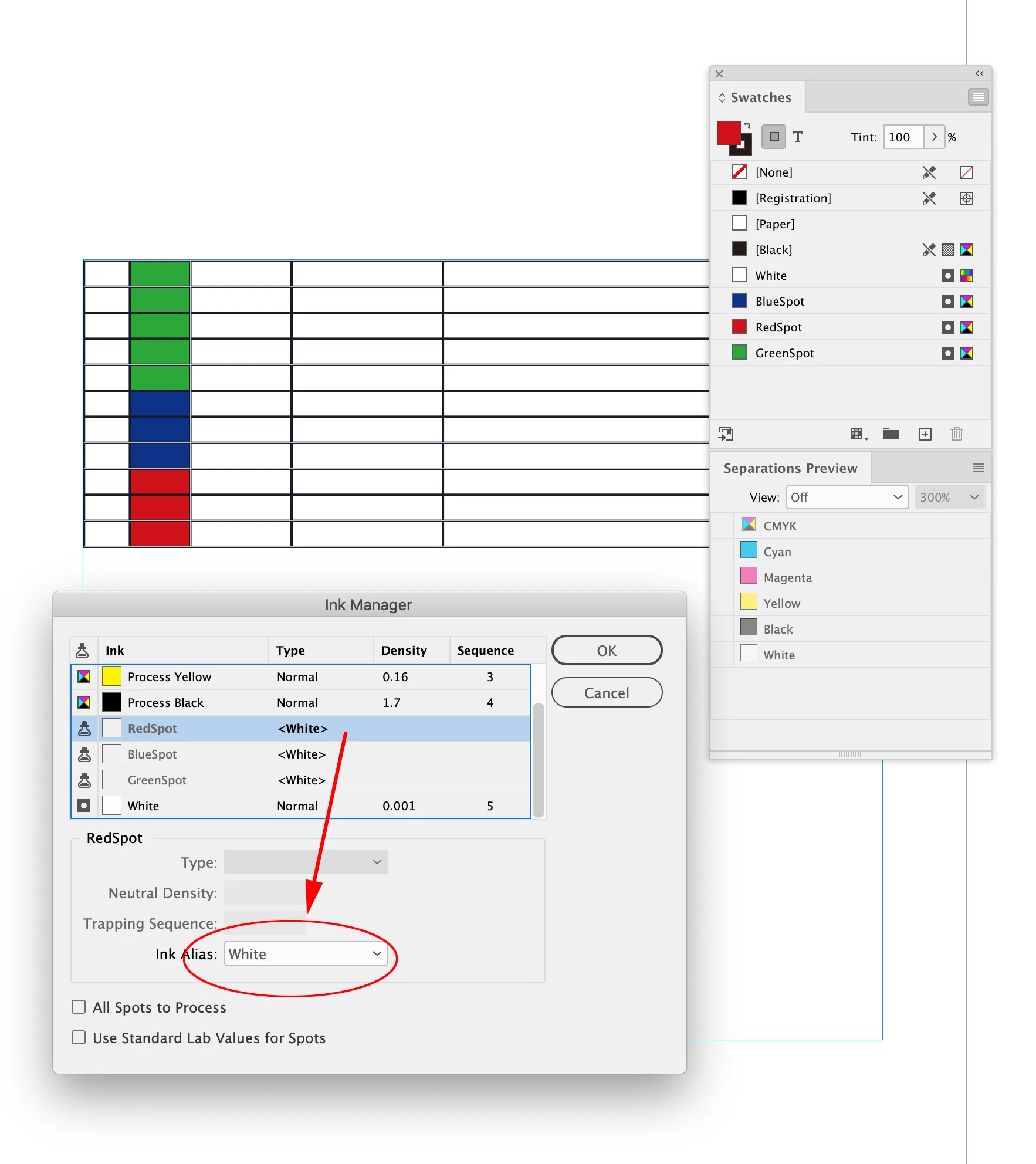
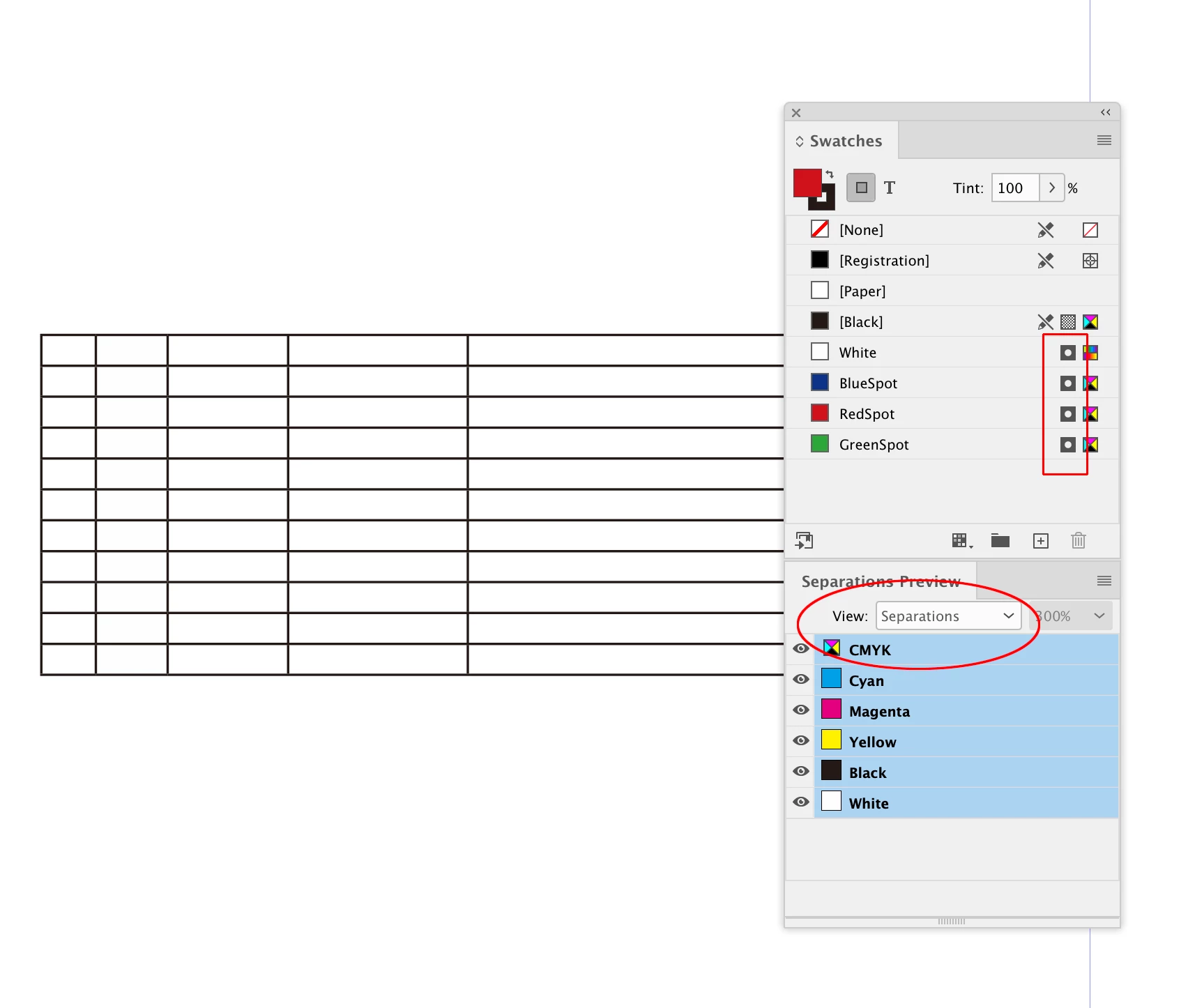
You can do it with Spot Colors and Ink Aliases. Set the marking colors as Spot and Alias them to a white Spot Color, and turn on Overprint/Separation Preview.
Make sure your printer knows you don’t want the colors to print, or delete replacing with [Paper] before sending to a commercial printer.
Already have an account? Login
Enter your E-mail address. We'll send you an e-mail with instructions to reset your password.


 AdChoices