



WarrenGR86
Inspiring
October 27, 2022
Answered

Can someone help me with data merge from Excel to Indesign?

  • October 27, 2022
  • 1 reply
  • 910 views

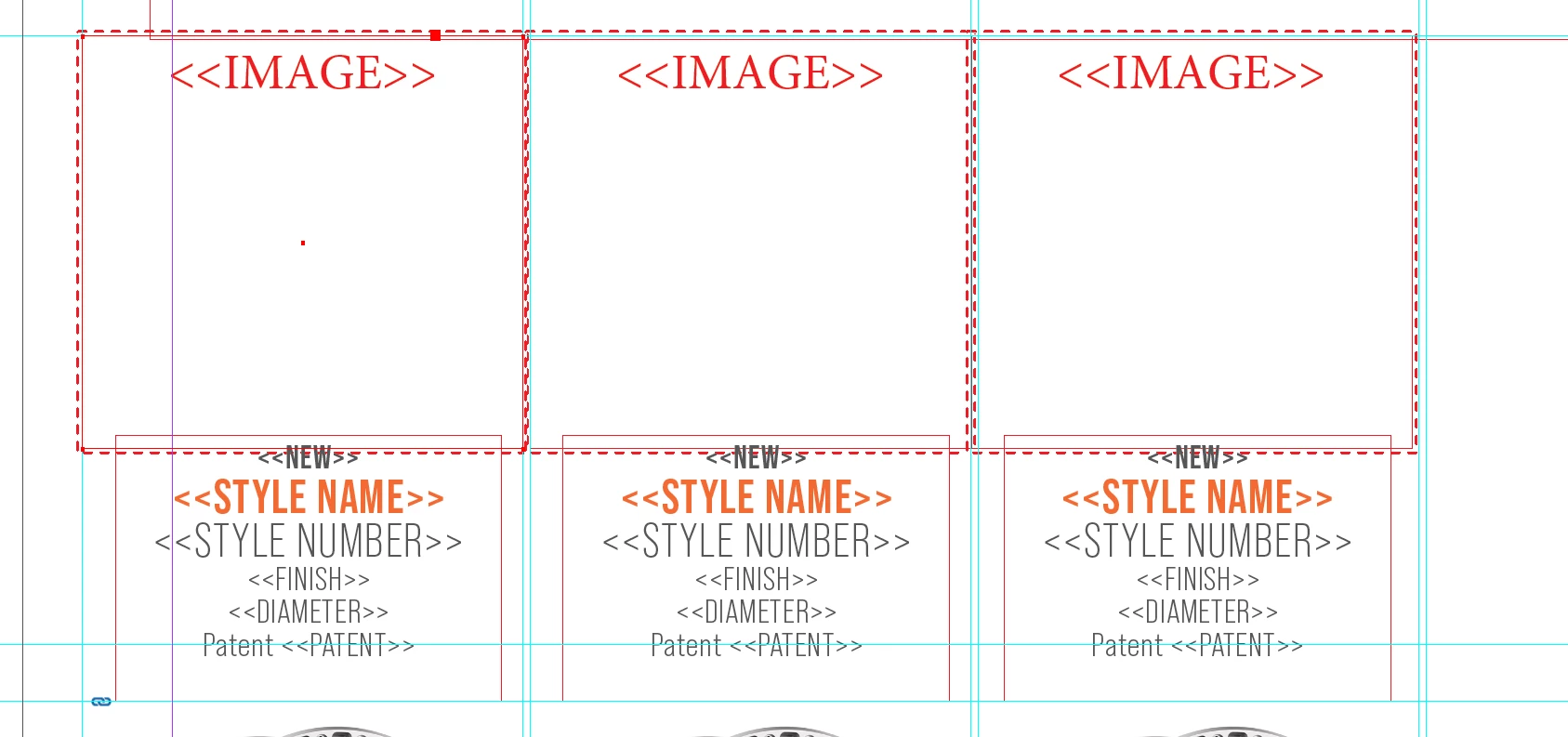
I'm working on a catalog and I'm trying to figure out how to data merge info from Excel (multiple rows and columns) into InDesign going into multiple text boxes on one page. I can only flow in the first line of info and I can't get the next line to come up into the next text box. Can someone let me know how to or is it even possible to do? Please and thank you for your help.



This topic has been closed for replies.
Correct answer WarrenGR86

Does your document have more more than one page in it?

If so, try deleting all but the first page. That should allow you to select Multiple Records in the first screen, which will in turn allow you to select the options in the second screen.


That was it!! Thank you so much! I really appreciate your help!!!

1 reply

Legend
October 27, 2022

Your problem is that you have set a full page of placeholders. You should have only one instance of the placeholder set on your page. Set the layout to Multiple Records. The parameters for duplicating them on the page come from the Data Merge dialog box.

WarrenGR86
Inspiring
October 27, 2022

Thank you for replying to my question! 🙂 Just double checking, so when data merging, there is no way to have multiple text boxes on one page? It must be one box per page?

Legend
October 27, 2022

You misunderstand. 

The final layout can have multiple records per page - the initial layout begins with just one.

See template and merge result: