
KaCe
Participant
March 11, 2022
Question

can't access pages I created can only see parent pages

  • March 11, 2022
  • 2 replies
  • 539 views

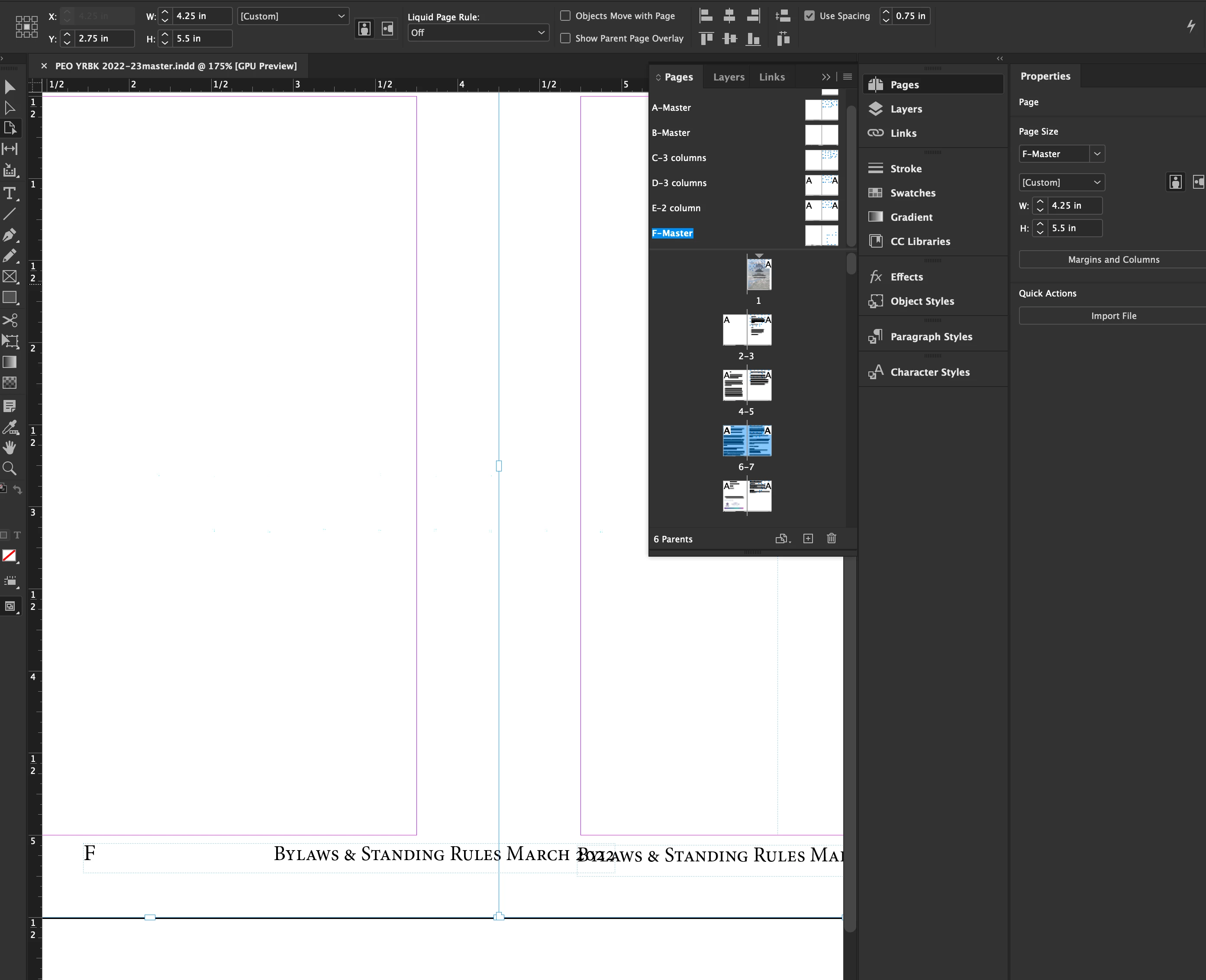
Help! I need help in InDesign. I've been working day and night to finish a large project and now I can't print the booklet that I created. The pages don't show. If you are an experienced user I could use your help. I can't see the pages I created only the parent pages that are for formatting fotters and coloumns, and other set elements. I think I'm missing something that I don't know or something that is new.
2 replies

KaCe
KaCeAuthor
Participant
March 14, 2022

So I tried to change the parent page, to no avail.

I tried to select other pages of my document, also to no avail.

I captured this image with the F master page selected and pages 6 & 7; but cannot in anyway, shape or form get back to my document. HELP!! It is due Tuesday.

KaCe

Peter Spier
Community Expert
Community Expert
March 14, 2022

Your file seems to be damaged. If the damage is minor exporting to .idml and opening that, then saving as a new .indd may fix it.

Participant
February 19, 2025

THANK YOU! I just had the same issue and saved to idml

BobLevine
Community Expert
Community Expert
March 11, 2022

You clearly have the F-Parent page selected. CMD+J and type the page number you want to view.

KaCe
KaCeAuthor
Participant
March 14, 2022

I know it looks that way, but it won't leave the F page. I can click on the layout of my pages and it stays on the parent pages. I can't get back to my text that is in my document. I keep hoping I'm missing something obvious, but something I haven't used before. I still need help in getting back into my file. Could it be corrupt? Might I close and save as "some other name" and then open it and save as "the name I want it" and perhaps it will make the document whole??? It is weeks of work that I cannot access. Please see if you can help.... anyone!!!!