Your number "6" and "Catchbox Pro" are a footer, not a footnote. The footers are created on master pages (indicated by the very fine dots around their frame). Page objects which come from master pages are locked by default.
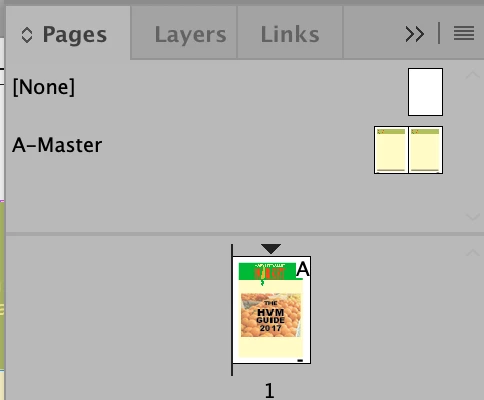
To find the master page, open the Pages panel (Window > Pages) and look at the thumbnail of the page you're on. There's a letter or letters (like "A") on the thumbnail that indicates the master page which is applied to that page. At the top of the Panel, above a separator line, there are master pages. Double-click on the letter that matches your page to open up the master page in order to edit it. But editing it there will also apply to all pages which have that lettered master page.
If you need to override a master page item on a particular page. Hold down Command + Shift (Mac) or Ctrl-Shift (Window) and double-click on it to override and edit it.


 AdChoices