Participant
February 6, 2025
Answered

Can't Export Page Range in Indesign 20.1

  • February 6, 2025
  • 1 reply
  • 571 views

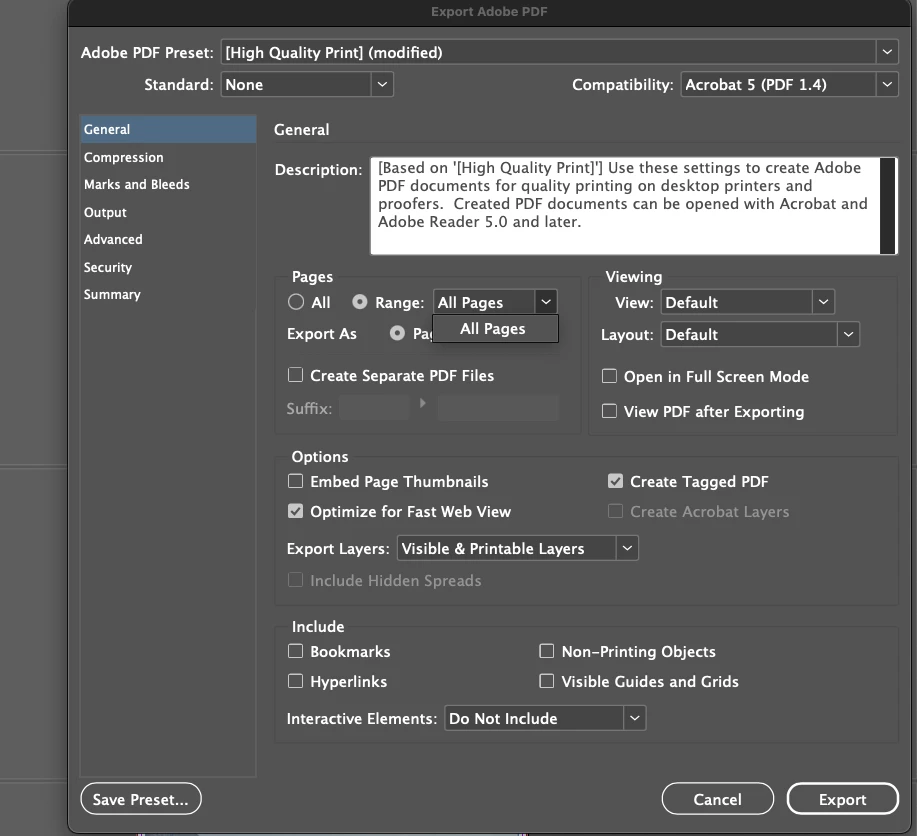
I have single pages with no spreads and when i try to export certain pages only i dont see an option to do so. The only option is "all pages". Any idea why?



Correct answer Barb Binder

Hi @ramirog:


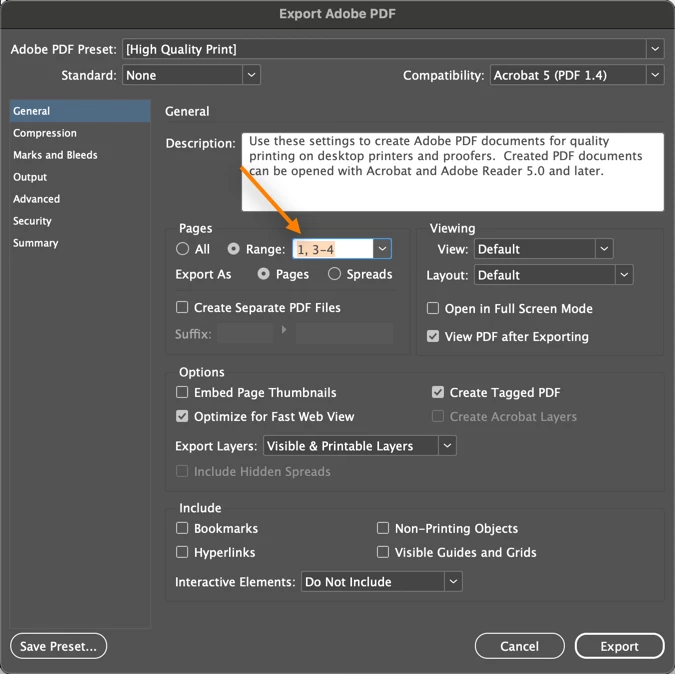
Remove the words All pages and type in the desired page range. Use a hyphen between consecutive pages, and a comma between non-consecutive pages. 


~Barb

1 reply

Barb Binder
Community Expert
Barb BinderCommunity ExpertCorrect answer
Community Expert
February 6, 2025

Hi @ramirog:


Remove the words All pages and type in the desired page range. Use a hyphen between consecutive pages, and a comma between non-consecutive pages. 


~Barb

~Barb at Rocky Mountain Training
leo.r
Community Expert
Community Expert
February 6, 2025

I blame this confusion on a UI change made in InDesign years ago. Suddenly, editable text fields became indistinguishable from non-editable popup menus:


This is a glaring violation of basic UI rules.


I actually reported this back then, and an Adobe rep acknowledged the issue and mentioned that they're aware of this. Obviously, nothing has ever been done to fix this. 


Barb Binder
Community Expert
Community Expert
February 7, 2025

I agree, it's confusing, @leo.r!


~Barb

~Barb at Rocky Mountain Training