

Can't fix font display issue when adding datylon SVG to document
I have a graph that is generated through datylon studio web directly (not the plugin). The graph is then dowloaded as an SVG from datylon. (done this way because graph is used in multiple places).
When I add the SVG to InDesign, there is a weird issue where some text is getting bold. It's random on every placement, including copying and pasting the element within InDesign itself. You can see in this screenshot how there are bolded sections of font (yes, it's a mess, it's just to illustrate the point of placing the same SVG multiple times within a document is yielding different font results).
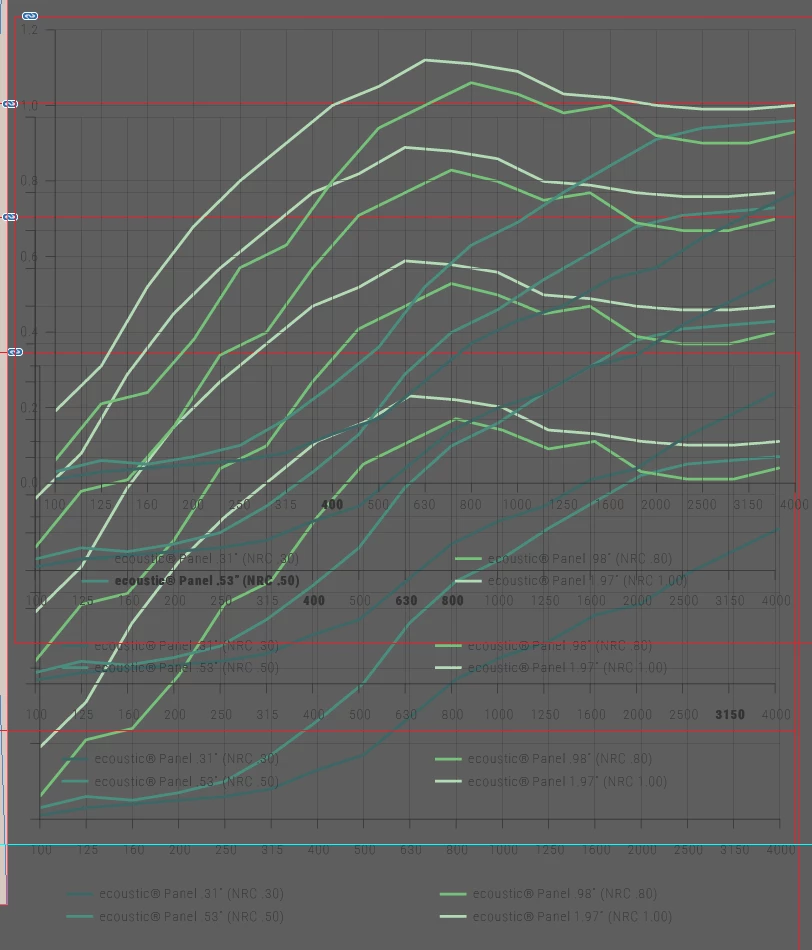
This is also present when exporting, so it's not just a rendering issue when looking at it in InDesign. SVG looks fine in browsers, as well as Illustrator.
I have run out of ideas on what to edit within the SVG, or if I'm doing something wrong when placing it into the InDesign document, in order to have the text display consistent according to what's defined within the SVG. Link to SVG itself for reference https://pastebin.com/P49YzGZP .
If necessary, I can run the SVG file through a grep filter to add/remove attributes or defs if necessary before adding to InDesign, but so far nothing I've changed makes it not display weird in InDesign.


 AdChoices