
Participant
July 8, 2025
Answered

Can't install new fonts

  • July 8, 2025
  • 1 reply
  • 202 views

Hi, I'm trying to install new fonts into InDesign. It used to be an extremely simple operation, but now I can't find any button to download. Typekit or Adobe Fonts or whatever its is now only gives me an option to save fonts into libraries. The library I created for this does not show anywhere. I have managed to go into the CC desktop app to install a few of the previously saved ones but many others are nowhere to be found. I'd appreciate some help with this issue which is so frustrating given that it has certainly degraded the user experience. 
Correct answer Barb Binder

Hi Hiriam:


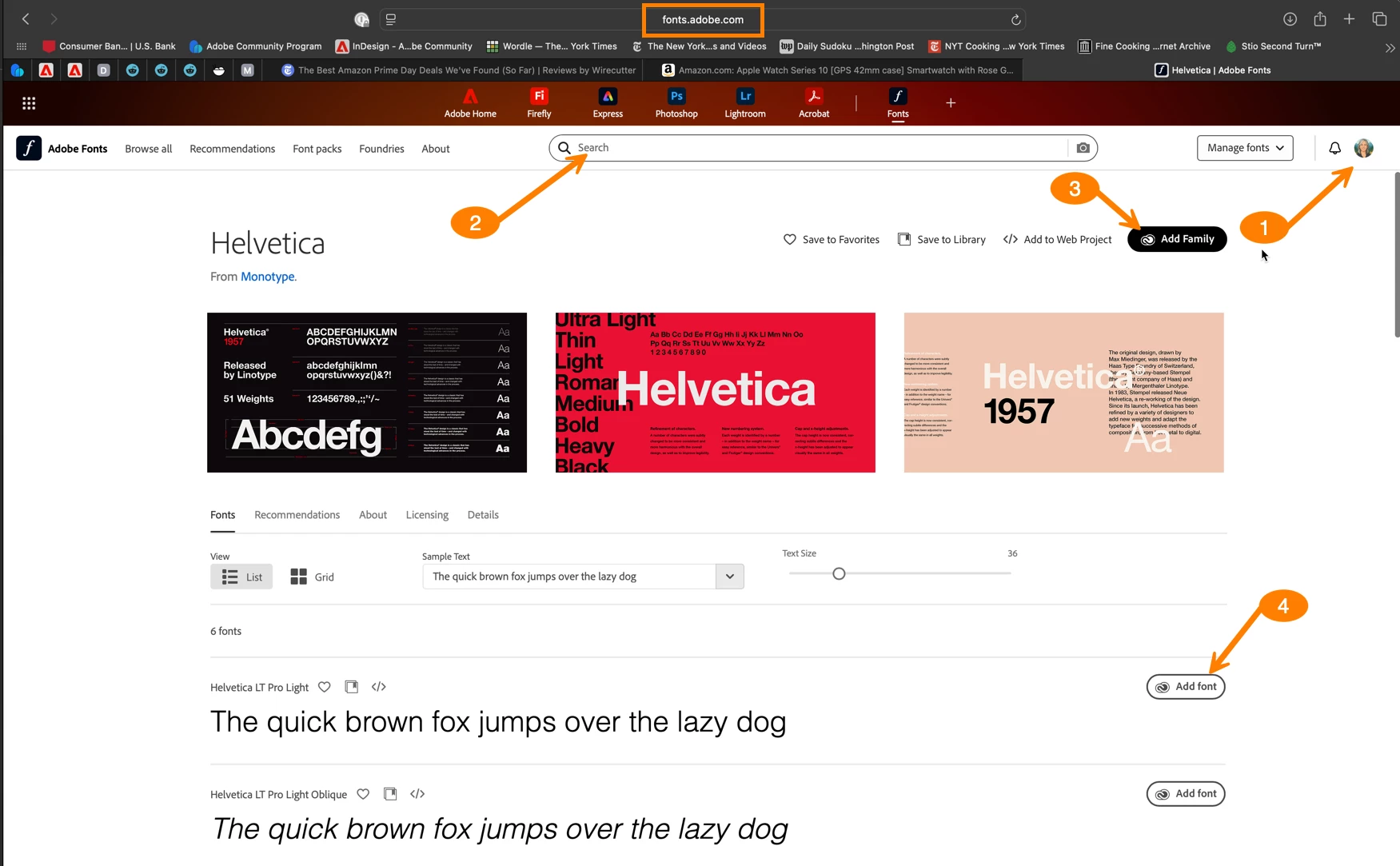
There are a few avenues, but I find activating fonts at https://fonts.adobe.com to be the most straightforward when my students struggle. 

  1. Log in with your Adobe ID
  2. Search for a font (or style of font)
  3. Add Family –or–
  4. Add Font


~Barb


1 reply

Barb Binder
Community Expert
Barb BinderCommunity ExpertCorrect answer
Community Expert
July 8, 2025

Hi Hiriam:


There are a few avenues, but I find activating fonts at https://fonts.adobe.com to be the most straightforward when my students struggle. 

  1. Log in with your Adobe ID
  2. Search for a font (or style of font)
  3. Add Family –or–
  4. Add Font


~Barb


~Barb at Rocky Mountain Training