
Participant
August 4, 2025
Question

Can't open an older file in Indesign

  • August 4, 2025
  • 3 replies
  • 160 views

Hi Community,


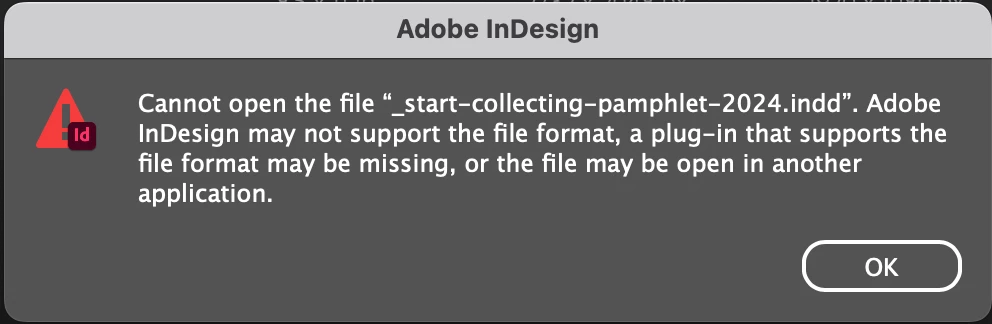
Ive gotten a bunch of older Indesign files from a client and they all have the same issue. I cant open any of them. and they all have the same alert in the pop-up window. What to do?


Thanks in advance
 

3 replies

Peter Spier
Community Expert
Community Expert
August 28, 2025

Very often this error is caused by a leftover .idlk file in the folder with the .indd file. Delete the .idlk file.

nikunj.m
Legend
August 28, 2025

Hi Mikkel_Braginsky,

Just checking in to see how things are going? Were you able to resolve the issue, or are you still experiencing the same behavior?


Thanks,
Nikunj

Abhishek Rao
Community Manager
Community Manager
August 4, 2025

Hi @Mikkel_Braginsky,


Thank you for sharing the screenshot. I understand how frustrating it is when older files refuse to open. This error usually shows up if the file was created in a newer version of InDesign than the one you have installed, if the file is damaged, or if it's being locked by another app in the background.

Could you confirm the exact InDesign version and OS you are using? Also, please check if the client or any other system is able to open these files. If your version is older than the one the files were created in, the simplest solution is to ask the client to export them as IDML, which can be opened in any recent InDesign version. Before trying again, copy the files to a local folder and make sure they are not open in any app or syncing through cloud storage.

If the files still don't open, try renaming them to remove special characters, then launch InDesign first and open them through File > Open instead of double-clicking. If that doesn't work, create a new blank document and try placing the INDD file using File > Place to see if it recovers the content.


Give these steps a try and let me know how it goes.

Abhishek