Inspiring
January 29, 2025
Answered

Can't publish interactive pdf?

  • January 29, 2025
  • 5 replies
  • 407 views

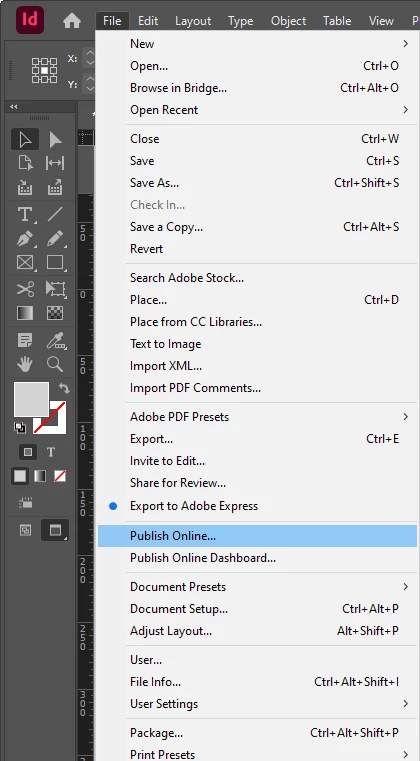
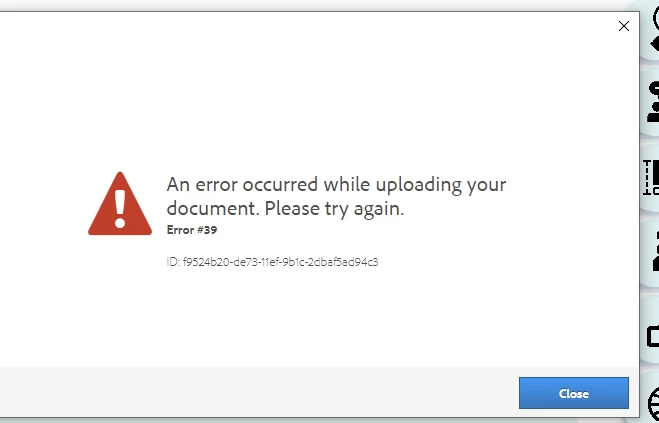
I want to publish my interactive pdf file online, but i get this error message everytime when i do so, anyone know how i can fix it?


Correct answer burgerqing

Thank you so much! i think i figured it out, once i turned off company firewall it started working!!! thank you so much!

5 replies

Valentin Guiod
Participant
May 17, 2026

FOUND THE SOLUTION !

I had exactly the same problem (Error 18 and Error 33) and spent one day trying to figure out the solution. And I finally did!

I had too many published project on my dashboard. I didn’t even know there was a limit… and it has nothing to do with storage capacity.

You have to access you “Publish Online Dashboard” where you’ll see all the projects you published online, and you have to delete most of them to clear space : https://indd.adobe.com/dashboard

You can also access it in the InDesign app : File > Publish Online Dashboard 

And it now works again perfectly…

leo.r
Community Expert
Community Expert
January 29, 2025
burgerqingAuthorCorrect answer
Inspiring
February 2, 2025

Thank you so much! i think i figured it out, once i turned off company firewall it started working!!! thank you so much!

Robert at ID-Tasker
Legend
January 29, 2025

@burgerqing


Try making some space on your account. 


Remove some old published files. 


leo.r
Community Expert
Community Expert
January 29, 2025
quote

I want to publish my interactive pdf file online

By @burgerqing


Just to make sure you don't have this terminology mixed up: you're not publishing an "interactive PDF"; Publish Online creates an online version of your InDesign document, which has nothing to do with PDF.

Community Expert
January 29, 2025

Try logging out of Creative Cloud website

Log out of your Creative Cloud Desktop

In inDesign go to Help>Log out


Reboot (I don't know why but seems to help)

Then log back in online

Log back in desktop app
Open indesign and ensure you got Help> and ensure you're logged in


Does it work now?
