
Inspiring
March 19, 2021
Answered

Can't see my guides.

  • March 19, 2021
  • 4 replies
  • 1737 views

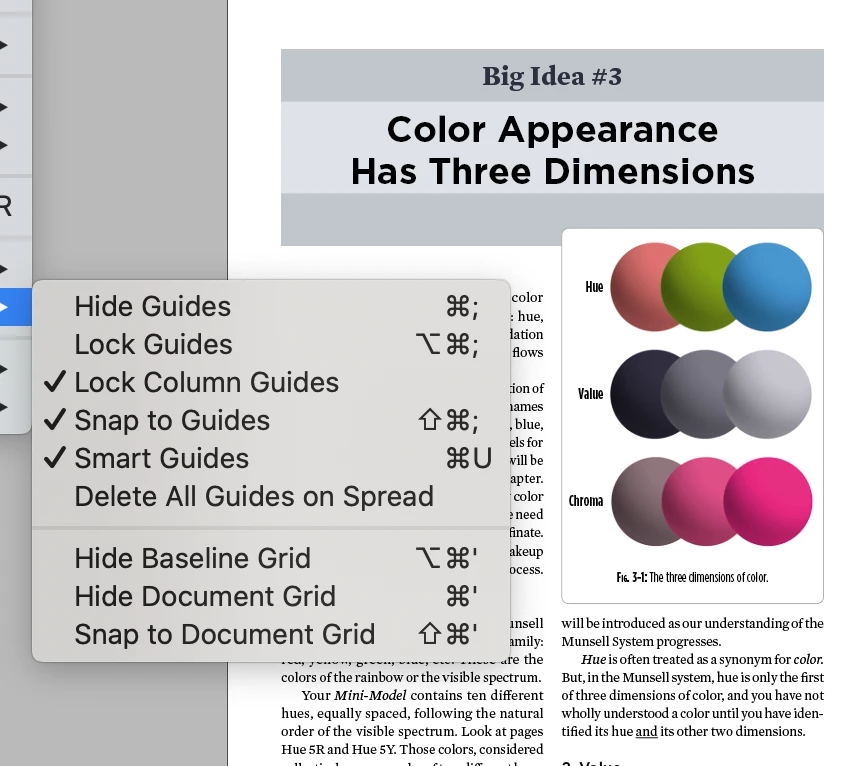
Cat walked across the keyboard and now I can't see my guides. As you can see from this screenshot, my document and baseline grids are unhidden, but they aren't showing.  Clicking them on/off makes no difference; I closed InDesign and reopened it and that did not change anything, either.
This topic has been closed for replies.
Correct answer pixxxelschubser

Are you in "Preview Mode"?

Press [W] once. (Or click on the bottom most button in Tool Bar.)


[ edited by pixxxelschubser ]

I was too slow. I am glad it was resolved.

4 replies

Jumpenjax
Community Expert
Community Expert
March 19, 2021

I am glad you resolved  it. 😊

Lee- Graphic Designer, Print Specialist, Photographer
pixxxelschubser
Community Expert
pixxxelschubserCommunity ExpertCorrect answer
Community Expert
March 19, 2021

Are you in "Preview Mode"?

Press [W] once. (Or click on the bottom most button in Tool Bar.)


[ edited by pixxxelschubser ]

I was too slow. I am glad it was resolved.

Inspiring
March 19, 2021

Nevermind - the problem was Screen Mode!

Jumpenjax
Community Expert
Community Expert
March 19, 2021

Is it your guides that are missing or your page an margins missing?  If guides are missing... go layout/create guides. If your entire page is missing...Go to file/document set-up. Make sure that was not cleared by accident? 

Lee- Graphic Designer, Print Specialist, Photographer
Inspiring
March 19, 2021

Nothing is showing - not my margins, not my guides. And I don't want to create new guides, I want the existing ones to be visible again!