
scottc89310195
Participant
May 20, 2018
Answered

Can't Select/Delete an Object?

  • May 20, 2018
  • 3 replies
  • 9927 views

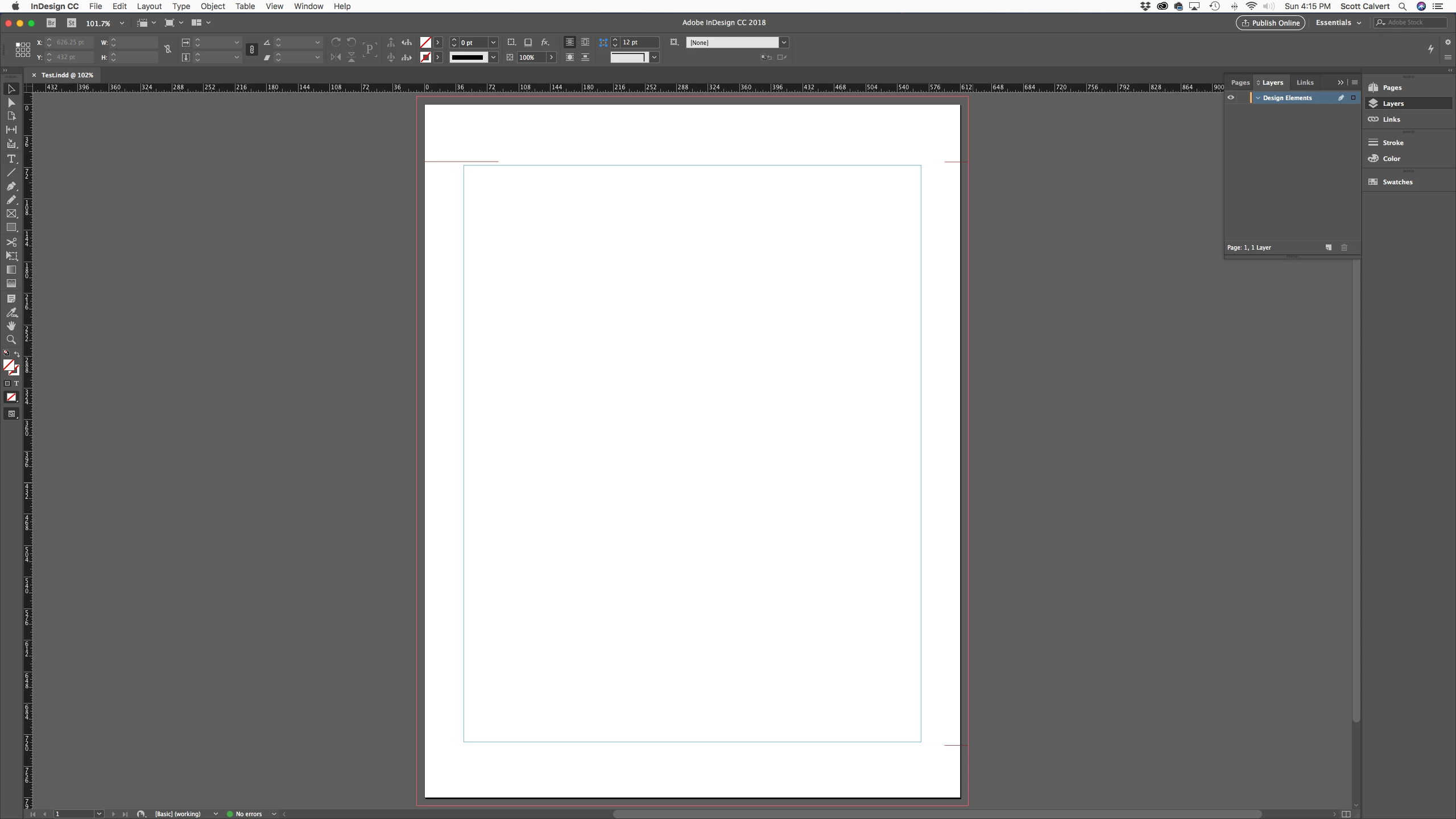
I inherited a project and now need to delete some red lines that show up along the top and bottom of each page.  I can't select the lines at all.  They are clearly within the "Design Elements" layer on my file because when I toggle the visibility off they go away. However, I can't find any individual layer associated with the lines. I've done a test by deleting all text and objects within the file except the "Design Elements" layer to try to find the origin of these mystery lines.  I'm new to InDesign so I'm sure this is a feature I don't know.  Please help. 
    This topic has been closed for replies.
    Correct answer Malcolm Whild

    Hi,

    It's possible that the red lines are on the master page of your document - double click the master in your pages panel and see if you can select them from there.

    Regards,

    Malcolm

    3 replies

    Participant
    November 10, 2020

    Thank you! This helped so much I would've wasted so much time.

    Barb Binder
    Community Expert
    Community Expert
    May 20, 2018

    Hi Scott:

    Either they are on the master page, or they are locked.

    Try:

    Object > Unlock on on Spread

    Click the red lines with the Selection tool

    Press Backspace or Delete

    –or–

    Window > Pages

    Double click the name A-Master (or equivalent) in the Pages panel

    Click the red lines with the Selection tool

    Press Backspace or Delete

    Double click the icon for page 1 in the Pages panel

    ~Barb

    ~Barb at Rocky Mountain Training
    Malcolm WhildCorrect answer
    Participating Frequently
    May 20, 2018

    Hi,

    It's possible that the red lines are on the master page of your document - double click the master in your pages panel and see if you can select them from there.

    Regards,

    Malcolm