


Can't select some fonts in Find/Change dropdown
I have a client that makes extensive use of Proxima Nova fonts, includig the Condensed and Extra Condensed variants. These are all installed on my laptop via Adobe Fonts. When I'm working on a translation for this client, they have asked me to only change the non-Latin characters. So, if I have a paragraph of e.g Trad Chinese, they'd like to see only Chinese characters in Noto Sans Chinese, and their name and such in Proxima Nova.
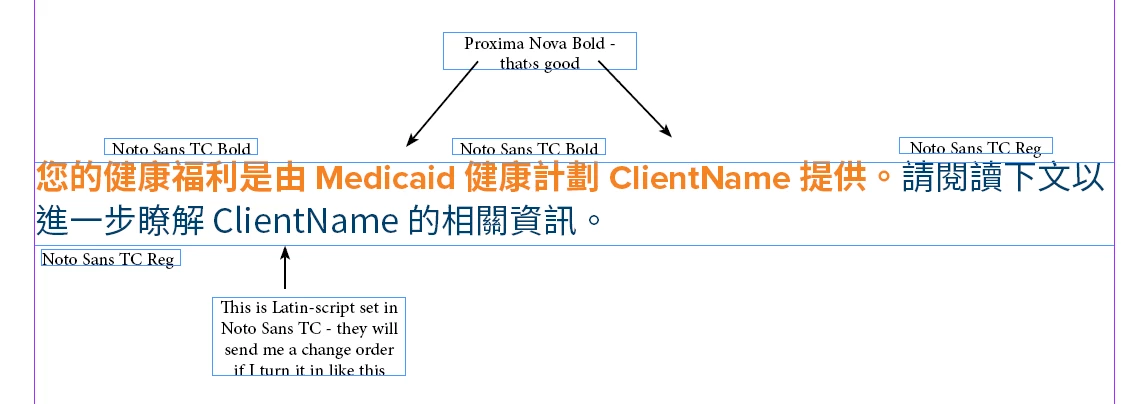
So, I either search for a Unicode range with GREP, or set up GREP Styles, to select only Unicode values north of 0100 and apply Noto Sans TC. (In this case, I don't need to distingush between languages, as this document will be 100% Trad Chinese except for "Medicaid" and "ClientName" and the like.)
The problem crops up when I try to select the various versions of Proxima Nova. If I try to use the formatting controls in the Find/Change dialog, I often can't select Proxima Nova. If I click on it, it defaults to Proxima Nova Condensed. or Extra Condensed. I think it defaults to whichever of the three font variants was added last, but I haven't yet bothered to nail it down.
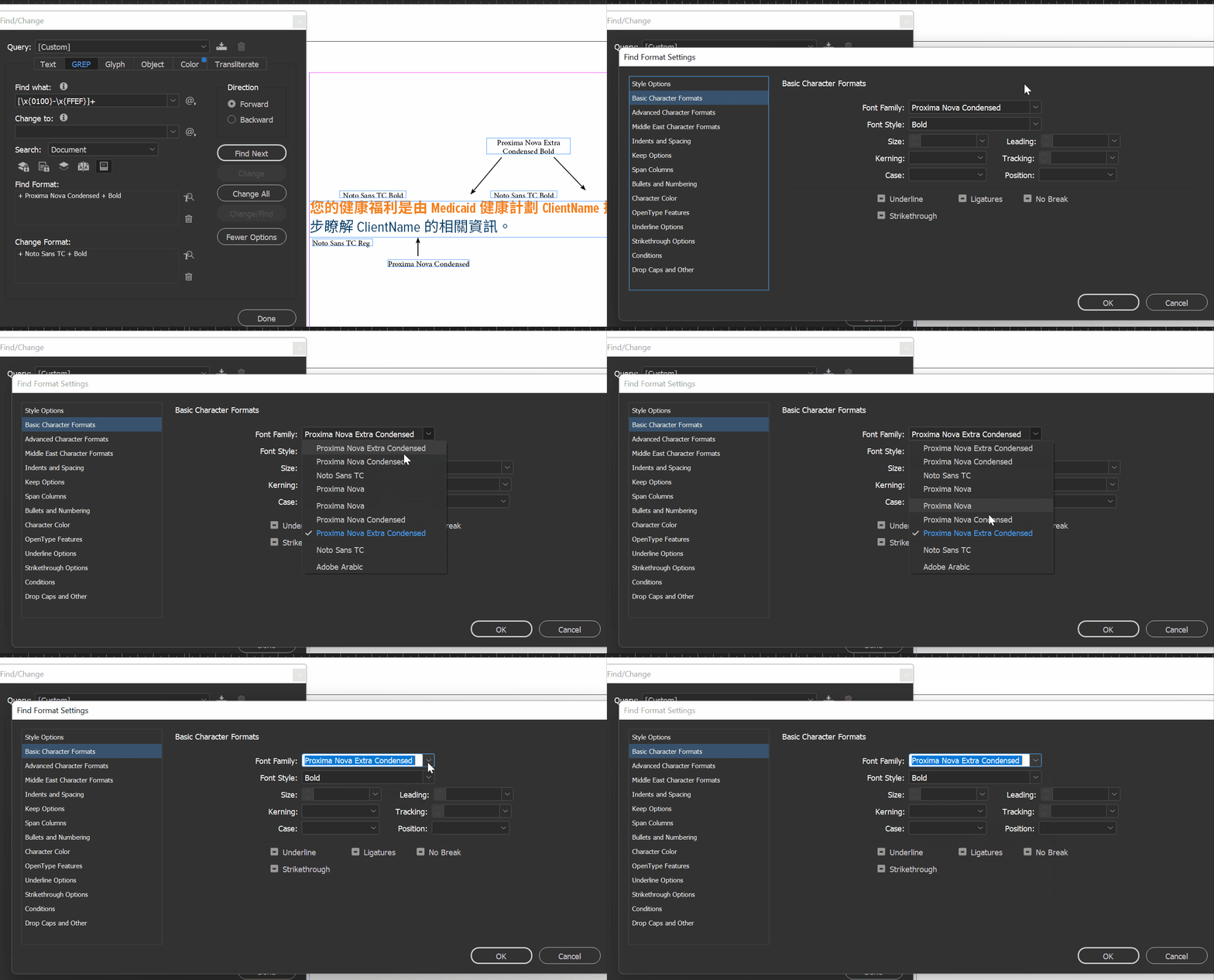
I suspect that this boils down to a font naming convention. But I can't just pop the fonts open in FontLab and fix them, right? My current workflow is cumbersome; I'm deactivating the Condensed and Extra Condensed families temporarily, then performing my Find/Change actions, then deactivating the Nova family and reactivating the Condensed family, and so on. I'm on the road right now, and my connections have been spotty, so relying upon 24/7 access to fonts.adobe.com is unappealing.
GREP Styles work a little more consistently than the Find/Change window, but my client's designers don't always use Paragraph Styles, and the one that does so consistently (the one, sigh) has sent me email directly asking me to not alter their paragraph styles and instead use local formatting only for localization work (sigh, again).
So, I have two main questions:
1) Can any of you suggest a temporary duck-tape-and-ziptie workflow that doesn't involve me deactivating and reactivating fonts all the time?
and,
2) To me, this clearly calls for a bug report. Does it sound more like a visit to the InDesign Uservoice, to the Adobe Fonts uservoice, or both?
Thanks, in advance!
 AdChoices