MaartenPool
Participating Frequently
May 1, 2018
Answered

Can't select target for my button in InDesign

  • May 1, 2018
  • 3 replies
  • 2192 views

Hi there,

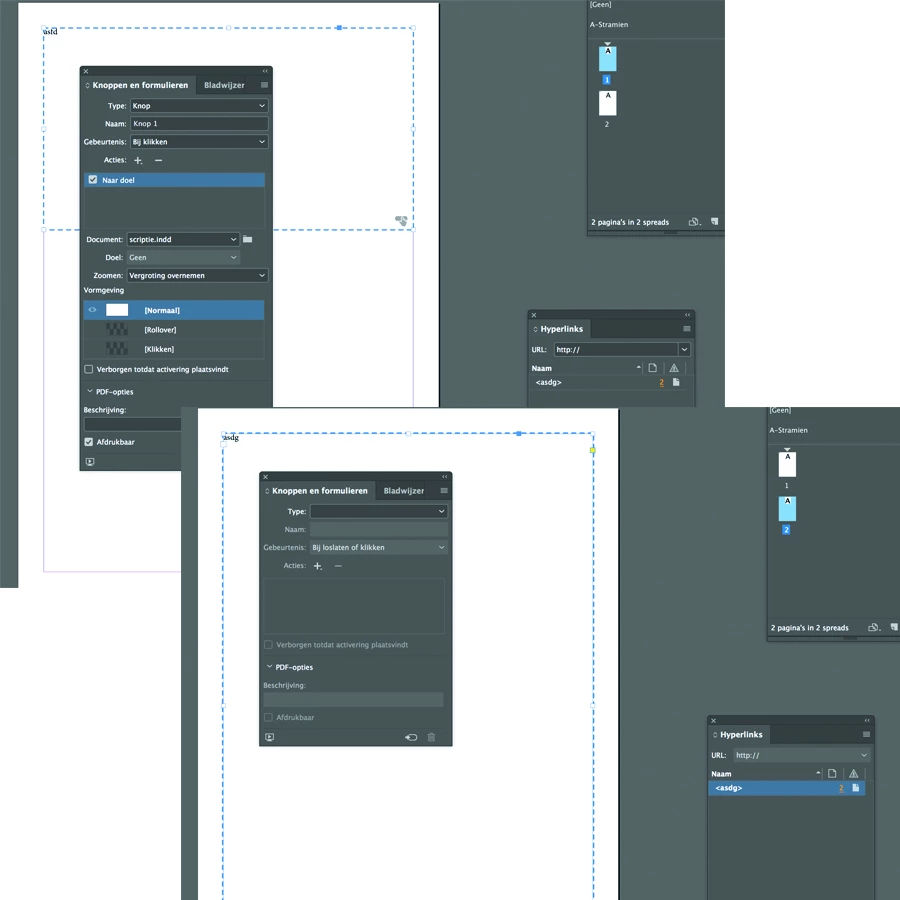
i'm trying to make a interactive PDF with buttons to jump to different pages.

I've done this before with my portfolio, but i can't seem to figure out what i'm doing wrong this time.

I created 2 pages. 1 with a button and 1 with a hyperlink on a text.

but when i select the button i can't choose a target, it's greyed out.

it's probably a easy fix, but i can't figure it out anymore...

someone please help!
    This topic has been closed for replies.
    Correct answer Jeffrey_Smith

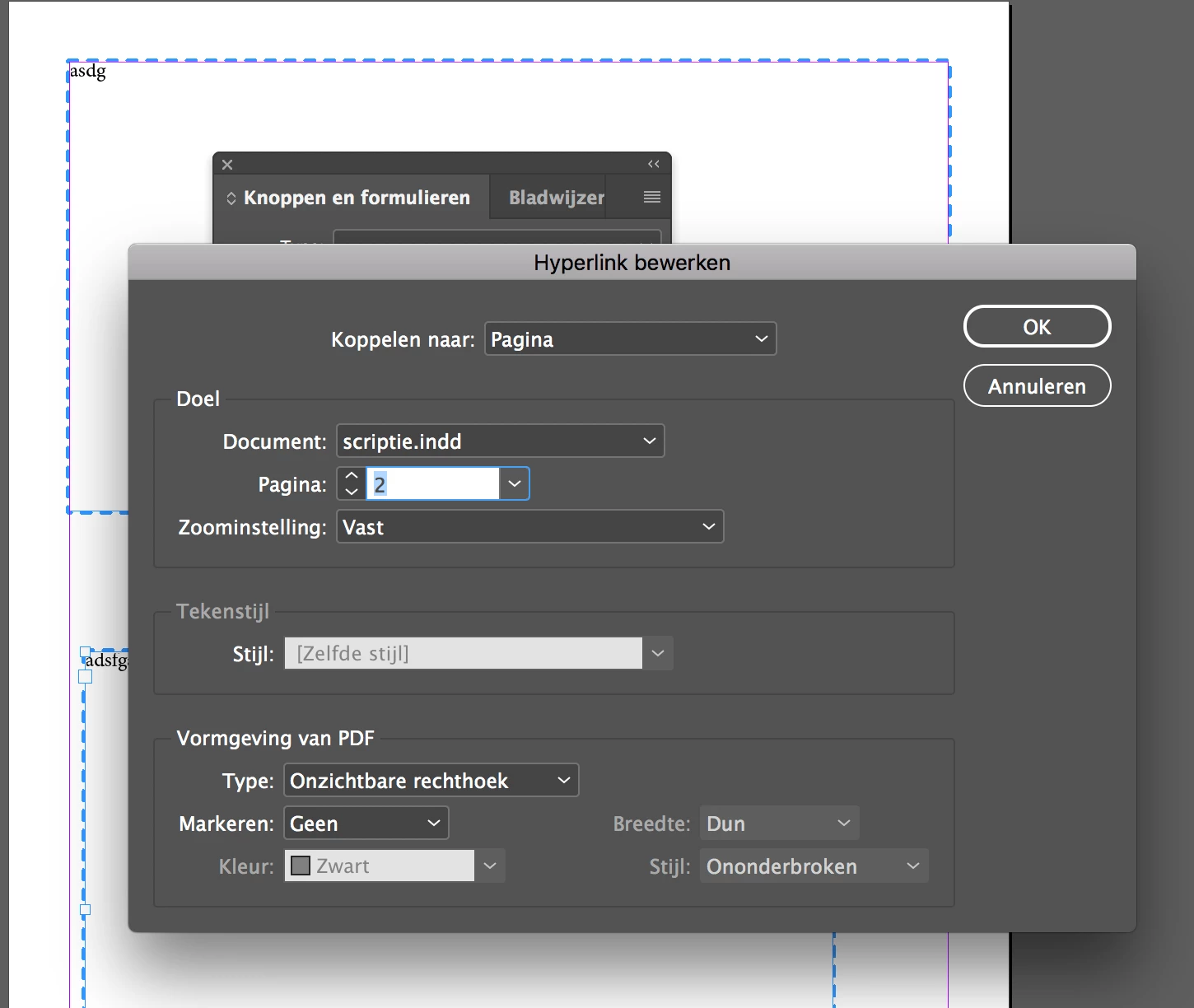
    No, i'm using "Go to target", and the hyperlink is set up to "connect to page".

    Its in dutch, but i think you understand


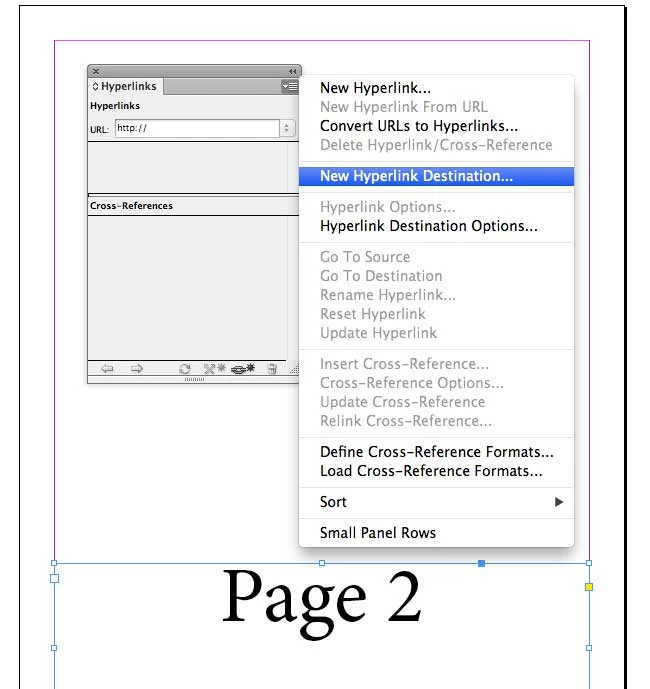
    You are defining a New Hyperlink. You need to define a New Hyperlink Destination.

    3 replies

    Community Expert
    May 1, 2018

    Hi,

    did you copy/paste the button from spread 1 to spread 2 ?

    If yes, I'd suggest either you do a new button or duplicate the button by alt+dragging it from spread to spread.

    Regards,
    Uwe

    Community Expert
    May 1, 2018

    Also watch your Layers panel.

    My suggestion:

    1. Select some text inside the button.
    2. Then press key [esc] a couple of times until the button's name in the Layers panel is selected.

    The ability to add targets should come up.

    Regards,
    Uwe

    BobLevine
    Community Expert
    Community Expert
    May 1, 2018

    Are you sure you have the button selected? If the content of the button is selected you won’t be able to add any actions.

    MaartenPool
    Participating Frequently
    May 1, 2018

    yes i'm sure about that

    Derek Cross
    Community Expert
    Community Expert
    May 1, 2018

    Might be better to use simple hyperlinks.

    MaartenPool
    Participating Frequently
    May 1, 2018

    This is just a test document.

    in the end i have to be able to move from page 2 to 43 and back (for example)