Participant
February 21, 2018
Answered

Can you make an isosceles trapezoid in Indesign CC?

  • February 21, 2018
  • 4 replies
  • 14823 views

Can you create an isosceles trapezoid in Indesign CC? (working in Indesign, not Illustrator). Trying to figure out how to symmetrically angle 2 opposite sides of a rectangle to make an isosceles trapezoid. Wouldn't I use the scale tool? Can't can't seem to get it to work. Any suggestions?
This topic has been closed for replies.
Correct answer Barb Binder

Hi smff.

The same way I'd do it in Illustrator: use the Free Transform tool along with the Alt/Opt key. This is a much overlooked tool in InDesign. You can read more about it in this post: Transform objects in InDesign.

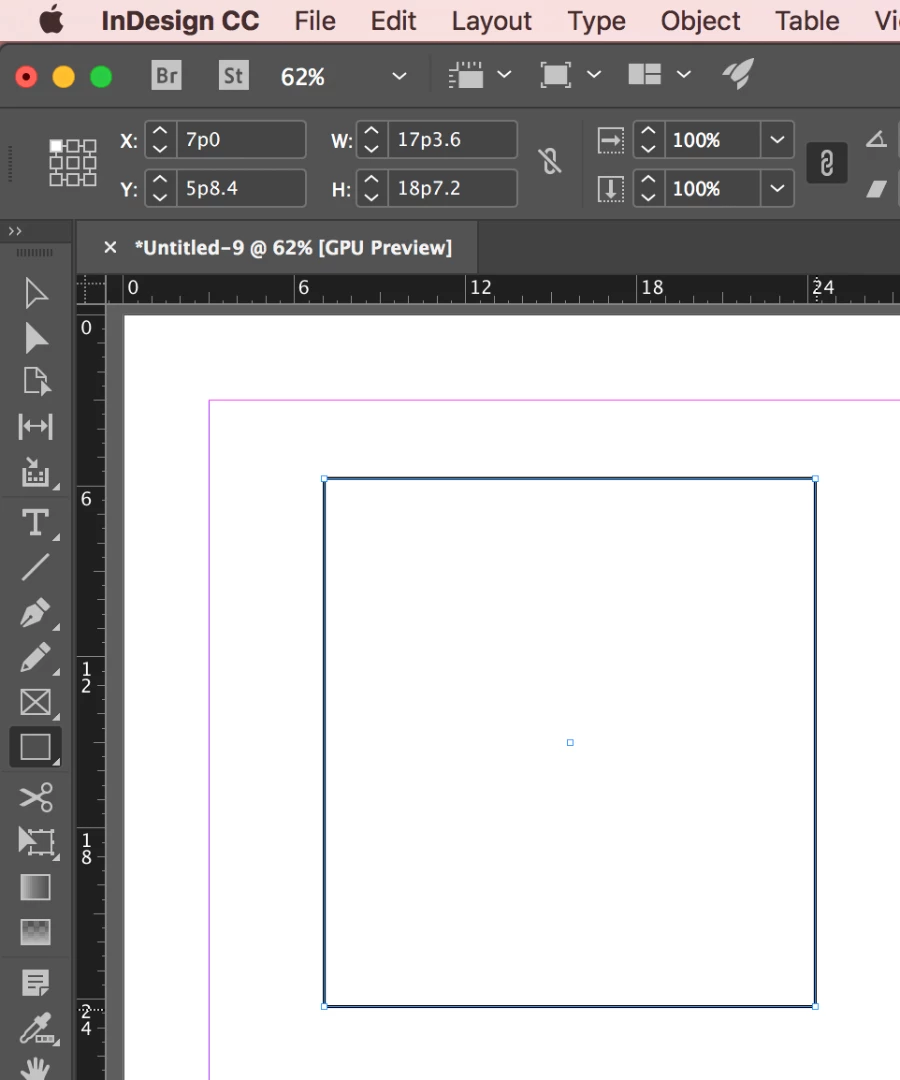
Draw the rectangle:

Select two anchor points with the Direct Selection tool:

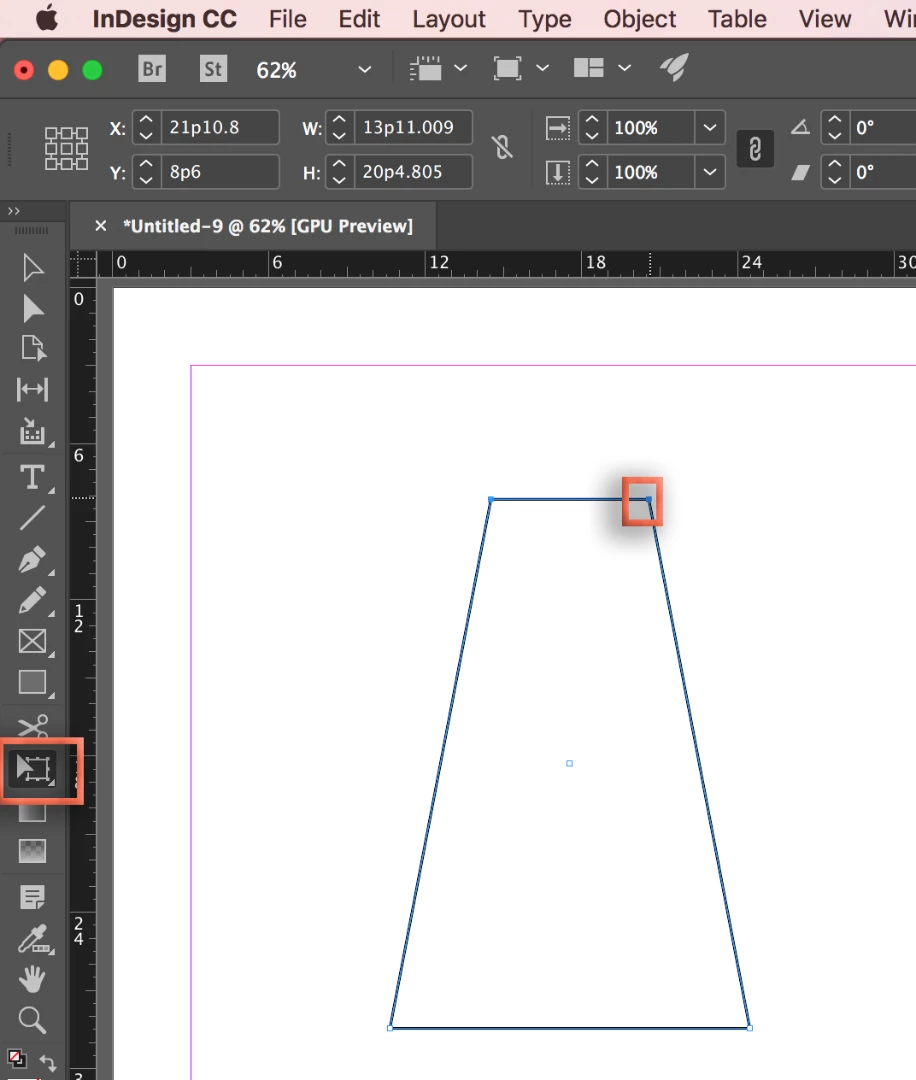
Switch to the Free Transform tool. Hold Alt/Opt and drag one anchor towards the other. The opposing anchor moves to meet the first one in the middle.

~Barb

4 replies

Barb Binder
Community Expert
Barb BinderCommunity ExpertCorrect answer
Community Expert
February 21, 2018

Hi smff.

The same way I'd do it in Illustrator: use the Free Transform tool along with the Alt/Opt key. This is a much overlooked tool in InDesign. You can read more about it in this post: Transform objects in InDesign.

Draw the rectangle:

Select two anchor points with the Direct Selection tool:

Switch to the Free Transform tool. Hold Alt/Opt and drag one anchor towards the other. The opposing anchor moves to meet the first one in the middle.

~Barb

~Barb at Rocky Mountain Training
Mike Witherell
Community Expert
Community Expert
February 22, 2018

Great reminder, Barb!

Mike Witherell
Steve Werner
Community Expert
Community Expert
February 22, 2018

I think Barb should get the Correct Answer for the most efficient and elegant method.

JonathanArias
Legend
February 21, 2018

you can make it in illustrator and paste the shape in indesign, it will still read it as a vector shape, makes no different. If you are more comfortable in illustrator for drawing you can just do that and past in to indesign...

Luke Jennings
Inspiring
February 21, 2018

You can use the direct selection tool to select one corner and move it to the right, by changing the offset value, then direct select the opposite corner and move the offset to the left the same amount.

Luke Jennings
Inspiring
February 21, 2018

Oops, too slow.

You can also add a rectangle to one side, reduce the size from the center, snap to the corners, then delete the rectangle.

Anna Lander
Inspiring
February 21, 2018

The trapezoid is not so easy in InDesign.

You can use some different ways:

1. Using the Direct Selection tool.

- draw the rectangle;

- set the Keyboard Increments (Preferences -> Units & Increments) as you need;

- Use Direct Selection Tool to move the anchor points in the corners to the same distance by the keyboard arrows.

2. Using the Pathfinder panel.

- Draw a rectangle;

- Use Pathfinder Panel -> Convert Shape option to convert it into the isosceles triangle;

- Create another rectangle above the triangle;

- Use Minus Front option to subtract the top part of the triangle and create the trapezoid.

- Finally, adjust the proportions as you need.