Known Participant
January 23, 2021
Answered

Cannot get text to flow to next page

  • January 23, 2021
  • 1 reply
  • 600 views

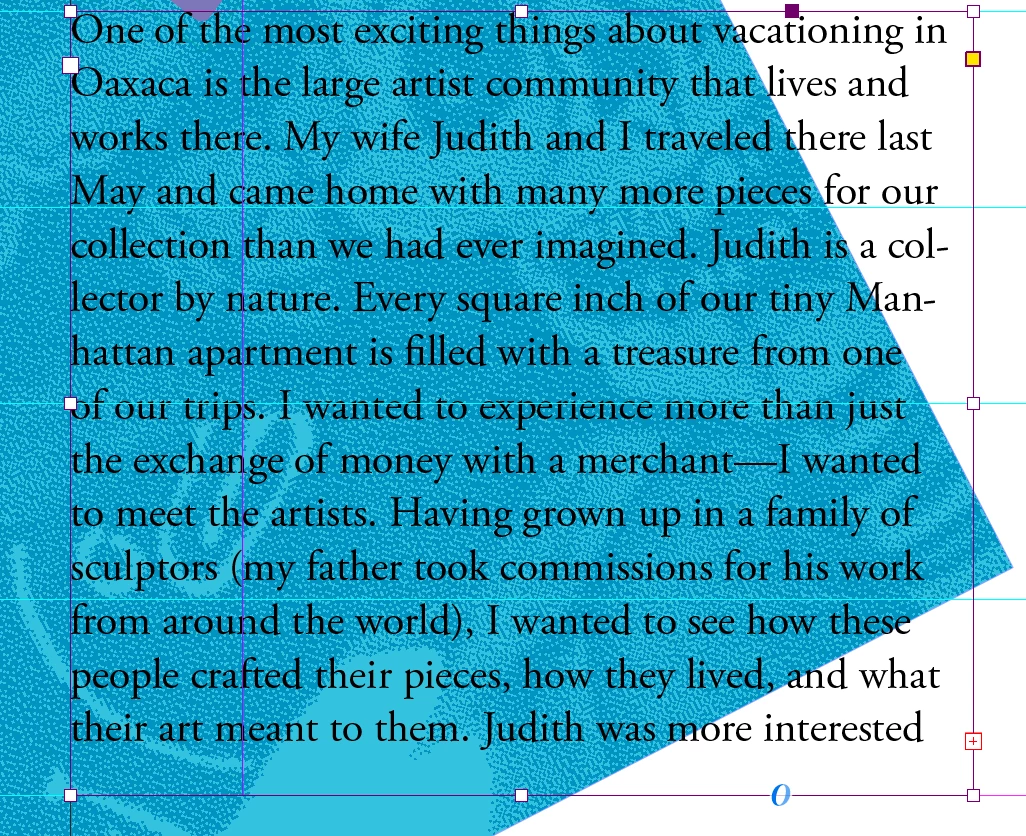
I have overset text indicated by the red box with a plus sign. I need this text to flow to the next page. When I click on the box the red plus goes away, but the cursor does not change. If I hover over the text box I see a tiny black box with a dot in the center. I do not see the icon of a page that is suppose to come up with the cursor loaded with text. If I click nothing happens. If I go to the next page and draw a text box nothing happens. I have tried everything and googled a ton. I cannot figure this out. 
 

This topic has been closed for replies.
Correct answer Steve Werner

Make sure the text frame is selected (shows bounding box handles) as shown below. You click on the Red Plus icon with the Black Arrow (Selection) Tool ONCE on the +.  You should immediately see the loaded Text Cursor icon.


If that doesn't work, you might need to try restoring your InDesign preferences:


Adobe InDesign: Rebuilding Preferences and Cache Files ...www.rockymountaintraining.com › Adobe InDesign

1 reply

Steve Werner
Community Expert
Steve WernerCommunity ExpertCorrect answer
Community Expert
January 24, 2021

Make sure the text frame is selected (shows bounding box handles) as shown below. You click on the Red Plus icon with the Black Arrow (Selection) Tool ONCE on the +.  You should immediately see the loaded Text Cursor icon.


If that doesn't work, you might need to try restoring your InDesign preferences:


Adobe InDesign: Rebuilding Preferences and Cache Files ...www.rockymountaintraining.com › Adobe InDesign