
Participant
November 18, 2019
Question

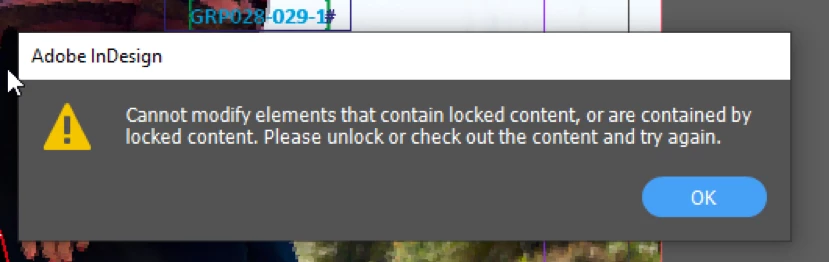
Cannot modify elements that contain locked content ...

  • November 18, 2019
  • 3 replies
  • 2134 views

Hi all


I get this message when trying to relink files in my Indesign document.


'Cannot modify elements that contain locked content, or are contained by locked content. Please unlock or check out the content and try again.'


What does it mean and how do I fix it so I can relink alle files in the document?


Kind regards
This topic has been closed for replies.

3 replies

Participant
February 15, 2024

Had the same error. Exported IDML and everything worked as normal

Luke Jennings
Inspiring
November 18, 2019

I could not duplicate your message in CS6 or CC2020. Are you working over a network? If so, do you still get the message when the files are copied to your hard drive?

Try exporting your file as IDML, then re-open, do you still get the message?

Participant
November 20, 2019

Hi Luke


Yeah, it's done locally (not over at network) and I get the message on the .idml and the .indd file aswell 😞

I will check the entire document for locked items and try to relink again.


I'll be back if it works 🙂


Randy Hagan
Community Expert
Community Expert
November 18, 2019

I can't say for sure without looking at the file, but my suspicion is that you may have placed item(s) in your InDesign document locked in place, either by design or by accident, which may be causing your problem. It's easy to do, because the keyboard shortcut to lock item(s) — Cmd/Ctrl+L, for Mac and Windows systems, respectively — is almost too easy to apply because the "L" part is in the home row of keys under the fingers of your right hand as they rest on the keyboard.


If this is the case, using the Object>Unlock All on Spread menu command, on each spread of your InDesign document, will free all elements in your InDesign document and hopefully alleviate the problem.


Hope this helps,


Randy

Jongware
Community Expert
Community Expert
November 18, 2019

Rather than a literal lock, I thought this pointed to the document having been subjected to an InCopy workflow. Un-checked-out changes shows a very similar prompt.


See https://helpx.adobe.com/incopy/using/managed-files.html for how to check out.

Randy Hagan
Community Expert
Community Expert
November 18, 2019

I guess either one's a possibility ... if InCopy is incorporated in the workflow it could be identified as a possibility, even if it isn't the root cause.


Addressing both issues would be prudent, for sure.