Participating Frequently
February 9, 2021
Answered

Cannot move the anchor point of a simple graphic frame

  • February 9, 2021
  • 3 replies
  • 638 views

Hello all.

Since the last updates i cannot move the anchor point of a simple graphic frame.
Before - if i create a simple frame - it was possible to move a frame (= the anchor point) with a small sqare on the upper line on the left side of the frame. Like the small square to create round corners on the right line of the simple frame.
So it was possible to set the anchor in the picture description line under the picture.

The situation is:
If i create a simple frame out of the page ) on free outer space and combine some Elements there, i cannot move the finished frame in the text on a definite position.
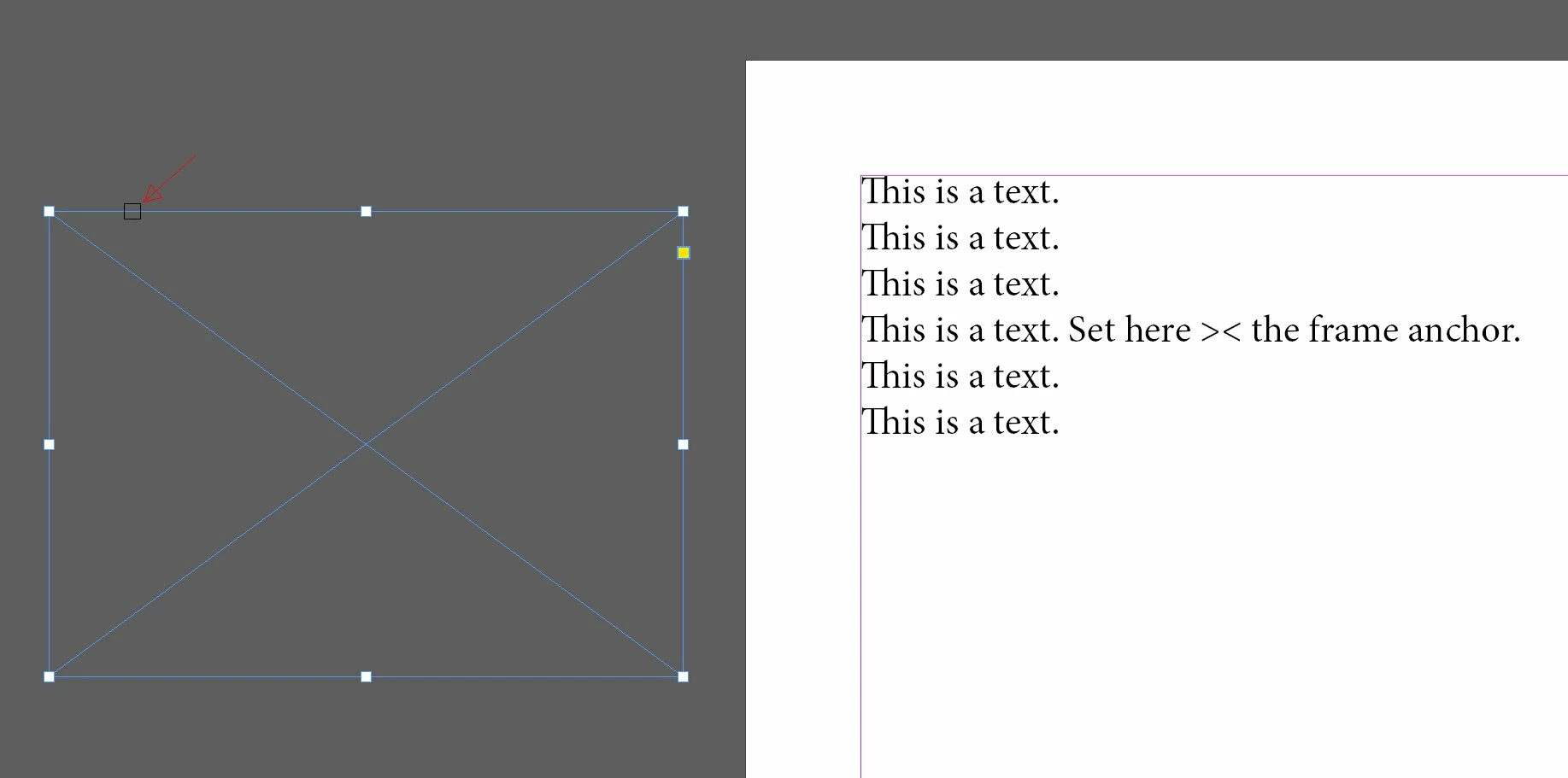
Before the update i could.
I'm very happy for some solutions in this forum or by Adobe.
regards

Rob
 

This topic has been closed for replies.
Correct answer Steve Werner

It would be helpful if you could clarify: Please tell us what operating system (exactly) you're running. Please tell us (exactly) what InDesign version you're using.


I'm using the latest version of InDesign 2021 (16.1).  When I select the empty graphic frame in the pasteboard, I see the blue  box (blue because I'm on Layer 1, default blue color) which is used for anchoring the frame.


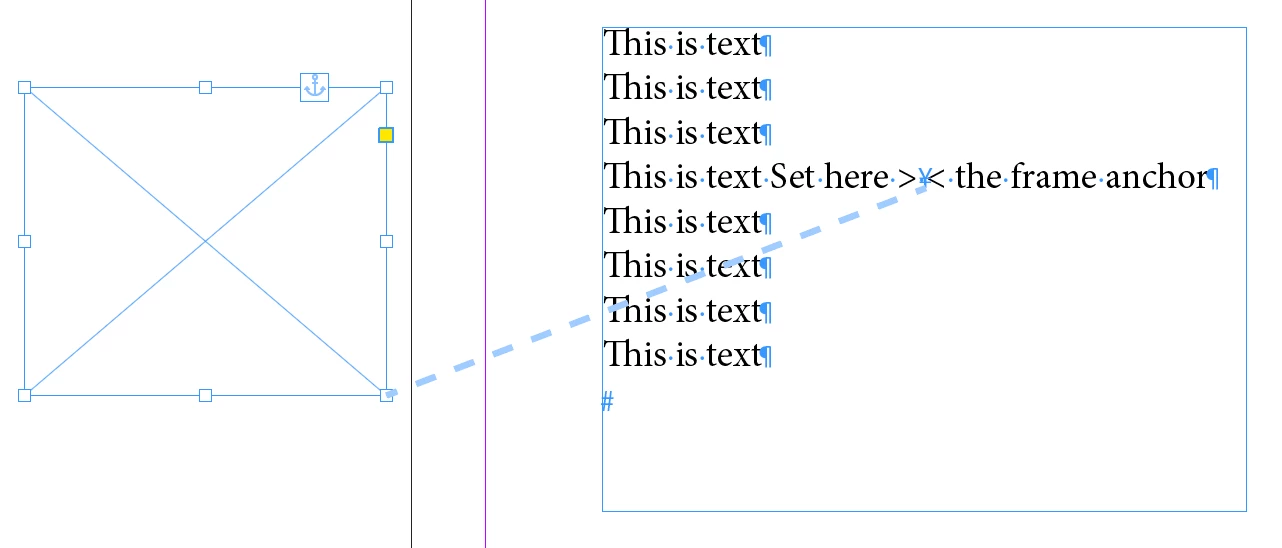
The anchoring square is always at the top right not top left. When I drag the anchoring square into the text, it is anchored at that spot. If I turn on View > Extras > Show Text Threads, I can see the connection like this:


I'm assuming that that is what you're trying to do. If you're not seeing the blue anchoring square at the top right, you might try to restore your InDesign preferences if it happens with every file you try. If it's only in one file that there is a problem, you could have a corrupted file, and you might save the document as an IDML file, then open the IDML which often removes corruption.

3 replies

Community Expert
February 22, 2021

Hi Rob,

I unmarked my answer as the "Correct" one.

Had the wrong idea what you actually mean.


Still I have some questions:

Did you miss the widget on the graphic frame that indicates that the frame is anchored to text?


Or did you miss the widget that gives you the ability to anchor a frame to text if you drag the widget to text?

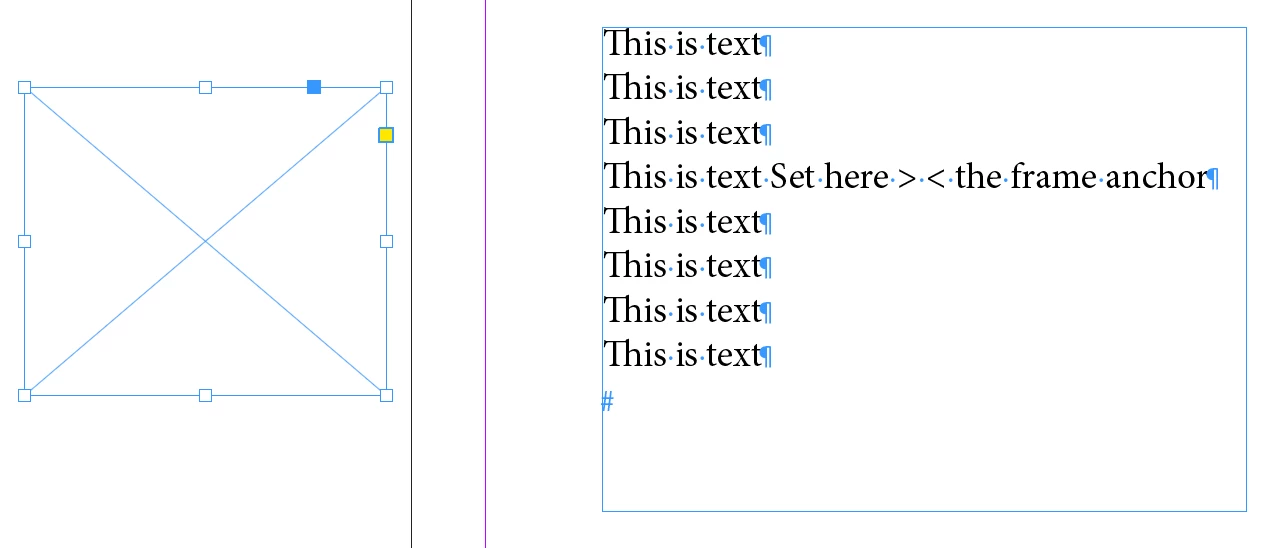
That could happen if you draw out a new frame like below. Important: the Rectangle Frame Tool is still selected:


If you change the tool from the Rectangle Frame Tool to the Selection Tool the widget will be visible:


Regards,
Uwe Laubender

( ACP )

Community Expert
February 9, 2021

Hi Steve,

I think our OP Rob refers to the yellow widget that enables a user to do e.g. rounded corners ( Live Corners ). This is the yellow square that is visible when the feature is enabled through the View > Extras > Live Corners menu.

I can see that this widget is still working with my InDesign 2021 version 16.1.0.20 on Windows 10. Even when the frame is anchored:


Could be that the widget is disabled.

So, Rob, check if under View > Extras > Live Corners are disabled.


Regards,
Uwe Laubender

( ACP )

Rob_69Author
Participating Frequently
February 22, 2021

Hello all.

Many thanks for your answers and sorry for the delay.

To your questions:

  • My platform is Windows 10 (19042)
  • InDesign CC is Version 16.1
  • I mean the small anchoring symbol on the right upper side
  • All my views in Views - Extras are ON


After the last updates the anchor square was not visible.
But the failure is gone. What i did:

1. Try:

  • Removed all user settings in
    C:\Users\<user>\AppData\Roaming\Adobe
  • Tried to install an older Version of InDesign parallel, but this was override my new Version
  • And has no effect

2. Try:

  • Removed all user settings
  • Deinstalled Adobe InDesign complete (all versions)
  • Installed Adobe InDesign again
  • The failure was fixed.
  • But i lost my Settings :O(

Regards

Rob


Steve Werner
Community Expert
Steve WernerCommunity ExpertCorrect answer
Community Expert
February 9, 2021

It would be helpful if you could clarify: Please tell us what operating system (exactly) you're running. Please tell us (exactly) what InDesign version you're using.


I'm using the latest version of InDesign 2021 (16.1).  When I select the empty graphic frame in the pasteboard, I see the blue  box (blue because I'm on Layer 1, default blue color) which is used for anchoring the frame.


The anchoring square is always at the top right not top left. When I drag the anchoring square into the text, it is anchored at that spot. If I turn on View > Extras > Show Text Threads, I can see the connection like this:


I'm assuming that that is what you're trying to do. If you're not seeing the blue anchoring square at the top right, you might try to restore your InDesign preferences if it happens with every file you try. If it's only in one file that there is a problem, you could have a corrupted file, and you might save the document as an IDML file, then open the IDML which often removes corruption.