
Participating Frequently
January 8, 2019
Answered

Cannot open file because it was saved with a newer version

  • January 8, 2019
  • 2 replies
  • 17231 views

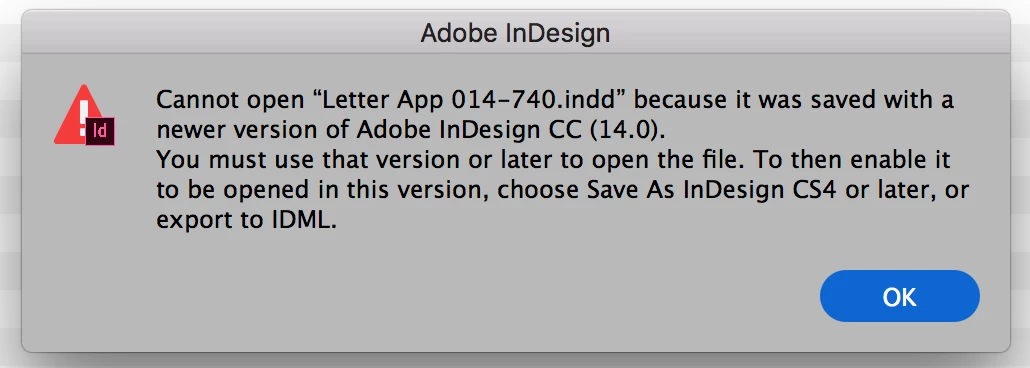
I'm new to CC and would like to stop seeing this message! I tried to open a file that I created in ID a week ago and get this message. How could it possibly be saved in a newer version??? Please tell me how to set up CC so I don't see this anymore. I've been using CC since July and I'm tired of converting files and resaving.
    This topic has been closed for replies.
    Correct answer Manan Joshi

    I don't know how to check for old versions


    If you open Creative Cloud app it will show you which versions are installed. You can also look into installed programs in Win and the Application folder on MAC to see which versions of InDesign are installed on your machine

    -Manan

    2 replies

    Participant
    December 29, 2019

    I have been reading the comments...but I need to know how to open a file created in a new version and open it in older version...I try sending my work to the print shop...but they cannot open the ID file

    BobLevine
    Community Expert
    Community Expert
    December 29, 2019

    NEVER EVER send an IDML file for production! NEVER. There are no exceptions.

    Send a PDF or find a new printer.

    BobLevine
    Community Expert
    Community Expert
    January 8, 2019

    I've never seen that message be shown in error. The files you're trying to open were created in InDesign CC2019 and you're attempting to open them in an earlier version. It's that simple.

    TchatAuthor
    Participating Frequently
    January 8, 2019

    Yes, but how can that be? I haven't installed or updated anything.