


Known Participant
October 4, 2022
Question

Cannot save IDML from INDD

  • October 4, 2022
  • 2 replies
  • 278 views

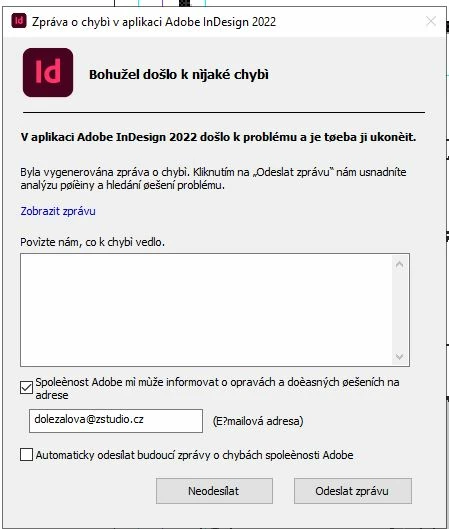
Hi, lately I have several indd files, which I needed save or export to IDML for translation. But during saving IDML file InDesign crashes or error window pop up (printscreen of that window is below this text). I saw few chats about this issues but did not see any solution or reason why it is happening. It's a very unpleasant work and I need a solution since my file have to be translated to multiple languages and this is possible only with IDML. 


Does anyone have a solution how to fix it, or what is causing this issue? 

I am using Adobe CC 17.4 (also tried on Adobe CC 17.3. / 16.3.4) - in all versions it is crashing the same way. 


Thank you for help! 

Martina
 

This topic has been closed for replies.

2 replies

Jumpenjax
Community Expert
Community Expert
October 4, 2022

If you package you InDesign file when finished it will make a IDML, InDesign file and a pdf file. It will warn you of and potential problems too. You will have to set the quality of your pdf. You will find package under File/ package.

Lee- Graphic Designer, Print Specialist, Photographer
Peter Spier
Community Expert
Community Expert
October 4, 2022

Since this is happening across versions and multiple files it amy be either font-related, a software conflict, or a problem in your user profile.

The first thig to do when trouble shooting is replace your InDesign preferences. See Reset InDesign Preferences and Other Troubleshooting 

If that doesn't fix it, try creating a new user accouont on the PC and log in with that. Does the crash still happen?

If not the problem is in the original user profile.

If it's still crashing, try booting in Safe Mode. If it works without crashing, you have a software conflict. If not, my bet would be a font issue.