New Participant
February 8, 2023
Answered

Cannot update InDesign and publish online

  • February 8, 2023
  • 4 replies
  • 222 views

Hello,

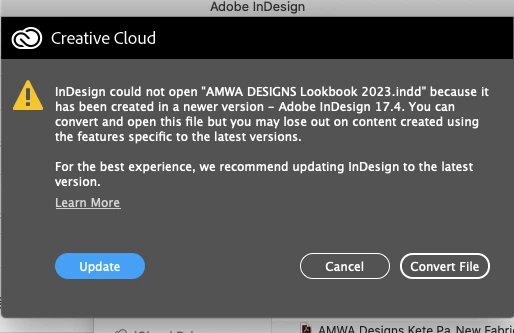
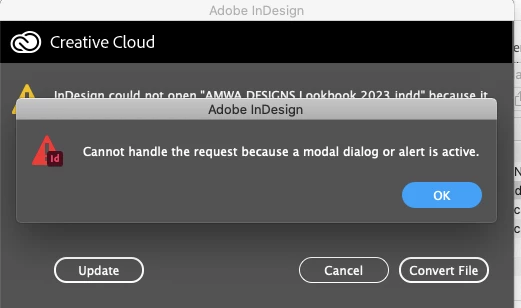
Any insights why InDesign is not allowing me to update? When trying to open an Indd file I get these two messges. Would be very grateful for any insights / advice.

This topic has been closed for replies.
Correct answer BobLevine

That message is very clear. You're trying to open a file created in InDesign 2022 in an earlier version. You are, apparently, quite a bit behind the upgrade curve.

Best to run the updated from the Creative Cloud desktop app.

4 replies

Rishabh_Tiwari
Community Manager
Community Manager
February 8, 2023

Hi @MoMa ,


Sorry to hear about the trouble. Please try the suggestions shared by the experts. For more information on how to update the app, please check this article. 

Regards

Rishabh

Barb Binder
Community Expert
February 8, 2023

Hi @MoMa:


Assuming your computer meets the system requirements, you can use the Creative Cloud desktop app to update to v17 (2022) or v18 (2023) or both. Note that you do not need to remove your current version when you install a newer version—just pay attention to the prompts.


~Barb

~Barb at Rocky Mountain Training
BobLevine
BobLevineCorrect answer
Community Expert
February 8, 2023

That message is very clear. You're trying to open a file created in InDesign 2022 in an earlier version. You are, apparently, quite a bit behind the upgrade curve.

Best to run the updated from the Creative Cloud desktop app.

kglad
Community Expert
February 8, 2023

in the future, to find the best place to post your message, use the list here, https://community.adobe.com/


p.s. i don't think the adobe website, and forums in particular, are easy to navigate, so don't spend a lot of time searching that forum list. do your best and we'll move the post if it helps you get responses.


<moved from using the community>