
ashimg23377171
Inspiring
September 22, 2017
Answered

Cannot view page outline on page spread upon exporting as PDF

  • September 22, 2017
  • 1 reply
  • 425 views

Hello

I have created a document with facing pages.

When I export it to a pdf, I cannot see the page outline between pages 2 and 3 on the spread. All I get is a white mass like below.
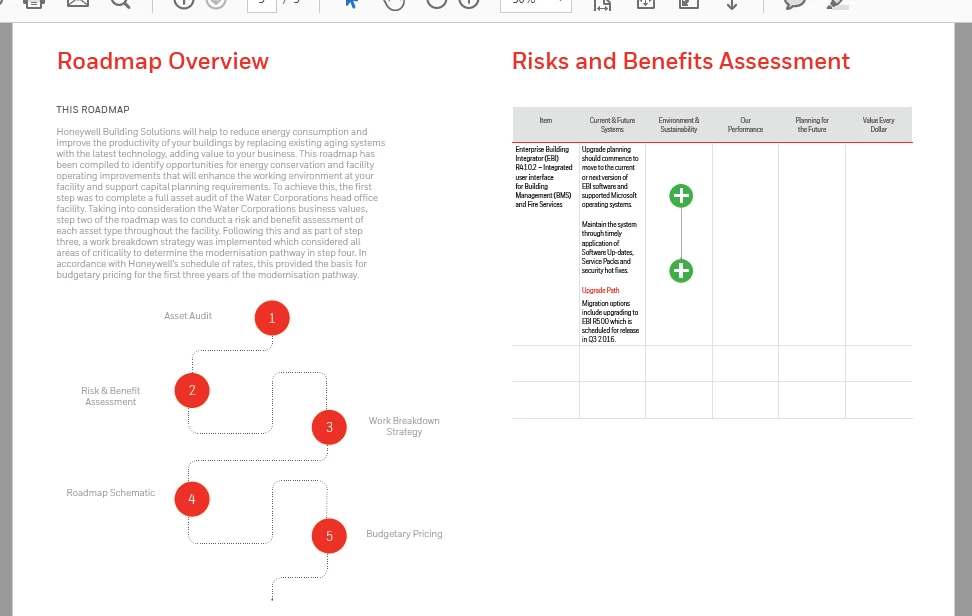
Whereas I wish to secure the foll effect (the gray line dividing the two pages):
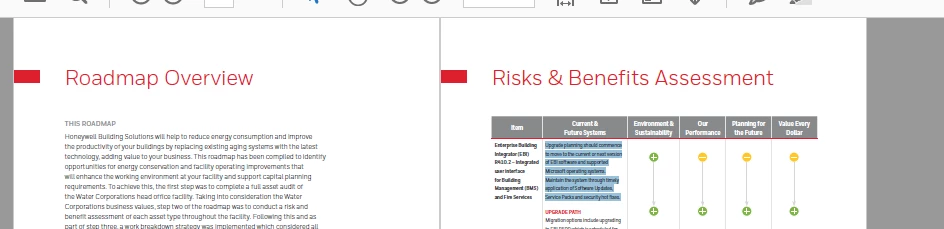
Please let me know what is it that I am doing wrong here.
    This topic has been closed for replies.
    Correct answer vinny38

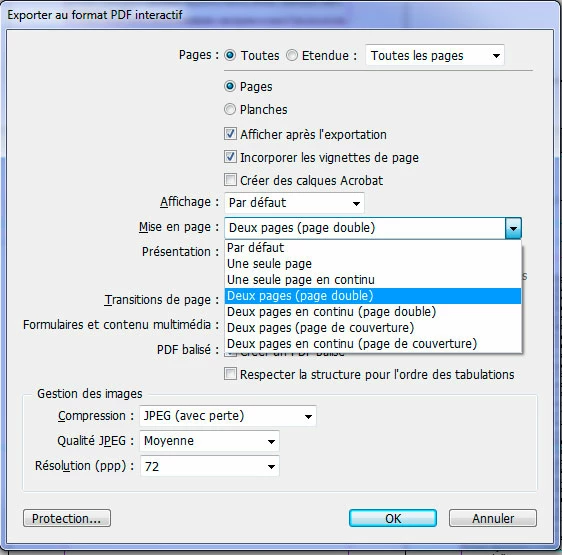
    In Indd, export PDF as "Pages", not "Spreads".

    Then change view layout in Acrobat. Viewing PDFs and viewing preferences, Adobe Acrobat

    Alternatively, if you export an interactive PDF, you can directly set up 2-pages view:

    1 reply

    vinny38
    vinny38Correct answer
    Legend
    September 22, 2017

    In Indd, export PDF as "Pages", not "Spreads".

    Then change view layout in Acrobat. Viewing PDFs and viewing preferences, Adobe Acrobat

    Alternatively, if you export an interactive PDF, you can directly set up 2-pages view:

    ashimg23377171
    Inspiring
    September 22, 2017

    I am afraid that is not working.

    The foll is my layout in InDesign. The first page is the 'cover page,' the second is the 'Contact Info', and the third page is the 'TOC.'

    However, upon exporting when I select the 'Two-Up (Cover Page)'  in the Layout option, I get it as follows, which is not desirable:

    vinny38
    Legend
    September 22, 2017

    Looks like you forgot to select "Pages" instead of "Spreads" while exporting...

    Check it out ^^