

schroef
Inspiring
December 4, 2021
Answered

Cant place PSD with spot channels [SOLVED]

  • December 4, 2021
  • 4 replies
  • 1119 views

Indesign 16

Photoshop 22.5

Windows


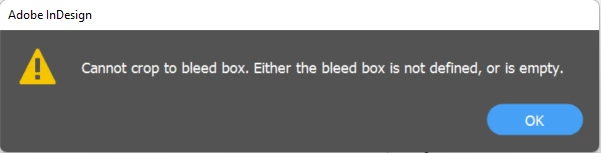
Im trying get a proper PDF with spotchannels out of Photoshop. The issues already starts in Photoshop, cant seem to save a proper PDF file which Indesign can read. When i use a photoshop PDF, Indesign returns error about missing bleedbox. I tried standard pdf preset in save dialog.
 

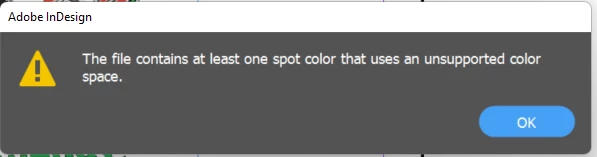
Then tried using a PSD cmyk and rgb bit with spot channels. Indesign keeps returning this error about unsupported colors space in one of the spot channels. As soon as i delete the spot channels the PSD is able to be read by Indesign
Correct answer Dave Creamer of IDEAS

I posted a reply on the other discussion where you asked the same question:

https://community.adobe.com/t5/indesign-discussions/photoshop-file-with-spot-channel-placed-into-indesign-turn-off-4c/m-p/12570506#M456416


4 replies

James Gifford—NitroPress
Legend
December 4, 2021

I have found it to be a universally good practice not to name objects with standard names; even if it doesn't cause user confusion, there are endless layers in the workflow where naming a color, a style, an object with an existing standard name causes unexpected results.


My basic example of this is not to name character styles Bold and Italic, but something like Bolded and Italics/Italix. Both saves this kind of name-space collision and simplifies downstream work such as CSS-to-EPUB. Ditto for color and layer names...

schroef
schroefAuthor
Inspiring
December 6, 2021

Yeah i tend to do this, somehow didnt pay enough attention to this detail in this file. I was to focused in the Color Space error.

schroef
schroefAuthor
Inspiring
December 4, 2021

Glad i held on and kept researching this myself. I found the issue, i actually overlooked it earlier. I noticed it had the spot channel with the same name as a default channel. This causes the issue in InDesign. If you look in the image below, ive marked it red. It has 2 channels both named Black, for the RGB file it was the same. In the RGB there where channels having the same name as Red, Blue, Green 


I do find it strange Indesign returns an error about the color space though. Shouldnt i return an error about color spot channel?! This color space error is a bit misconceiving i guess.

Dave Creamer of IDEAS
Community Expert
Dave Creamer of IDEASCommunity ExpertCorrect answer
Community Expert
December 4, 2021
David Creamer: Community Expert (ACI and ACE 1995-2023)
schroef
schroefAuthor
Inspiring
December 4, 2021

I marked it solved, but my files from that script still cant be placed. Not sure this would be perhaps a max spot channel issue. I doubt that, if that was the case Photoshop would show an alert i or dialog i guess


schroef
schroefAuthor
Inspiring
December 4, 2021

I guess i solved it. i first tried by making simple document with shapes Cyan, Magenta, Yellow and BLack, added 2 Spot Channels: Red 032c and Warm Gray 1c. This could be placed just fine. Then noticed something about the naming on the Spot channels names. So tried that with my working file, i changed the color to a real PMS color and then it can be placed.


I did some more testing, there is a weird issue when the plate name has the same name as default channel name. But also when you use custom names. However when i used a weird gibberish name "asdafsdg" it still works?

The way i got to this issue, was by using a script which makes color separation file for screen printing. It generates a RGB or CMYK with spot channels for making 7 colored prints. There seems to something going on with the naming and colors in those sport channels which causes this issue. Its kinda weird because the spot channels have just a color assigned and name.