Hi,
Can you check the Basic Text frame style settings in no document state of InDesign. To do this, open InDesign(ensure you do not have any document opened). From Windows->styles open Object styles. Double click [Basic text frame] to edit it and set "Align" to bottom.
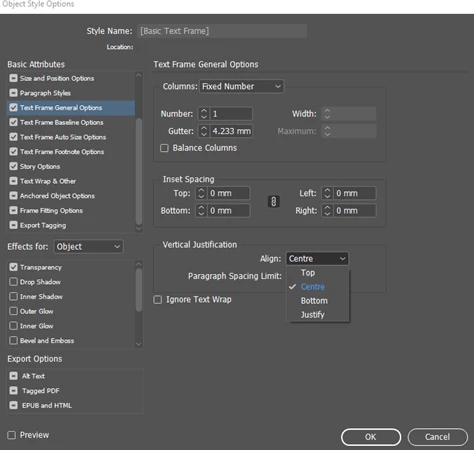
This would change the application preference of the text frame to align text bottom.
You problem is likely occurring since the new document in which you are pasting text frames into have the [Basic text frame] style setting with vertical justification set to top:this preference is set by default. Since you want the text frame to align text to bottom you need to change this. Change this preference either at document level or at application level(like i described above)
-Aman

 AdChoices