
Question
CC18 Color Space
I wanted to share something that we found today. InDesign CC 2018 does not always recognize your intended color space after upgrading.
Disclaimers:
• The scenario shown below may not match the settings of your facility.
These are the color settings we have set up for our office.
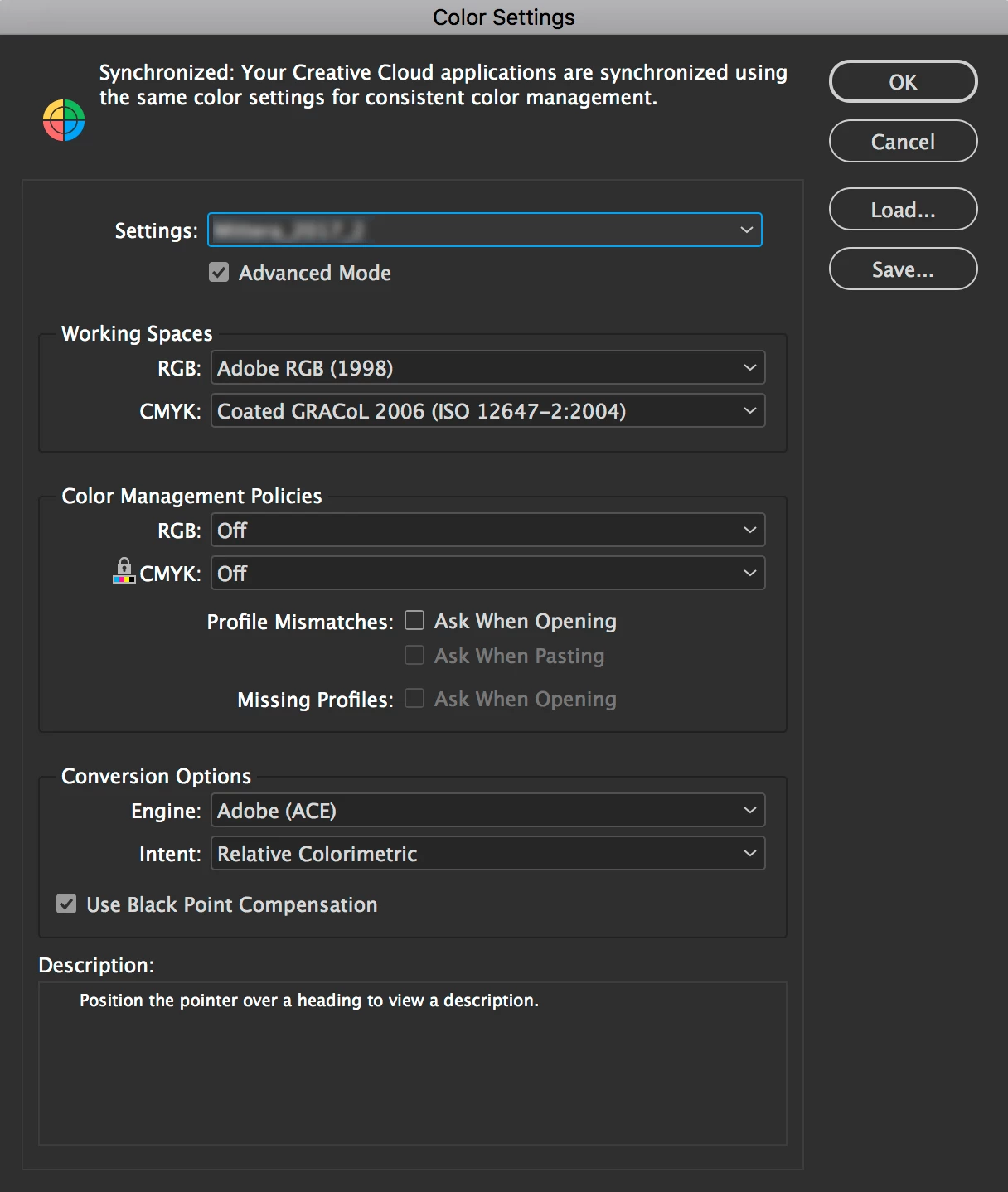
When you open an InDesign document in CC17 it has the correct color settings.
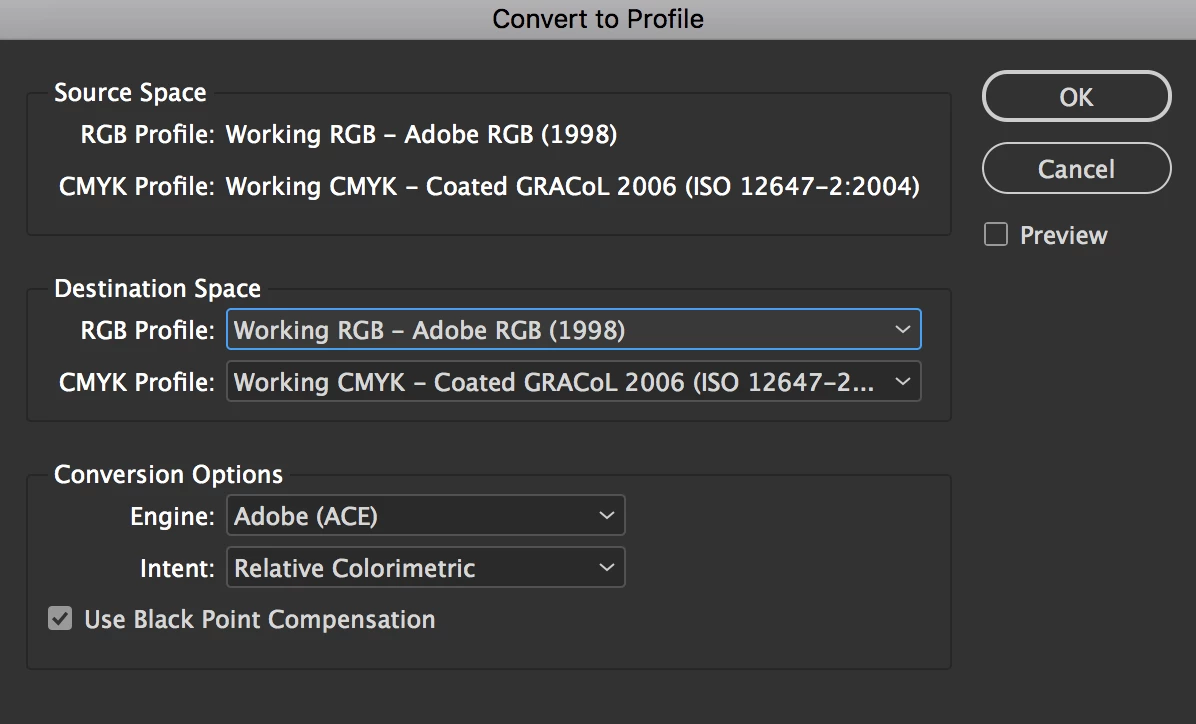
When you open the same document in CC18 it may not honor your color settings.
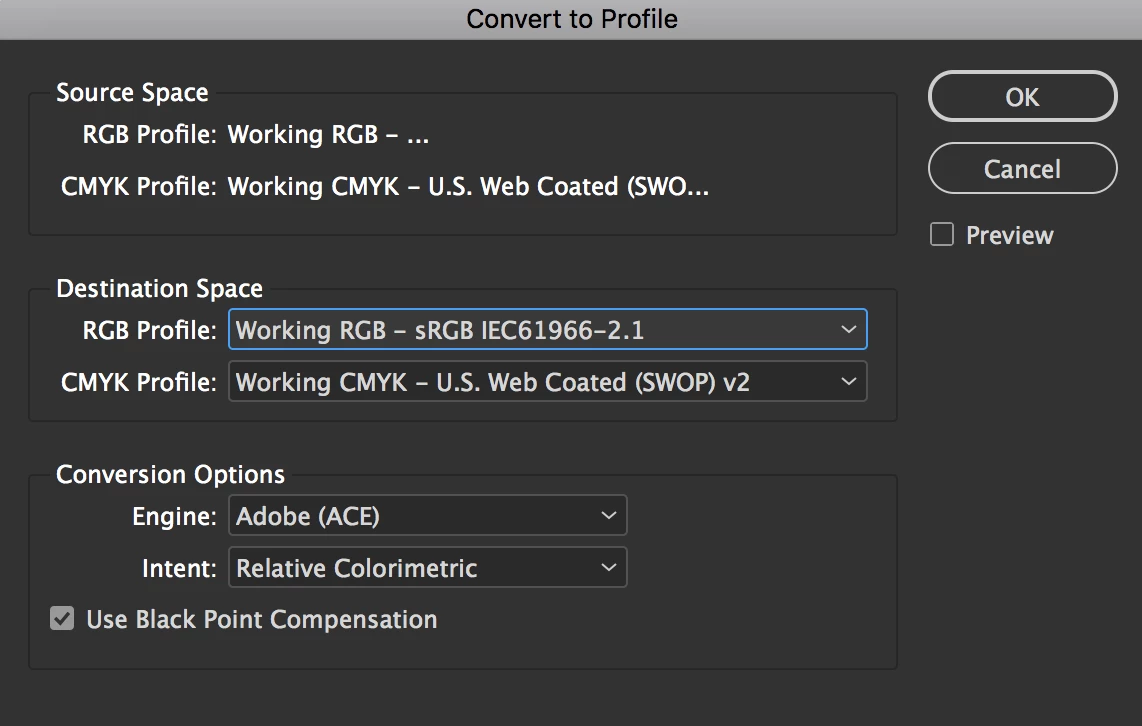
You can convert each document one-by-one but the problem won’t go away. To fix it this, you need to reset your InDesign preferences.
• While pressing Shift+Option+Command+Control, start InDesign. Click Yes when asked if you want to delete preference files.
Found this one reference that is similar.
 AdChoices