
Known Participant
June 26, 2024
Answered

cell position

  • June 26, 2024
  • 2 replies
  • 430 views

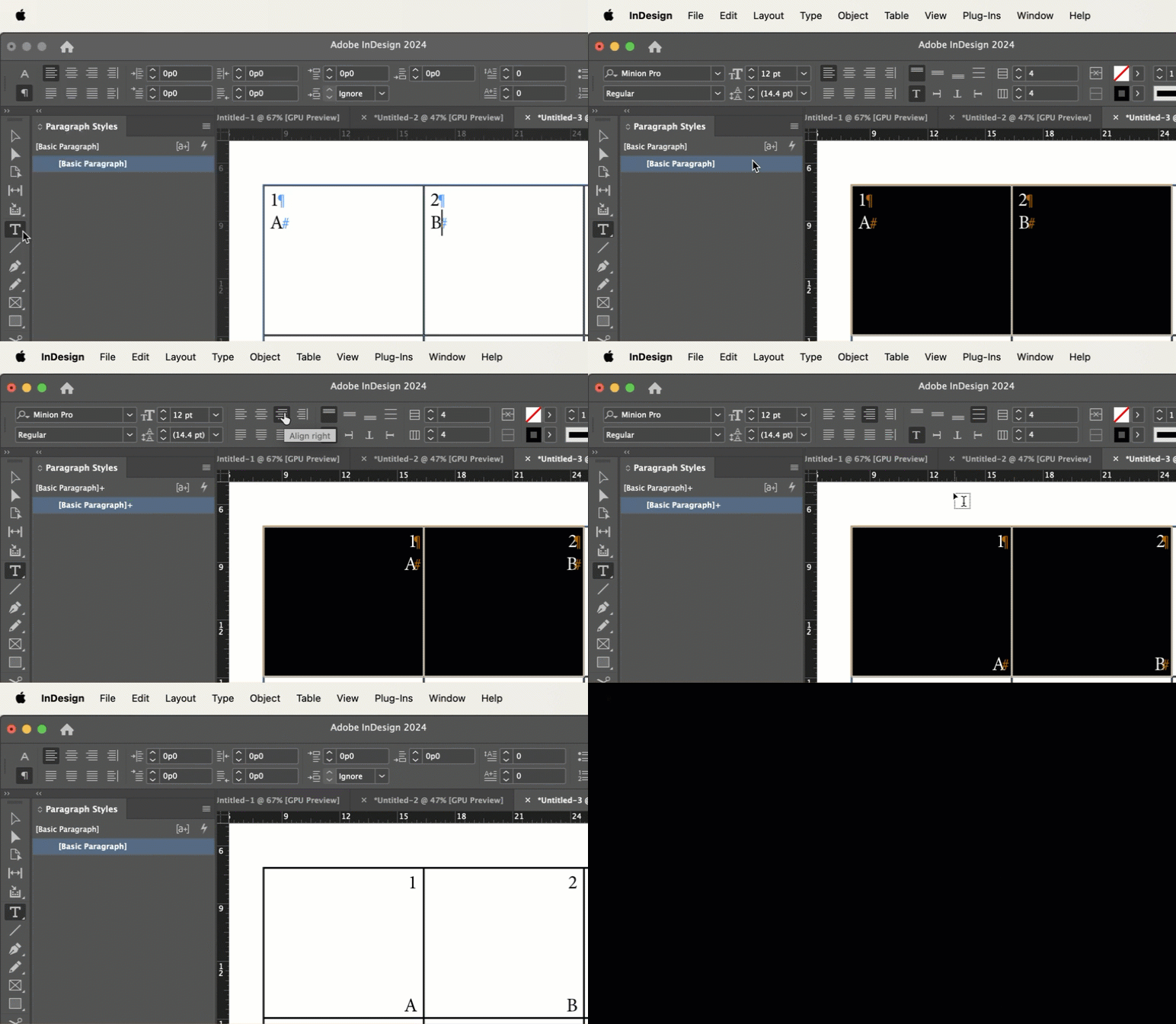
How can I create this type of cell knowing that the number is at the top left and the letter is at the bottom right without any space? And how can I paste it into a table containing cells?

I want both to belong to the same cell.
 

This topic has been closed for replies.
Correct answer Barb Binder

Hi @aghanjar16430960:


  1. Add each element as their own paragraph by pressing Enter/Return at the end of the number. 
  2. Select the cells you want to format:
  • Set the horizontal alignment to centerright. 
  • Set the vertical alignment to justified. 


~Barb

2 replies

Barb Binder
Community Expert
Community Expert
June 27, 2024

We are always happy to help, @aghanjar16430960.


~Barb

~Barb at Rocky Mountain Training
Barb Binder
Community Expert
Barb BinderCommunity ExpertCorrect answer
Community Expert
June 26, 2024

Hi @aghanjar16430960:


  1. Add each element as their own paragraph by pressing Enter/Return at the end of the number. 
  2. Select the cells you want to format:
  • Set the horizontal alignment to centerright. 
  • Set the vertical alignment to justified. 


~Barb

~Barb at Rocky Mountain Training
Robert at ID-Tasker
Legend
June 26, 2024
quote


  • Set the horizontal alignment to center. 

By @Barb Binder


Not "right"?