
Inspiring
January 31, 2018
Question

Cell style override (retain formatting)

  • January 31, 2018
  • 1 reply
  • 1195 views

Hi All,

I have a clarification:

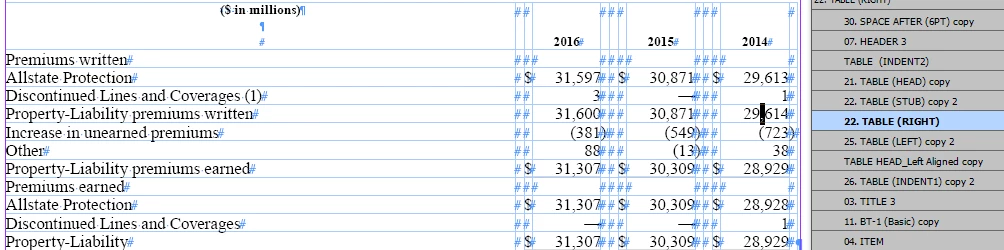
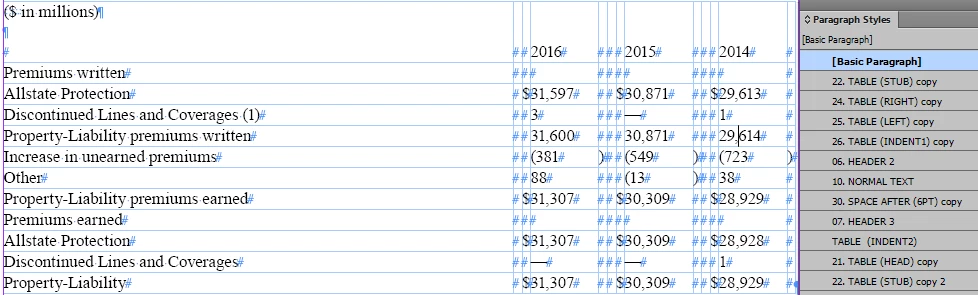
I have cleared the cell style overrides by using JavaScript, while we clearing overrides, applied paragraph styles in the tables getting changed into "Basic Paragraph"

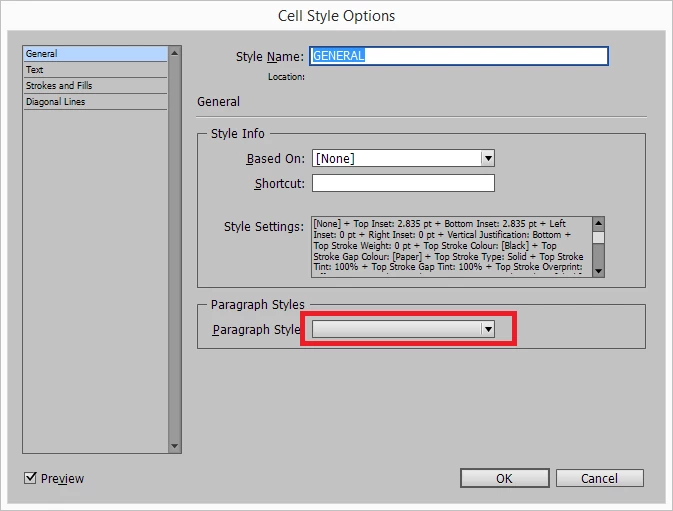
but i have not defined any paragraph styles in Cell styes options. Can i have any solution for this?
Before:
After clearing cell style overrides:
Regards,

Velu

This topic has been closed for replies.

1 reply

Community Expert
March 9, 2018

Hi Velu,

what code did you run on your cell to clear overrides of your applied cell style?

Just did a test with this:

// Cell with override of the cell style selected:

var selectedCell = app.selection[0];

selectedCell.clearCellStyleOverrides();

My applied paragraph style to the text of the cell was not part of the cell style.

Fill color of the cell was and was changed as an override to a different fill.

After running the snippet above the applied paragraph style did not change.

Regards,
Uwe

Community Expert
March 9, 2018

Here a screenshot to show the difference between:

clearCellStyleOverrides()

clearCellStyleOverrides( true )

Note:

Applied cell style is based on "None".

Applied paragraph style is not part of the applied cell style.

The applied text has an override. The green fill with "Style".

The override of the applied cell style is the Cyan fill.

What DOM documentation says about method clearCellStyleOverrides() :

Adobe InDesign CS6 (8.0) Object Model JS: Cell

And this about argument one when set to true:

If true, clears all overrides, whether or not they are defined in the underlying cell style (Optional) (default: false)

Regards,
Uwe