Known Participant
May 22, 2025
Answered

Center alignment vertically text and frame inside a frame

  • May 22, 2025
  • 2 replies
  • 653 views

Hi


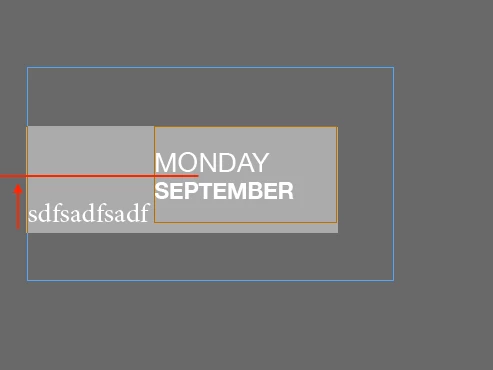
I've an issue about vertical alignment. I have a simple text inside a frame and another frame inside as you can see in the screen. How can I align in the center the text? Around the red line. 


I tried different vertical alignment but all of they manage the whole block 


Thanks

Francesco
Correct answer Robert at ID-Tasker

@Francesco Stefanini 


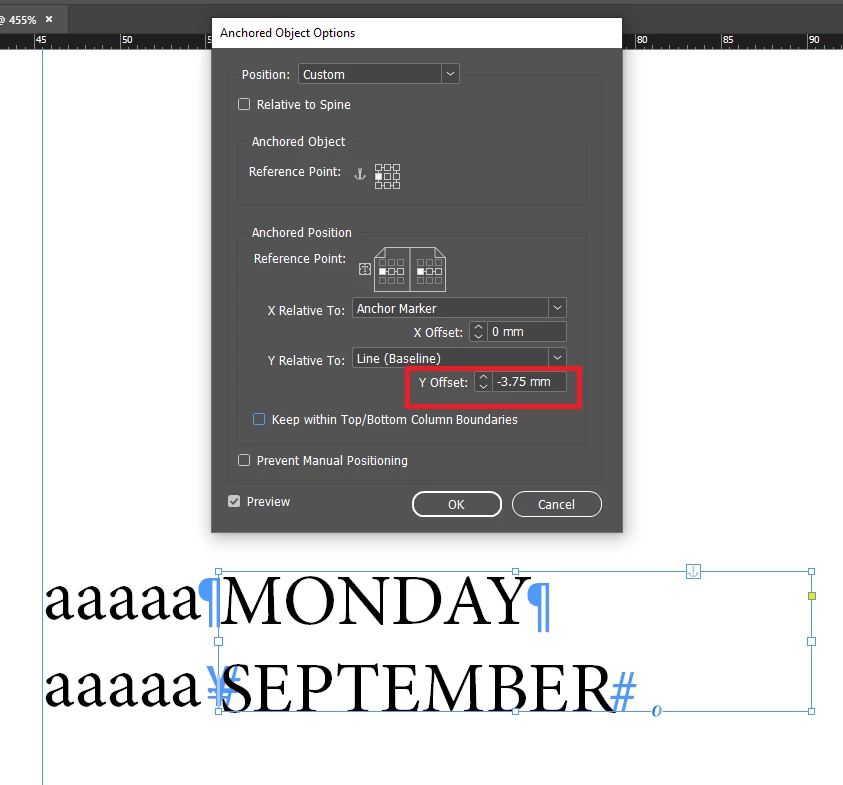
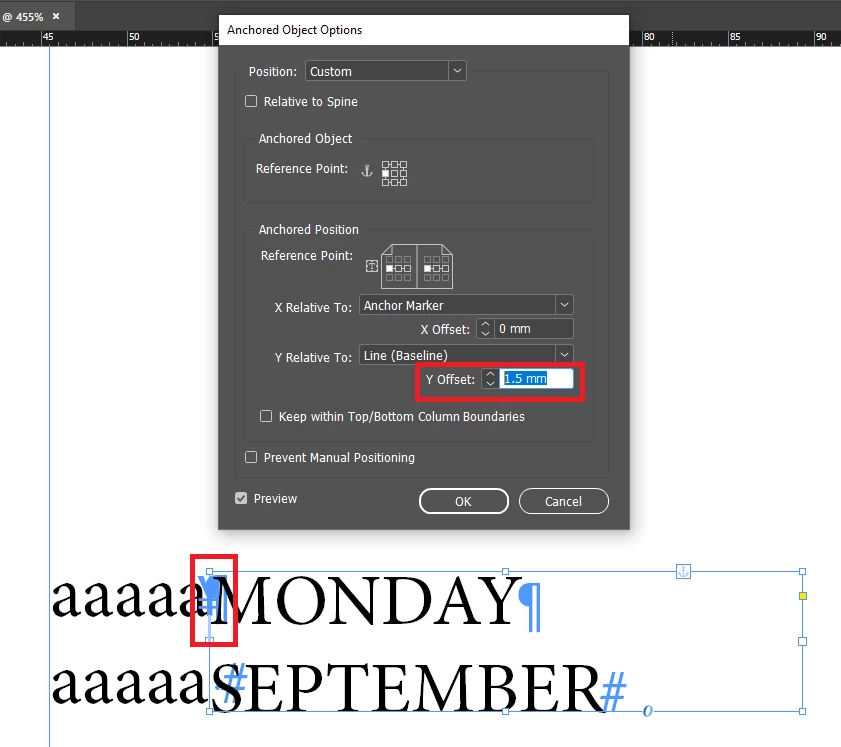
But you might need to play with Y OFFSET:


And then - for your convenience - you can create ObjectStyle that you'll apply to the MONDAY... TextFrame.


Or even create more than one ObjectStyle - for different combinations of text "outside" and inside - right now you've only one text line "outise" - asdfas...


And then also, everything depends where you'll anchor your MONDAY... TextFrame.


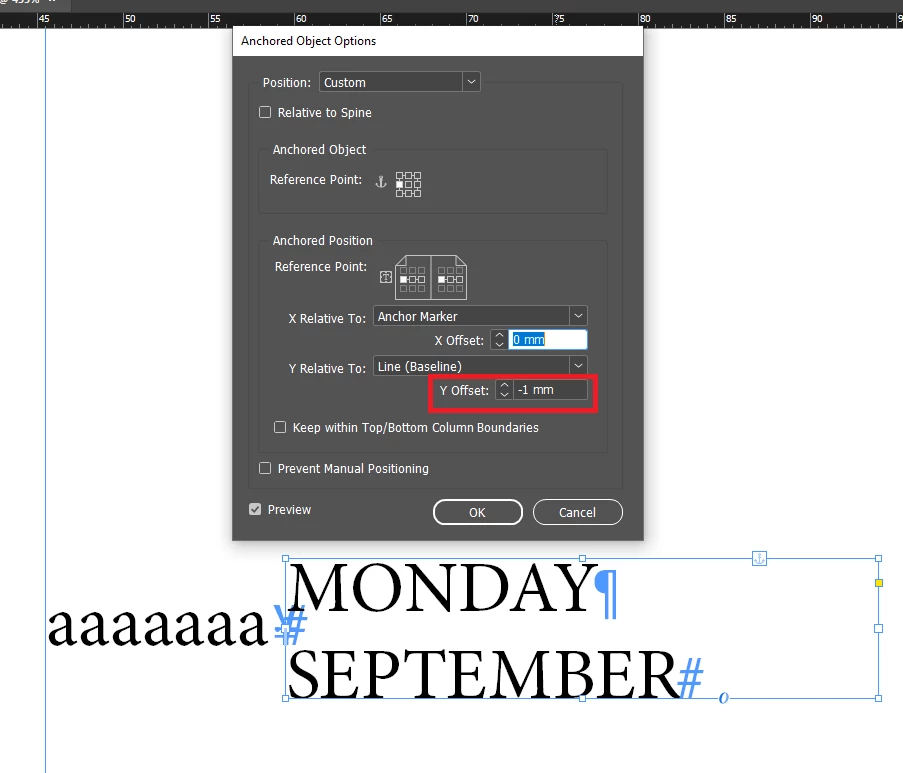
Here, I've re-anchored it to the 1st line:


2 replies

Robert at ID-Tasker
Legend
May 22, 2025

@Francesco Stefanini 


Your MONDAY SEPTEMBER frame is aligned to the baseline of the "sdfsa..." text.


In order to have it all centered - you'll need to convert your MONDAY... TextFrame from InLined - to Anchored:


Then select CUSTOM:


Then:


Next step - vertical alignment of the "outside" TextFrame - you've already done:


Robert at ID-Tasker
Robert at ID-TaskerCorrect answer
Legend
May 22, 2025

@Francesco Stefanini 


But you might need to play with Y OFFSET:


And then - for your convenience - you can create ObjectStyle that you'll apply to the MONDAY... TextFrame.


Or even create more than one ObjectStyle - for different combinations of text "outside" and inside - right now you've only one text line "outise" - asdfas...


And then also, everything depends where you'll anchor your MONDAY... TextFrame.


Here, I've re-anchored it to the 1st line:


Abhishek Rao
Community Manager
Community Manager
May 22, 2025

Hi @Francesco Stefanini,


Thanks for sharing the screenshot. If I understand correctly, you're trying to center-align the text (like "MONDAY SEPTEMBER") vertically within the smaller inner frame, around the red line you indicated.

In this case, try selecting the text frame and go to the 'Text Frame Options' ('Ctrl+B' or 'Cmd+B' on Mac), then under 'Vertical Justification', choose 'Center'. That should align the text vertically within its own frame.

If you're aiming to align that inner frame itself (which holds the text) inside the outer frame, try selecting both frames and using the Align panel (Window > Object & Layout > Align). Make sure "Align to Selection" or "Align to Key Object" is selected, then click on 'Vertical Align Center'.


Let me know how that goes.

Abhishek


Robert at ID-Tasker
Legend
May 22, 2025

@Abhishek Rao 


I think @Francesco Stefanini wants to also align vertically "sdfs..." text?