
Question
Certain Keyboard shortcuts missing
I'm not talking about the preferences. My Keyboard shortcuts all work, except for a few that have dissappeared from being able to be shortcut.
For example. I do a lot of work in books. I used to be able to set a shortcut to export selected pages for the book. I would highlight, ctrl-opt-cmnd + E and it would select f=the function 'Export Selected Documents to PDF...'
When I realised this no-longer worked, I went in search to re-bind those keys in Keyboard Shortcuts...
But I cannot. It's not in the place it should be: Panel Menus...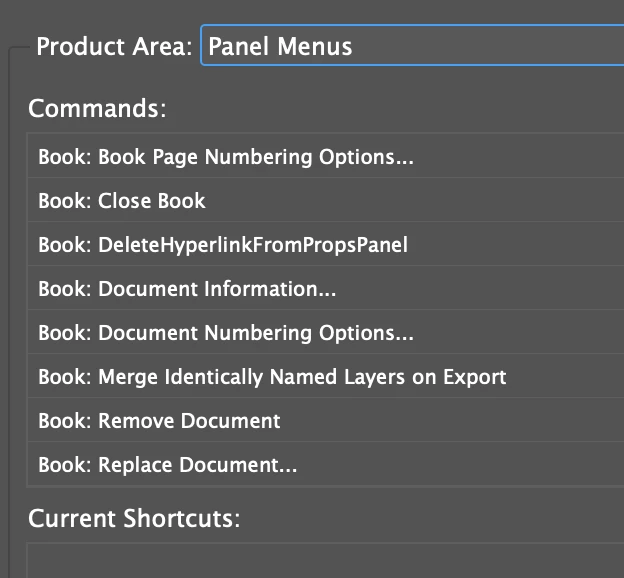
Anyone else have this issue or know a workaround?


 AdChoices