Participant
April 11, 2018
Answered

Change colour by zone

  • April 11, 2018
  • 1 reply
  • 734 views

Hello !

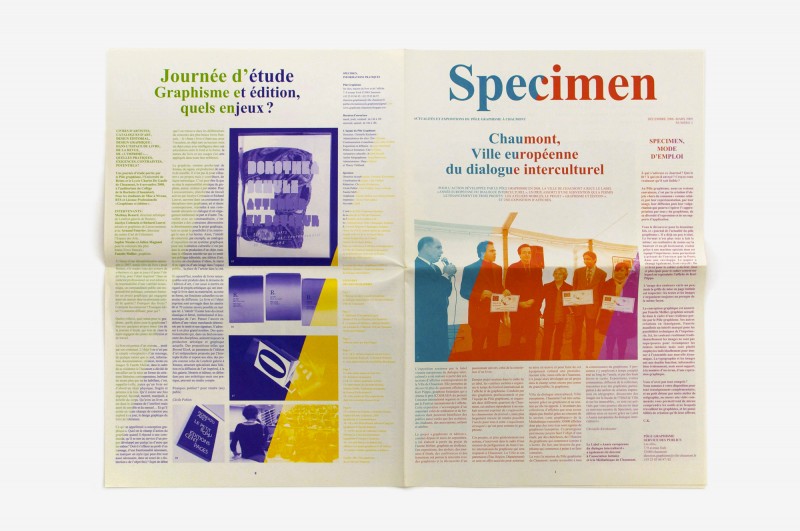
I am trying to do the same thing as in the picture below, ie isolated some part (text, image, etc, all that has an ink) and to change the ink in this area ... I tried transparency effects  but nothing makes it ... someone has an idea?

Thank you in advance !

specimen_journal_04-800x531.jpg

    This topic has been closed for replies.
    Correct answer vinny38

    Salut !

    Here's my suggestion:

    • First create an empty frame that you place as a background. Fill it with [Paper] swatch.
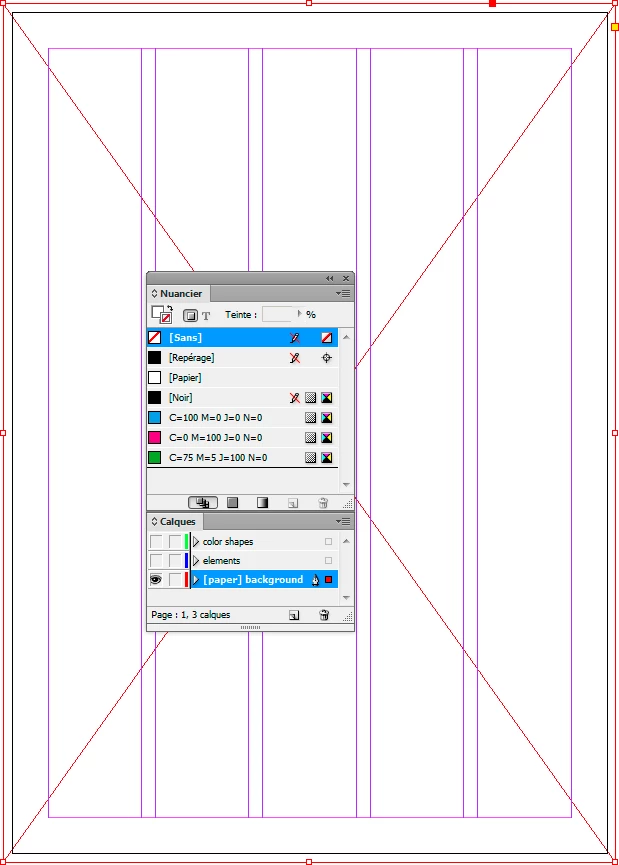
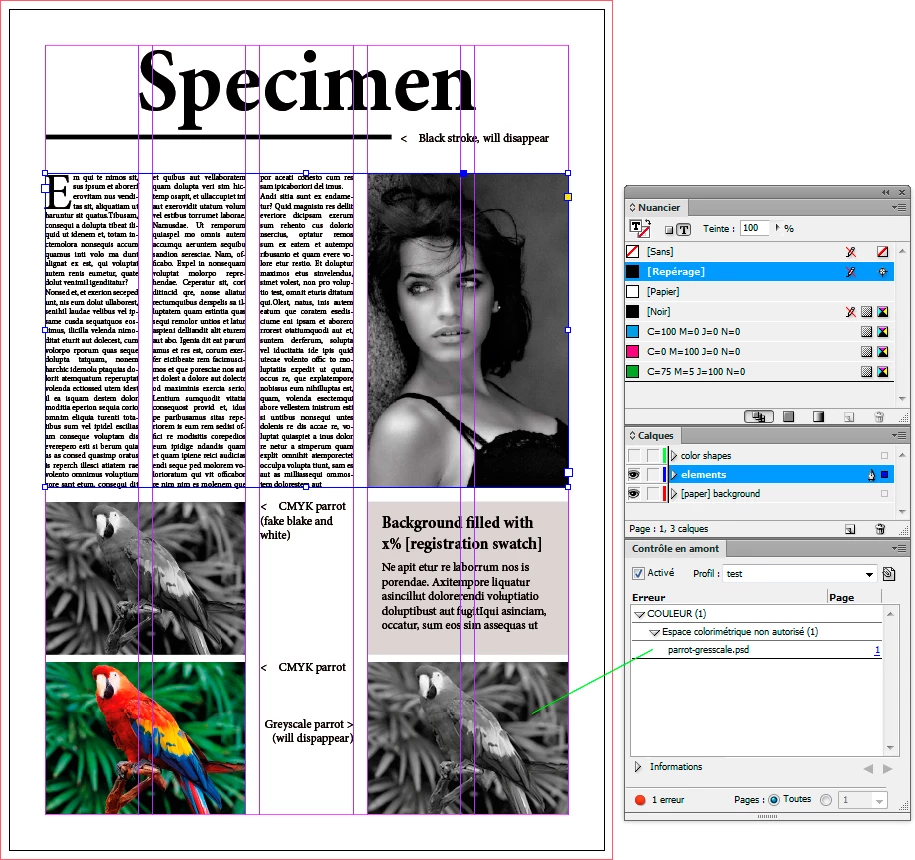
    • Then set up everything with [Registration] swatch instead of [Black].

    Text, stroke, fills, etc. I don't think preflight profile can spot the use of [black], probably a script would.

    Make sure no picture use greyscale mode. Preflight profile will be handy there:
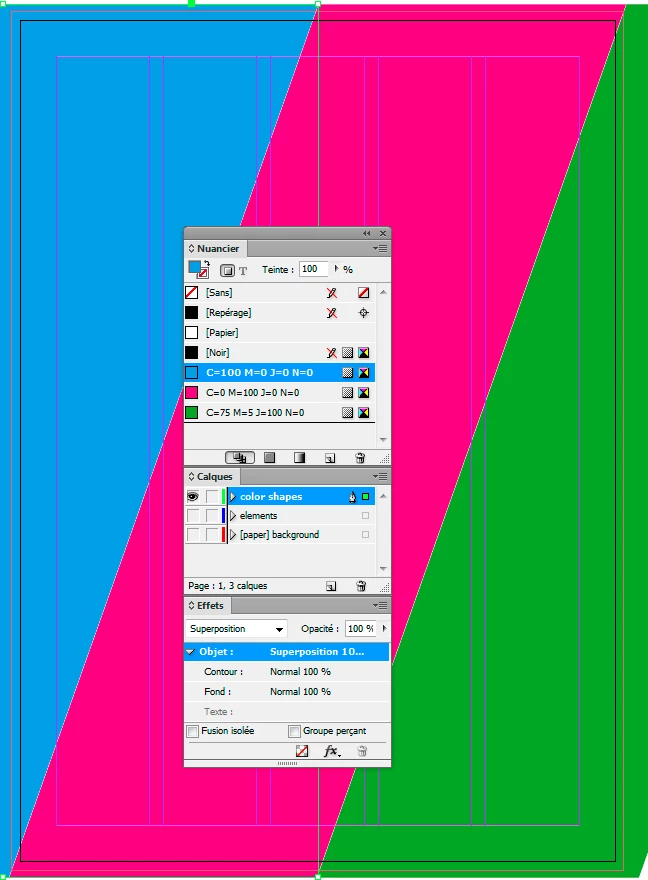
    • Add your colored shapes on top of everything.

    Apply Screen (superposition en français) transparency mode to them.

    Make sure they don't overlap, nor there's any gap between them:
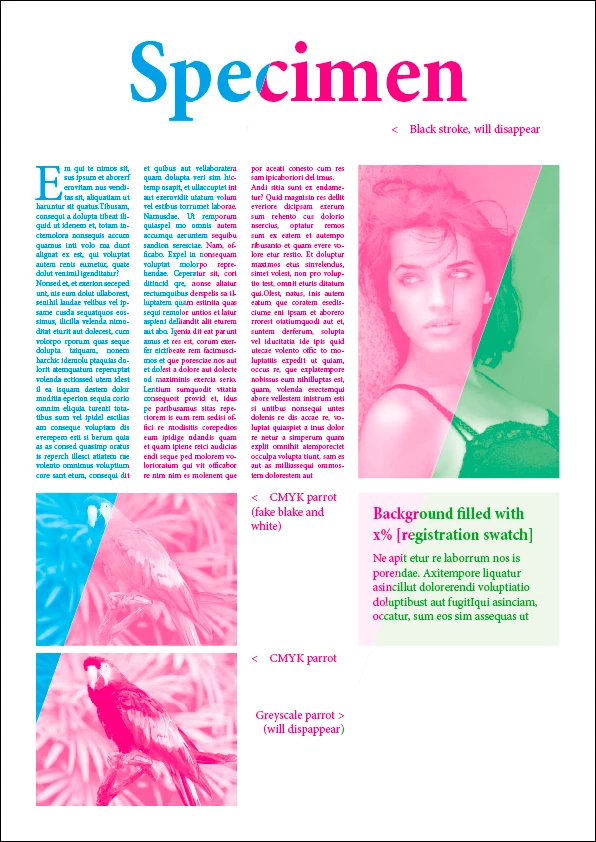
    • Final result:

    See the black elements that have disappeared!

    See also the resulting difference between colored picture and the faked greyscale:
    J'espère que cela correspond bien à ta demande.

    a+

    Vinny

    1 reply

    vinny38
    vinny38Correct answer
    Legend
    April 12, 2018

    Salut !

    Here's my suggestion:

    • First create an empty frame that you place as a background. Fill it with [Paper] swatch.

    • Then set up everything with [Registration] swatch instead of [Black].

    Text, stroke, fills, etc. I don't think preflight profile can spot the use of [black], probably a script would.

    Make sure no picture use greyscale mode. Preflight profile will be handy there:

    • Add your colored shapes on top of everything.

    Apply Screen (superposition en français) transparency mode to them.

    Make sure they don't overlap, nor there's any gap between them:

    • Final result:

    See the black elements that have disappeared!

    See also the resulting difference between colored picture and the faked greyscale:

    J'espère que cela correspond bien à ta demande.

    a+

    Vinny
    Participant
    April 12, 2018

    It was all about this white background…… quite easy in fact ! Thanks a lot