
Change link.filePath in InDesign
Hello each other
We have macOS as well as Windows in use and since InDesign does not use relative file paths, we have placed a symbolic link to the file server on Windows. But before saving the InDesign back to Windows, we want to run a script that adjusts the image paths back to the "Mac path".
Now I have a script here that almost meets my requirements. Only it also checks if the links are missed as well as updates the links. But now I don't have any links on Windows and on the macOS clients I don't want to install the script, because only one person works with Windows.
So I just wanted to create a simple script, which just stupidly and without logic rudimentary changes the path from (Attention example:) "SAMPLE" to "SMPLE". So a simple search and replace, but without relinking.
I would probably then have an InDesign server process it that way. But now I have the problem that this property is read-only.
I have also tried running the following, but to no avail:
filePath.readonly = false;
This is my script:
var doc = app.activeDocument;
var links   = doc.links; //Erkennt alle Links
var counter = 0;

var PATH_FROM   = "Macintosh HD";
var PATH_TO     = "Windows";

for (var i = links.length -1; i >= 0; i--) {
	link = links[i];
	file_path = link.filePath;
	new_file_path = file_path.replace(PATH_FROM, PATH_TO);
	link.filePath = new_file_path;
	/*
    if (links[i].status == LinkStatus.LINK_MISSING) {
        new_file = new File(new_file_path);
        if ( new_file.exists ) {
            link.relink(new_file);
            link.update();
            counter++;
        }
        else {
            alert("Die Datei konnte nicht gefunden werden:\n" + new_file_path);
        }
    }*/
}
In InDesign I get the Error (filePath is a read-only property):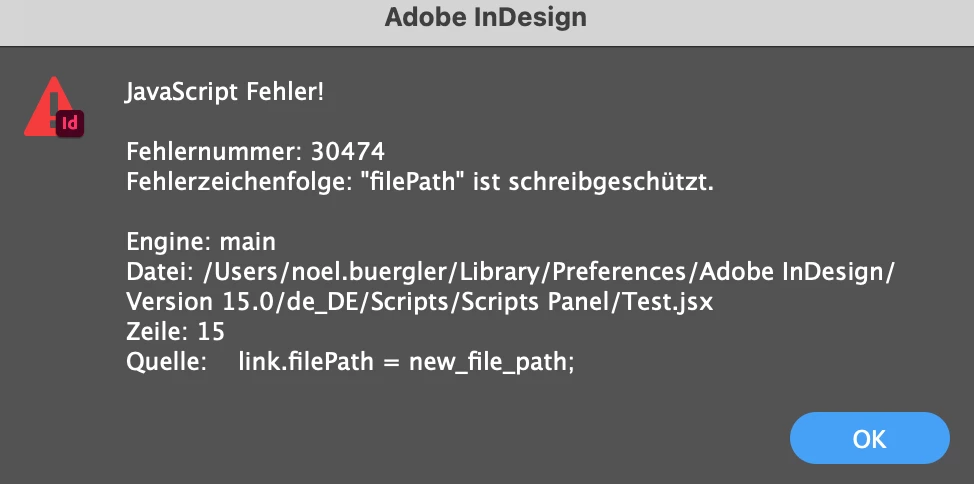
Do you have any idea? I hope you can help me.
Kind regards
Noel Bürgler
 AdChoices