
Change PDF Preset used on "Print Booklet"
Hi, everyone!
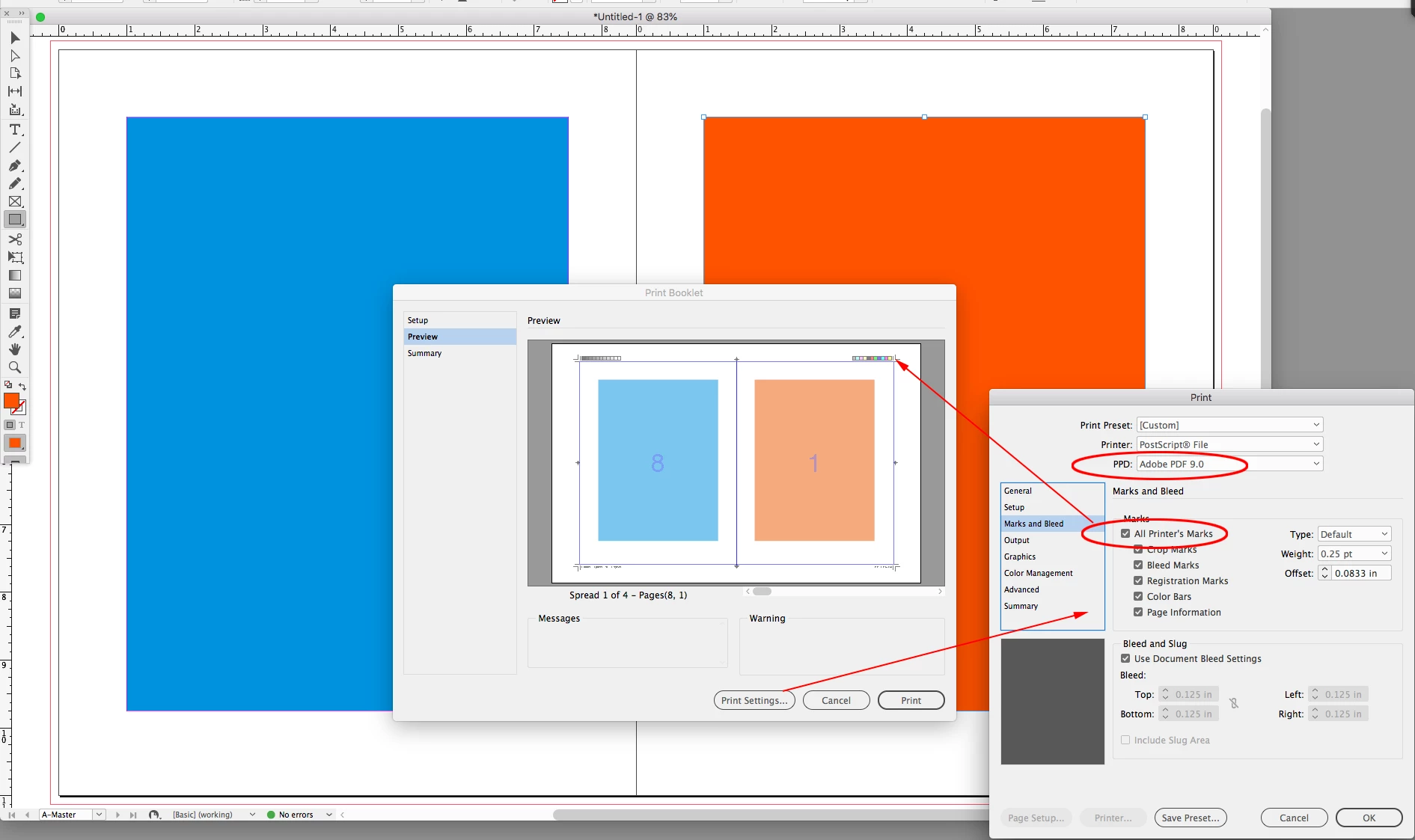
I've noticed you can use the Prink Booklet option on InDesign to export a PDF with the pages in the correct order for, duh, a booklet. That's awesome.
However I've also noticed this feature won't give you the option to choose the outputted PDF preset (X-1, X-4 etc.), it'll just use a X-1 automatically (I think it's X-1 because it gives you flattening options, and X-1 is the preset that deals with flattening, since it doesn't support transparency, right?).
Is there any way to tweak these settings so I can get a X-4 output using this feature? I've had problems with X-1 flattening creating the famous "white lines" that in the end were printed and clearly visible on the final print and the client was really mad, so I just avoid using X-1.
Thanks!
 AdChoices