AbhilashU
Participant
May 20, 2022
Answered

Change the language US English to UK english
  • May 20, 2022
  • 3 replies
  • 15550 views

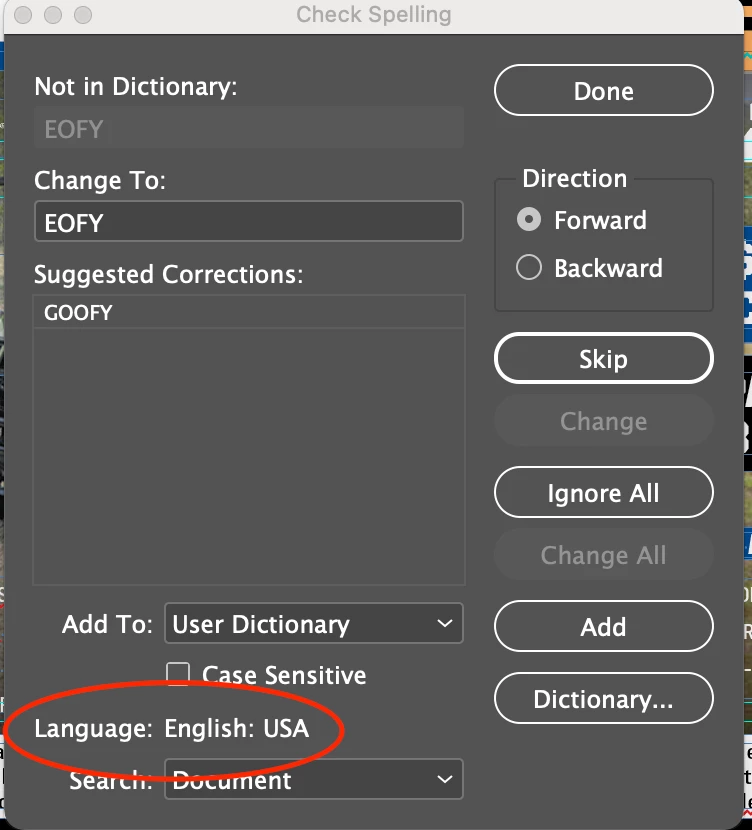
Hi, please help me to change the language setting to English: UK. Tried every options but its not happening. Please let me know the solution for my problem.

Correct answer Brad @ Roaring Mouse

There are various levels of preferences here= to help you going forward.

To change your InDesign preference:

1. Open InDesign without opening a document, go to Preferences > Dictionary and change to English UK.

2. Still without a document open, Edit any Paragraph Styles. Typically, without any document there would be only "Basic Paragraph Style". Change the dictionary assigned to that style, even if you never use it.

3. Open the Type > Character (Cmd-T) panel and confirm it has English UK at the bottom.

Close InDesign and reopen to confirm these preferences were set.

Once you do this, any new document you start should be good.

This WILL NOT change any existing document. For those, you will have to edit the Paragraph Styles assigned to the text you are trying to spell check. If your Style is based on another one, you should go back to the root style and change it there. Go through your entire list of Paragraph Styles to check.

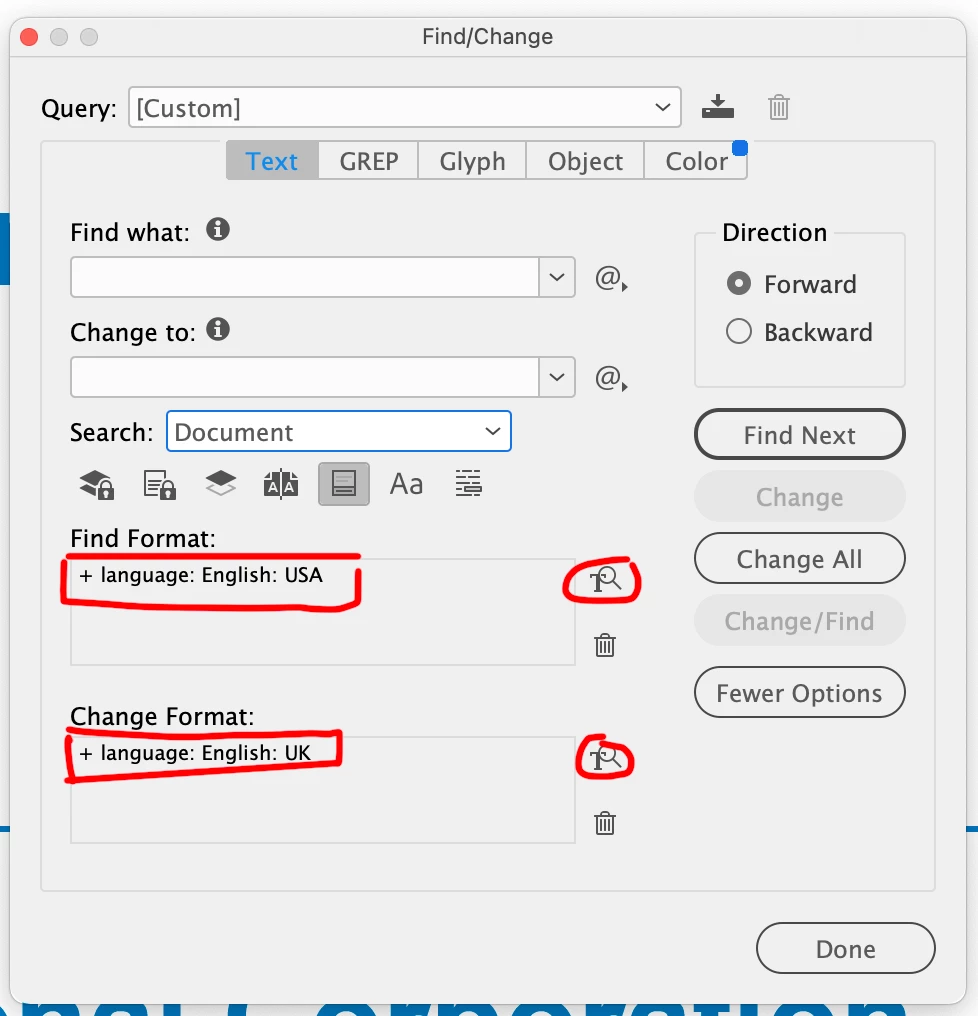
For any text that has NO style assigned, you can Search and Replace for any dictionary and replace it for another, say you have text with no Styles applied.
 

3 replies

rob day
Community Expert
Community Expert
May 20, 2022

Hi @AbhilashU , if it’s something you need to do often this script should work:


https://shared-assets.adobe.com/link/98453a4b-80c7-49d0-7702-e507d8404479


Dialog:


Participant
April 1, 2024

When will the USA learn it can not spell. The default should be English, not an american version of English!

Willi Adelberger
Community Expert
Community Expert
April 1, 2024

What hinders you to change the defaulöt to EN-UK?

Brad @ Roaring Mouse
Community Expert
Brad @ Roaring MouseCommunity ExpertCorrect answer
Community Expert
May 20, 2022

There are various levels of preferences here= to help you going forward.

To change your InDesign preference:

1. Open InDesign without opening a document, go to Preferences > Dictionary and change to English UK.

2. Still without a document open, Edit any Paragraph Styles. Typically, without any document there would be only "Basic Paragraph Style". Change the dictionary assigned to that style, even if you never use it.

3. Open the Type > Character (Cmd-T) panel and confirm it has English UK at the bottom.

Close InDesign and reopen to confirm these preferences were set.

Once you do this, any new document you start should be good.

This WILL NOT change any existing document. For those, you will have to edit the Paragraph Styles assigned to the text you are trying to spell check. If your Style is based on another one, you should go back to the root style and change it there. Go through your entire list of Paragraph Styles to check.

For any text that has NO style assigned, you can Search and Replace for any dictionary and replace it for another, say you have text with no Styles applied.


AbhilashU
AbhilashUAuthor
Participant
May 20, 2022

Thanks brad, It's working.

Willi Adelberger
Community Expert
Community Expert
May 20, 2022

You need to change in extended character properties the language of your text. The best way you do it in changing the language as part of the paragraph styles.

AbhilashU
AbhilashUAuthor
Participant
May 20, 2022

Tried that to, but its not changing. Still it shows US english. Also when we close the document and open new document it shows the same.

Willi Adelberger
Community Expert
Community Expert
May 20, 2022
  1. Did you check the paragraph style?
  2. Do you use a character style? Look also in GREP, Inline and Nested Styles.
  3. Have you done some manual overrides? You see it, if a + is beside the parafrph style name.