Okay, first of all, you need to be using a defined, named style for these bullets, as you should be for every other paragraph. Don't do "select/click" formatting as you might be used to doing in Word etc. This includes doing spot-application of the bullet style.
With a style defined, set up the spacing, font, etc. the way you want it for the body of the bullet text.
Then, under Bullets & Numbering, specify a Character Style to be used for the bullet (or, for numbered lists, the numbering). Define this character style to be the font, size, color, etc. you desire. It will be applied completely independently of the paragraph's body style.
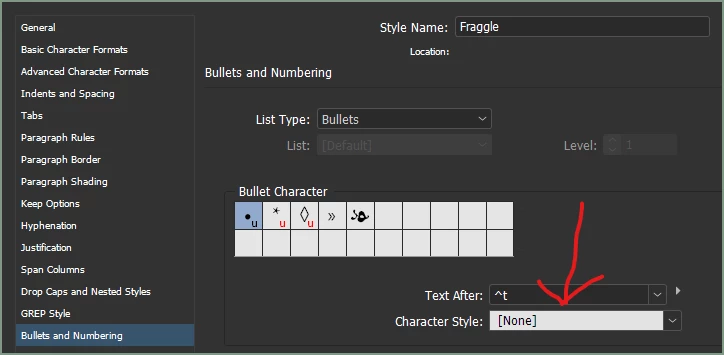
Oh, you have to define that Character Style before you select it as above, but you can do a rough style, assign it, and then tweak it to get things like size and baseline shift exactly right.
Ask away if any of that doesn't get you where you're headed.

 AdChoices