daz77
Participant
January 19, 2017
Answered

Chapter Numbers in Indesign CS6 Book

  • January 19, 2017
  • 2 replies
  • 4065 views

I am forming a book in InDesign.

I have a Running Header on the Master page of the document that syncs to all the other Documents.  This is pointing at my Header 01 style, which in fact is numbered.

However, I have been told I could do with a Chapter number before the Running Header, but I'm not sure how to do this except by manually doing it which would be too much work.

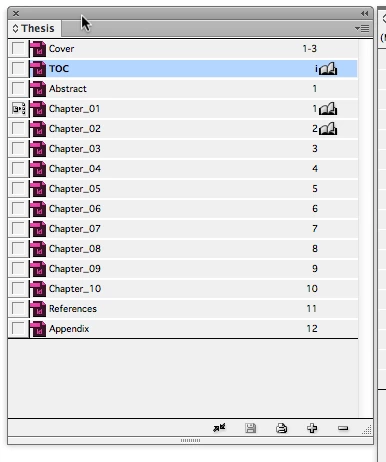
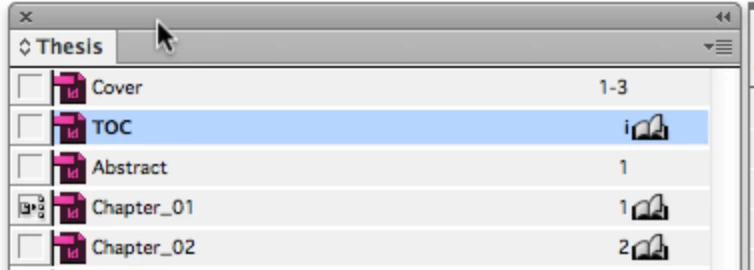
I have a screen grab of my book list if this helps.

This topic has been closed for replies.
Correct answer jane-e

Hi, thanks for the replies.

So, I've just checked the Chapter number in my Chapter_01 document, which is number 4, which I presume is because its forth in the list (see my book list from my original post)?

So, do I change this to 1, then add a Chapter Title Text Variable to my master page?

What about Chapter_02, 03, 04, etc.  Do I need to change their numbers also?

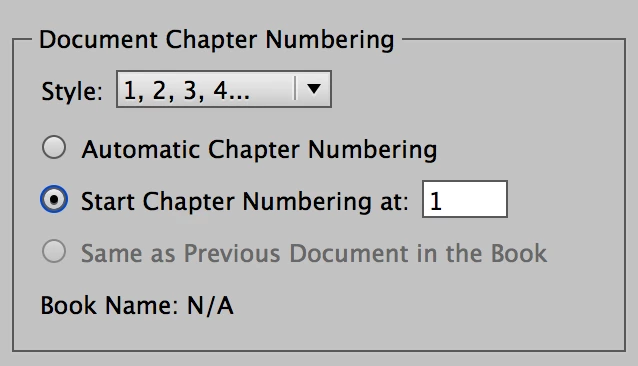
The Document Chapter Numbering for Chapter_01 looks like this: Start at 1
The Document Chapter Numbering for 02 to 10 looks like this: Automatic
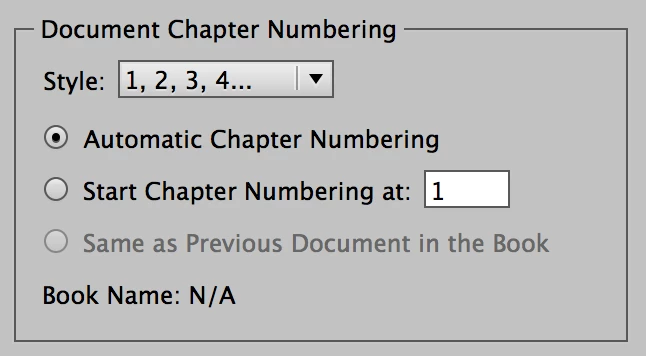
In addition, create the text variable as Barbara showed you, for the Chapter Header

Text > Text Variables > Define > New > Give it a name and define it

After it is defined, you can insert it into a text frame on your Master and / or to the insertion point in the Heading on page 1, for instance.

If something doesn't work, you can keep tweeking it until it does. Redefine the variable. Change the Document Numbering. Et cetera.

Ask here if it doesn't work perfectly. If you reorder any chapter except 01, the others update.

2 replies

Inspiring
December 8, 2019

Hi Jane.  I put those chapter numbers in thinking I was putting page numbers.  How do I delete these chapter numbers?  I don't want them.  Thanks in advance for your help.

Inspiring
December 8, 2019
I did it! so easy. Sorry for the post. I must have been tired when I
last tried.

--
*If you won't risk anything, you risk even more.* *Erica Jong*

Website: www.mjgenger.com
*Shift Happens—Breakdowns During Life's Long Hauls *can be purchased here

.
Barb Binder
Community Expert
Community Expert
January 19, 2017

However, I have been told I could do with a Chapter number before the Running Header, but I'm not sure how to do this except by manually doing it which would be too much work.

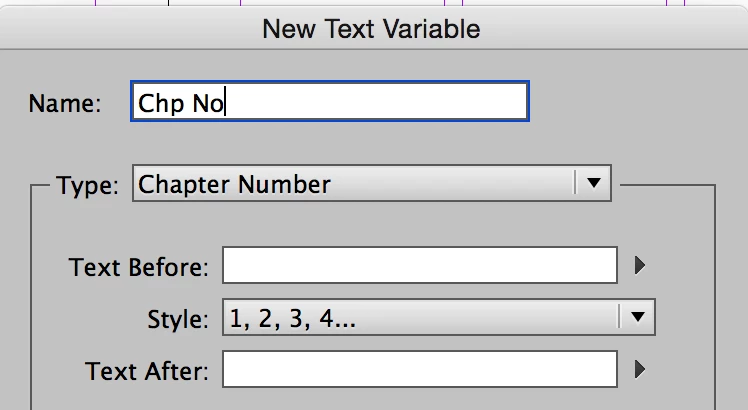
Add a Chapter Number text variable to the master page:

Result on the master page:

Result on the body pages:

~Barb at Rocky Mountain Training
jane-e
Community Expert
Community Expert
January 19, 2017

Also—

In Numbering and Sections, the Default is Automatic Chapter Numbering. If you have a TOC, then the second chapter of your book might be set to start at "1" and the rest stay on automatic.

If a large chapter is split into parts, you can use "same as previous".

(I don't have a book open, so there is no book name.)

daz77
daz77Author
Participant
January 20, 2017

Hi, thanks for the replies.

So, I've just checked the Chapter number in my Chapter_01 document, which is number 4, which I presume is because its forth in the list (see my book list from my original post)?

So, do I change this to 1, then add a Chapter Title Text Variable to my master page?

What about Chapter_02, 03, 04, etc.  Do I need to change their numbers also?