noriek31938412
Participating Frequently
June 3, 2022
Answered

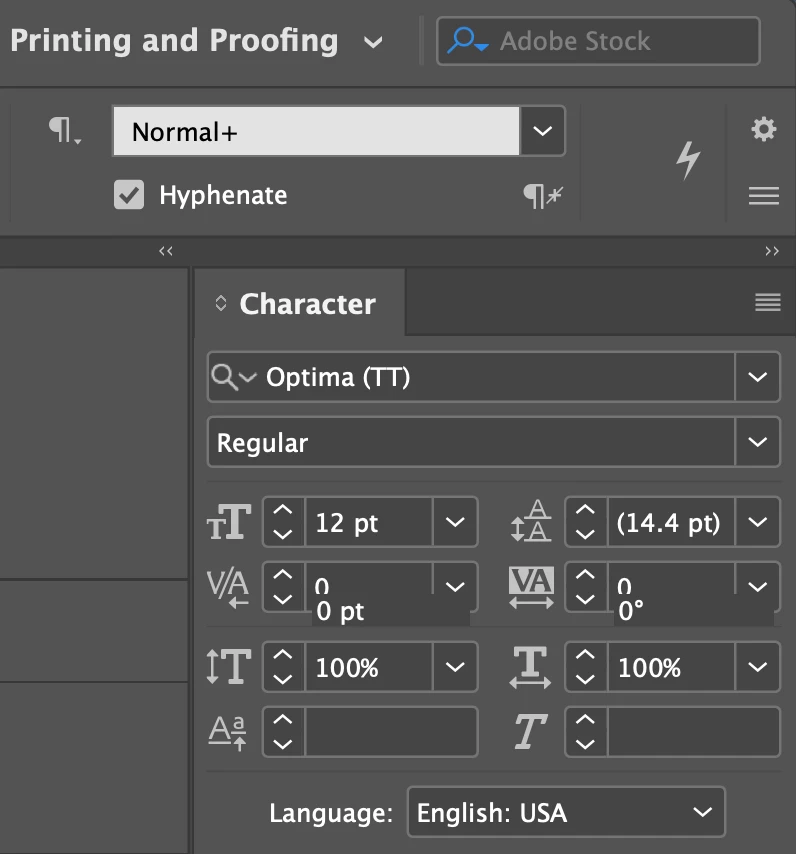
Character menu numbers not appearing properly - how can I fix?
  • June 3, 2022
  • 2 replies
  • 586 views

This topic has been closed for replies.
Correct answer jmlevy

So, I have a MAc and hel d down the keys you receommended and InDesign wouldn't even launch.
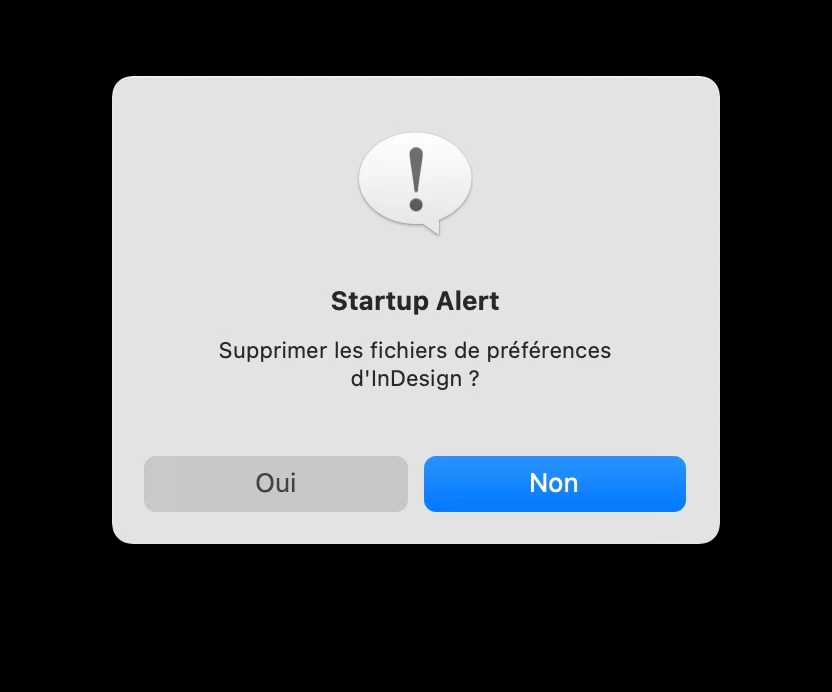
  1. Hold down the Shift, Ctrl, Alt and Cmd key and do not release them
  2. Select the InDesign icon in the Dock, right-click > open
  3. Wait until the warning message

  4. You can release the keys
  5. Click on Yes

2 replies

jmlevy
Community Expert
Community Expert
June 3, 2022

@Derek Cross I think that @noriek31938412 refers to a display problem in the character panel than actual numbers in the document.

Try to reset preferences: quit InDesign and relaunch it while holding down the Shift, Ctrl and Alt keys [Windows], Shift, Ctrl, Alt and Cmd keys [Mac] until you see a warning message asking for confirmation.

noriek31938412
Participating Frequently
June 9, 2022

You're correct Derek, I was referring to the display problem in the character panel. The issue is still present whether I use TT or OTF fonts. So, I have a MAc and hel d down the keys you receommended and InDesign wouldn't even launch. Am I missing something? Thanks,

noriek31938412
Participating Frequently
June 9, 2022

Oop sorry jmlevy!

Derek Cross
Community Expert
Community Expert
June 3, 2022

It might be better to use Open Type Fonts (OTF).
