Correct. I usually will just start typing the name of a font I want if I know the name to get to it. However, sometimes I don't know what font I want to use for something so I will open the list, click on some random font which changes my highlighted text to that font. I then click once in the font name box and want to start choosing different fonts from the location of the font I chose by using the up or down arrow keys on my keyboard. However, selecting a font appears to be throwing it into the favorites box above that line and then when I use my down arrow key it starts choosing fonts in the "favorites" until it gets to the beginning of my font list and going from there. I don't want to start looking at fonts from my favorites and into the A's, I want to choose on say Eurostile and then when I hit the down arrow key, I want the next font in my font list to show up which in my case is Eurostile Extended. I don't want to start up in my favorites and scroll down and keep hitting favorites.... know what I mean?
I think maybe I'm getting closer! 
Like Steve said, mine is working the way you describe with the arrow keys. I pick a font, tap the down arrow key and it moves on down.
| However, selecting a font appears to be throwing it into the favorites box above that line and then when I use my down arrow key it starts choosing fonts in the "favorites" until it gets to the beginning of my font list and going from there. |
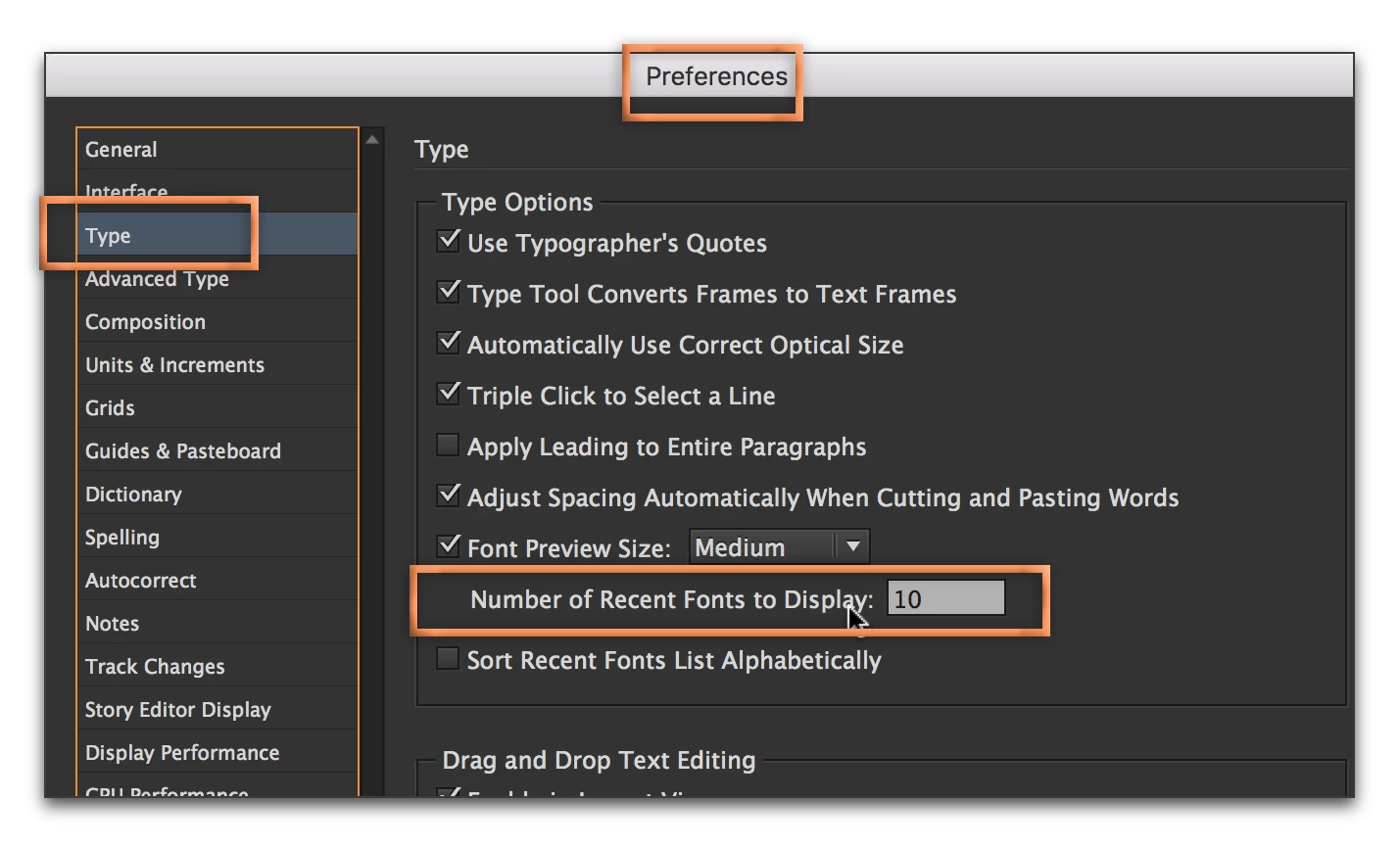
I think there is still confusion about the top of the list: it's recent fonts and not favorites. If it is getting in the way, you can set the recent fonts to 0 and then maybe, just maybe, you too will have the behavior you are seeking. Come back and tell us!

 AdChoices