Known Participant
October 14, 2022
Answered

Clipping a Rectangle using Extendscript?

  • October 14, 2022
  • 1 reply
  • 3735 views

I'm trying to write a function that takes two possibly overlapping rectangles and returns an array of rectangles that cover the area of rectangle A, but exclude area of rectangle B.


 rect A= x1="800.7" x2="1000.35" y1="11.37" y2="90.17"

rect B= x1="833.967 " x2="1000.697" y1="11.37" y2="90.17"T


i want to place my image in the resulting rectangle

result rect= rect A- rect B

i am available to get the bounds for both the reactangles but not sure how to get the result reactangle and also how to place image in the resultanted rectangle please the attachment for proper understanding
This topic has been closed for replies.
Correct answer rob day

hi rob day,

It would be great if you check your inbox .


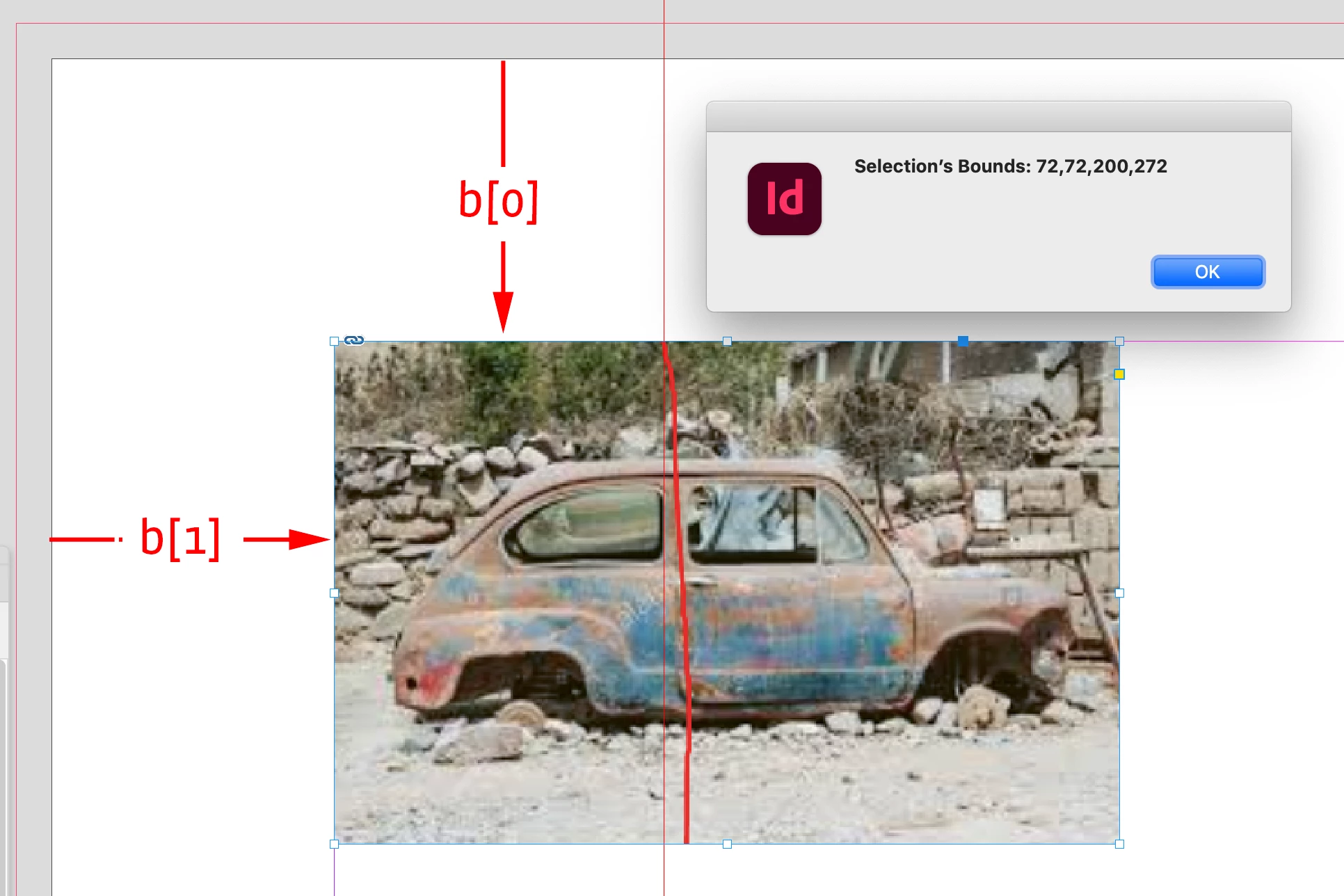
Hi @codevita , I saw your note. The container frames’s geometricBounds are relative to the page not the image—[Y1, X1, Y2, X2]:


//the amount to clip
var clipX = 85;

//alert the current selection’s bounds
var b = app.selection[0].geometricBounds;
alert("Selection’s Bounds: " + b);

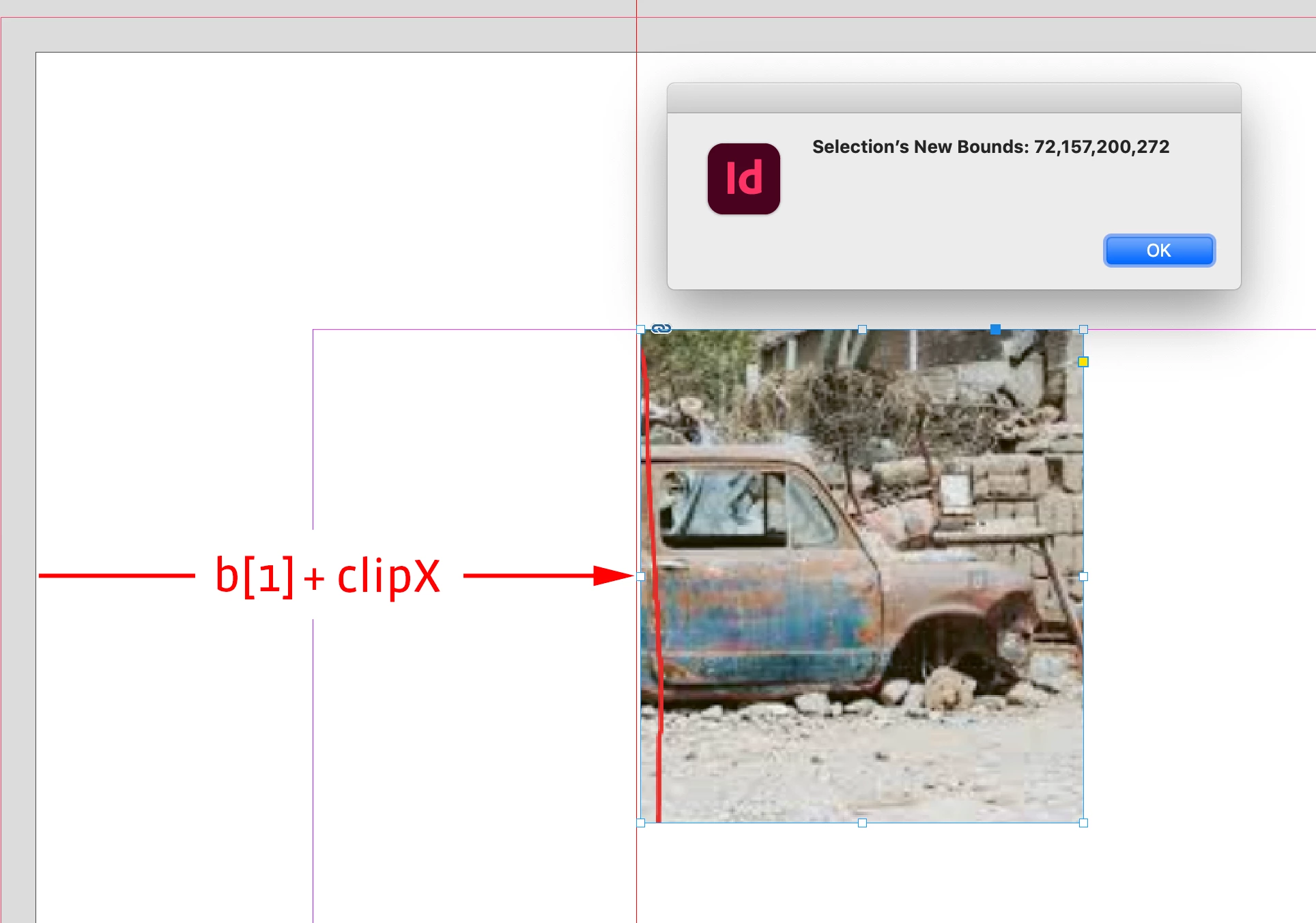
//add the clip amount to the x1 value  (b[1]+clipX) moves the left edge of the frame to the right
app.selection[0].geometricBounds = [b[0], b[1]+clipX, b[2], b[3]]

//alert the new bounds
alert("Selection’s New Bounds: " + app.selection[0].geometricBounds);


The width of the frame would be b[3]-b[1], and the height would be b[2]-b[0]

1 reply

Community Expert
October 14, 2022

Hi @codevita ,

ask yourself how you would do this in the GUI.

You'd align both rectangles vertically and then use one of the pathfinder tools to create A minus B.

This is scriptable.


Also possible:

create a new rectangle out of your values.

Note, that geometricBounds are defined with an array of values:

[

y1, x1,

y2, x2

]


In ExtendScript code, not optimized or generalized at all:


// Rectangle A selected using the GUI
var rectA = app.selection[0];

// Rectangle B selected using the Shift key after rectangle A was selected:
var rectA = app.selection[1];

// For now I do not use rectangle B, just rectangle A to define the spread where the new rectangle should be added:

// Create a new rectangle without fill and stroke on the spread:
var newRect = rectA.parent.rectangles.add({ fillColor : "None" , strokeColor : "None" , strokeWeight : 0 });

// Assign new values for property geometricBounds in Points:
// First use your concrete values without any variables to get a quick result:
newRect.geometricBounds = [11.37, 800.7 , 90.17 , 800.7 + 833.967 - 800.7 ] ;

// You'd need a valid file object to do this:
// newRect.place( imageFile );


This just as a start to write a more general script.

Look up object File and its constructor in the ExtendScript DOM documentation:

https://www.indesignjs.de/extendscriptAPI/indesign-latest/#File.html


Also object Rectangle and its properties and methods:
https://www.indesignjs.de/extendscriptAPI/indesign-latest/#Rectangle.html#d1e217417__d1e220961

https://www.indesignjs.de/extendscriptAPI/indesign-latest/#Rectangles.html


Regards,
Uwe Laubender
( Adobe Community Expert )

codevitaAuthor
Known Participant
October 17, 2022

Hi Uwe Laubender,

Thank you so much for your helpfull suggestion,

newRect.geometricBounds = [11.37, 800.7 , 90.17 , 800.7 + 833.967 - 800.7 ] ;

newRect geometricBounds has some hard coded value can we somehow make it generic so that we can use it for other Bounds value as well....with same intention of getting the clip rectangle(rect A-rect B).


because we are trying to access data from xml and every Ad has thier different bounds.

xml formate:

<ad>
<pos x1="800.7" x2="1000.35" y1="11.37" y2="90.17"/>

<clip x1="833.967 " x2="1000.697" y1="11.37" y2="90.17"/>

</ad>


pos =Rect A

clip= Rect B


Thank You in Advance