
clipping path options no longer work since update to 13.0.1
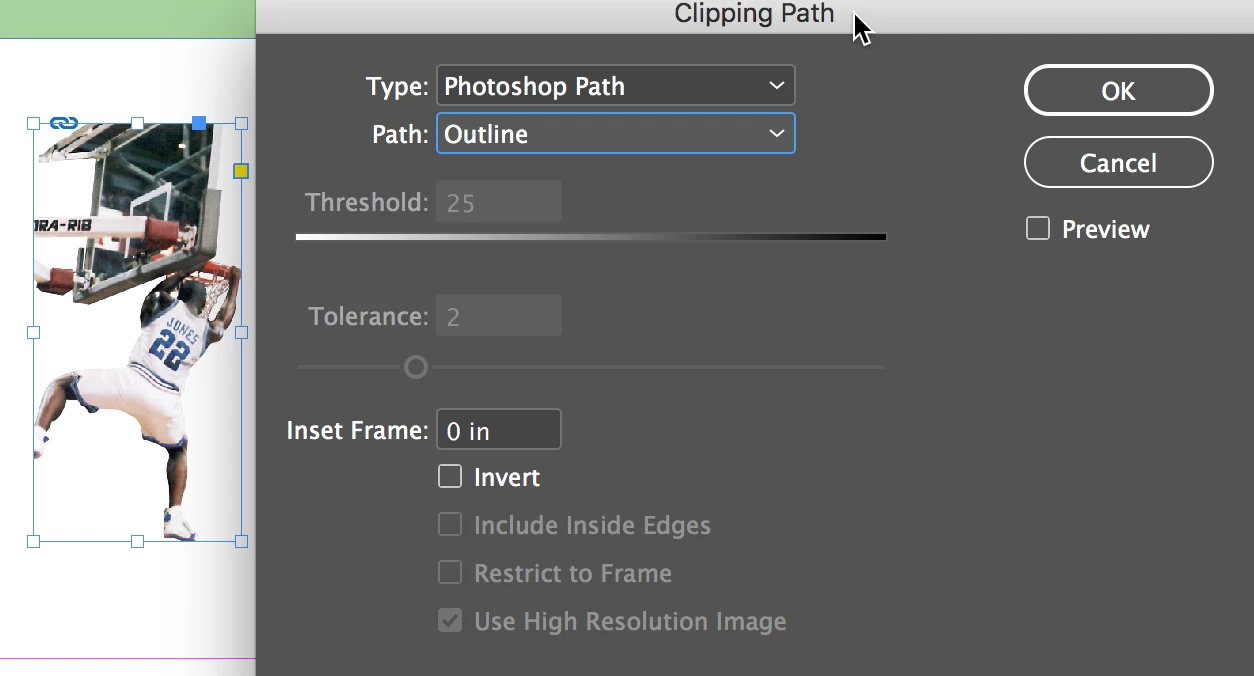
I recently ungraded to CC in December. Saturday I accepted an update and now Object's clipping path function will not work. I select the Object > clipping path > options > type > and then have "detect edges" and "photoshop path" as active and visible options to select. However, when I try to click or select either of them, nothing happens. I can drag down with my cursor over those two visible selections to click on them, but they won't "take." I've clicked Preview on and off just to check, but no difference. To be more clear, even the clipping path I made in Photoshop won't "connect" with the graphic in InDesign through the above route.
This function literally stopped working since the upgrade on Saturday. I was able to create clipping paths with auto detect on Friday also to activate my Photoshop path. I've been doing this for years and can't see a way to make this work the way it did last week. Anyone have an answer for this?
In the meantime, I'm doing a work-around by manually making clipping paths using the pen tool.
thank you,
Julia
 AdChoices