Tec2026
Participant
April 29, 2026
Question

Collegamenti a sorgenti mancanti che non riesco ad eliminare.

  • April 29, 2026
  • 2 replies
  • 30 views

Ciao a tutti,
sto lavorando su un documento creato a partire da uno esistente che mi è stato fornito.

Il file originale conteneva dei collegamenti a immagini esterne che, nel mio documento finale, non devono essere presenti. Nonostante abbia rimosso le immagini dalla pagina, non riesco a eliminare definitivamente i relativi collegamenti.

Di conseguenza, ad ogni apertura del file mi compare l’avviso “collegamenti a sorgenti mancanti” e nel pannello Collegamenti vedo ancora le anteprime con il punto interrogativo rosso, che vorrei eliminare completamente.

Inoltre, se clicco su “Vai al collegamento” non mi porta a nessun punto del documento e non riesco a trovare un modo per eliminarlo definitivamente: l’unica opzione che sembra disponibile è quella di riassociarlo a un’altra immagine.

Qualcuno sa indicarmi come rimuovere in modo definitivo questi collegamenti mancanti dal file?

Grazie in anticipo!
    2 replies

    rob day
    Community Expert
    Community Expert
    April 29, 2026

    if I click on “Go to link” it doesn’t take me to any point in the document


    You might try removing the missing links via a script. Something like this?


    var d = app.activeDocument;
    var l = d.links;
    for (var i = l.length-1; i > -1; i--){
    if (l[i].status == LinkStatus.LINK_MISSING){
    l[i].parent.parent.remove();
    }
    };


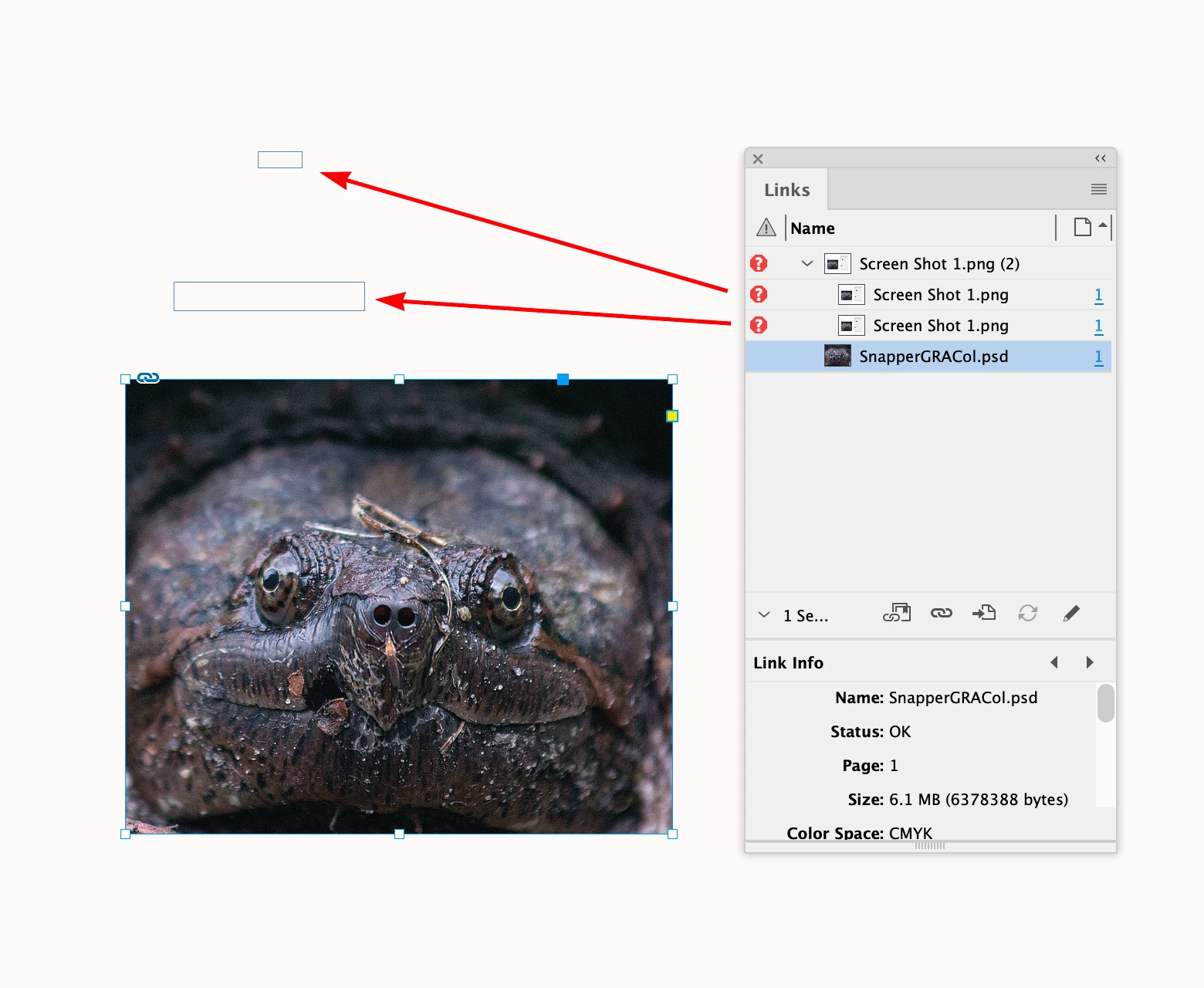
    Here there are 2 missing links, which are not visible:


    Which get removed via the script:


    Tec2026
    Tec2026Author
    Participant
    April 30, 2026

    Hi, you're awesome 😃! With the script I managed to fix the issue on most of the files. There’s still one, though, where there’s a link to a PNG image that doesn’t get removed. Your script was giving me an error, and ChatGPT told me that “The error in the script on the second file is consistent with this scenario: the link exists, but it doesn’t have a valid parent.parent structure.” So it modified the script structure, and now the error no longer appears, but the link still remains.

    rob day
    Community Expert
    Community Expert
    April 30, 2026

    Can you share the file that throws the error with my script? 

    Abhishek Rao
    Community Manager
    Community Manager
    April 29, 2026

    Hi @Tec2026,


    Thanks for reaching out. I understand how important it is to keep your document clean and free of unwanted links.

    I'd recommend trying the solution shared in this similar thread, which has helped resolve cases like this where links remain in the panel: https://adobe.ly/4u9REYa

    Please give that a try and let me know if it works on your end.


    Looking forward to hearing back from you.

    Abhishek

    Tec2026
    Tec2026Author
    Participant
    April 29, 2026

    Hi, I tried both exporting and saving as IDML, then converting back to INDD, but the links are still there. I also tried clearing the cache, but no luck.

    In theory, when I open the IDML file, should the links already be gone, or do I need to remove them manually somehow?

    If so, how can I do that, considering there’s no “delete link” command—only a “relink” option?